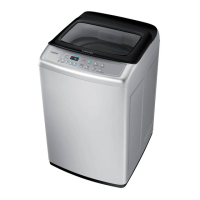
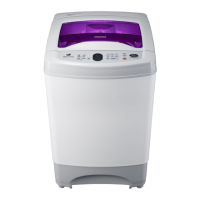
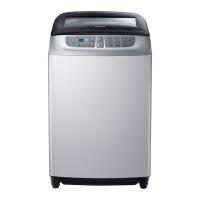
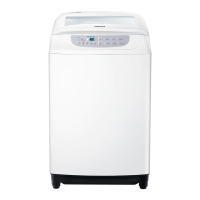
This document is a user manual for a Samsung Washing Machine, covering various models including WA90H4200SG, WA75H4400SS, WA75H4200SW, WA70H4400SS, WA70H4000SG, WA70H4000SW, WA65H4200SW, and WA60H4000SG. It provides essential information for safe operation, installation, maintenance, and troubleshooting.
Function Description
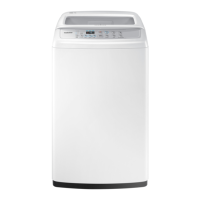
The Samsung Washing Machine is designed for household use, offering automatic and manual washing functions to clean various types of laundry. It features a spin basket, a detergent box, and a control panel for operation. The machine is equipped with an automatic sensing function that determines the appropriate water level, wash time, rinse cycles, and spinning time based on the selected program and the amount of laundry.
The control panel allows users to select from several washing programs:
- Fuzzy: Automatically selects the best washing program.
- Quick: Ideal for frequently used towels or lightly soiled laundry, offering a speedy wash.
- Delicates: Suitable for washable sweaters, cardigans, and delicate clothes.
- Blanket: Designed for big volume laundry like blankets and bed cover sheets.
- Jeans: Provides a more thorough wash for denim items.
- Eco Tub Clean: A program specifically for cleaning the washing tub itself, ensuring it remains clean and sanitary. The TUB CHECK LED illuminates to notify the user when it's time to run this cycle. This function utilizes the powerful spinning force of the washing tub pulsator to remove contaminants from the exterior of the tub, preventing odors and secondary contamination.
The machine also offers manual control over individual cycles:
- Wash Only: Performs only the wash cycle, with adjustable wash times from 6 to 30 minutes.
- Rinse Only: Performs only the rinse cycle, with adjustable rinse counts up to five times.
- Spin Only: Performs only the spin cycle, with adjustable spin times from 1 to 9 minutes.
- Wash and Rinse: Automatically determines wash and rinse times, or allows manual adjustment of wash time (6-30 minutes) and rinse times (1-5 times).
- Rinse and Spin: Performs rinse and spin cycles, with adjustable rinse counts (1-5 times) and spin times (1-9 minutes).
- Wash, Rinse and Spin: Performs all three cycles sequentially.
A Child Lock function is included to prevent unintended operation, especially by children. When activated, most buttons are locked, and opening the door triggers an alarm and automatic draining of water after 30 seconds if not closed promptly. This feature is crucial for safety, preventing injury and product malfunction.
Usage Features
To operate the washing machine, users first press the Power button, select a program or manual function, and then press the Start/Pause button. The digital graphic display shows the remaining wash time and any error states.
Adding Detergent and Softener:
Detergent should be added to the detergent box, ensuring an appropriate amount is used to avoid damage to garments or unsatisfactory rinsing. Fabric softener should be added to the softener inlet and is automatically dispensed during the rinse cycle. It is advised not to use detergent, bleach, or starch in the softener inlet, and to avoid opening the lid during the Spin Dry cycle if softener has been added, as this can reduce its effectiveness.
Loading Laundry:
Users are instructed to check clothes for bleaching, stains, and loose items like hairpins or coins before washing. Zippers on pants should be closed and secured. Delicate items, clothes with long strings, or items with metal parts should be handled with care, potentially using a laundry net. Waterproof clothes are explicitly not allowed for washing due to the risk of abnormal vibrations, ejection of laundry, and potential damage to the machine or floor. For bulky items like blankets, it's recommended to wash one item at a time and soak them in water before starting the cycle to prevent floating and ensure proper washing. Laundry should not exceed the plastic area (A) in the tub to prevent damage or water leaks.
Automatic Sensing Function:
After selecting a program and pressing Start/Pause, the machine performs an initial spin without water to sense the amount of laundry, then automatically adjusts water level, wash time, rinse cycles, and spin time.
Maintenance Features
Regular maintenance is crucial for the longevity and efficient operation of the washing machine.
Cleaning the Filter:
The filter net should be cleaned often to maintain washer cleanliness. This involves pushing the upper part of the Hygiene filter, pulling it out, cleaning it, and then reinserting it.
Cleaning the Pump Filter (Option):
For models with a pump filter, it should be cleaned by rotating it counterclockwise to remove dirt, then rotating it clockwise to lock it back into position. A rag or towel should be placed underneath to catch any water.
Cleaning the Detergent Compartment:
The detergent compartment can be separated from the washer for cleaning. The Rinse-Cap can also be separated and cleaned before reassembling and reinserting the compartment into the washer.
Water Supply Connector Filter:
The water supply connector filter should be pulled out, washed, and then reinserted, ensuring the hose is connected tightly to the inlet water valve. Users should check for any leakage after re-connection.
Troubleshooting:
The manual includes a comprehensive troubleshooting guide for common issues such as the machine not starting, water not draining or supplying, spinning problems, water overflow, child lock errors, and water leakage. Solutions range from checking power connections and water taps to ensuring hoses are correctly positioned and filters are clean. For persistent issues, users are advised to contact a service agent.
Installation:
Proper installation is vital for the machine's performance and safety. This includes placing the washer on a sturdy, flat surface, maintaining at least 10 cm clearance from walls, and avoiding installation in steamy rooms, direct sunlight, or near heat sources. The legs should be adjusted for even placement. Connecting the water supply hose involves attaching an adaptor to the water tap, tightening screws, and then connecting the hose to the inlet water valve. The drain hose should be securely connected to a drain outlet, positioned about 90-100 cm above the ground, and not submerged in water. For some models, a rat protection panel can be assembled to the base.


 To Next Page
 General