EasyManua.ls Logo

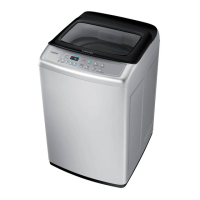
Samsung WA90J573 Series - User Manual

Samsung WA90J573 Series
44 pages
Print Icon
To Next Page IconTo Next Page
Loading...
Washing Machine
User manual
WA90J573***/WA11J575***
WA5700JS(BEST)-03516L_EN_K_150202.indd 1 2015-02-02  12:21:50

Questions and Answers

  • M
    Miss Jacqueline CarrilloAug 11, 2025
    What to do if my Samsung WA90J573 does not start?
    • T
      Theresa HintonAug 11, 2025
      If your Samsung Washer doesn't start, ensure the door is fully closed and the water taps are open. Press the Start/Pause button. Also, verify that the Child Lock is deactivated. Note that the machine makes clicking noises and does a quick drain before filling. If the door was opened during spinning, close it and press Start/Pause. The washer might be in Standby or a soaking cycle, so allow it time to proceed. Check the fuse or reset the circuit breaker if necessary.
  • X
    xfosterAug 19, 2025
    How to fix a Samsung Washer that does not turn on?
    • S
      Sara RushSep 12, 2025
      If your Samsung Washer does not turn on, ensure it's connected to a rated power source. Verify that the power cord is completely plugged into the outlet. Check the fuse or reset the circuit breaker.
  • D
    Dakota WagnerAug 27, 2025
    What to do if water is not supplied to my Samsung WA90J573 Washer?
    • J
      Joseph ChavezAug 27, 2025
      If water is not being supplied to your Samsung Washer, ensure you press Start/Pause after selecting the water supply. Verify that the water taps are fully open. Check the filter net at the water supply hose connector for clogs, and clean it with a toothbrush if necessary. Ensure the water supply is not cut off and straighten any kinks in the water supply hoses. Try opening and closing the door before pressing Start/Pause. Note that low water pressure can extend the start time. Adjust the water level using the level selector if it's lower than expected.
  • A
    Adam ReidSep 2, 2025
    Why does detergent remain in the dispenser after a Samsung WA90J573 Washer cycle?
    • R
      Roberta LittleSep 2, 2025
      If detergent remains in the automatic dispenser of your Samsung Washer after a cycle, make sure the washing machine is running with sufficient water pressure. Check that the detergent drawer is properly inserted. You can also remove and clean the detergent drawer before trying again.

Samsung WA90J573 Series Specifications

General IconGeneral
TypeTop Load
Water FallYes
Magic DispenserYes
Intensive WashYes
Child LockYes
Delay EndYes
Water Level5
Spin Speed700 RPM
Capacity9.0 kg

Related product manuals