EasyManua.ls Logo

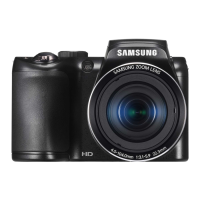
Samsung WB251F - User Manual

Samsung WB251F
166 pages
Print Icon
To Next Page IconTo Next Page
Loading...
USER
MANUAL
WB250F/WB251F/WB252F/WB280F
Click a topic
This user manual includes detailed usage instructions for
your camera. Please read this manual thoroughly.
Basic troubleshooting Quick reference Contents
Basic functions Extended functions Shooting options
Playback/Editing Wireless network Settings
Appendixes Index

Table of Contents

Other manuals for Samsung WB251F

Questions and Answers

  • E
    Erica GeorgeAug 9, 2025
    How to fix blurred photos with Samsung WB251F Digital Camera?
    • D
      davidblanchardAug 10, 2025
      If your Samsung Digital Camera photos are blurred, it might be because you're capturing photos in low light or not holding the camera correctly. To fix this, use the OIS function or half-press the shutter button to ensure the subject is in focus.
  • R
    Ryan BallAug 14, 2025
    What to do if photos are blurred when shooting at night with Samsung WB251F Digital Camera?
    • N
      Norma HernandezAug 14, 2025
      If photos taken with your Samsung Digital Camera at night are blurred, it's because the camera slows the shutter speed to let in more light. To resolve this, select Low Light Shot in s mode, turn on the flash, set ISO sensitivity options, or use a tripod to prevent shaking.
  • G
    George MartinAug 19, 2025
    How to fix red eye on Samsung Digital Camera?
    • J
      Jack MooreAug 19, 2025
      Red eye in your Samsung Digital Camera photos happens because the subject's eyes are reflecting the camera's flash. To fix this, set the flash option to Red-eye or Red-eye Fix. If you've already taken the photo, you can also select Red-eye Fix in the edit menu.
  • S
    Stacey DanielAug 25, 2025
    Why are my Samsung WB251F photos blurred?
    • D
      Dustin ChavezAug 25, 2025
      Blurring in your Samsung Digital Camera photos can occur if you're taking pictures in low light or not holding the camera steady. Use the OIS function or half-press the shutter button to make sure your subject is in focus.
  • H
    Howard CruzAug 29, 2025
    What to do if Samsung Digital Camera photos are blurred at night?
    • S
      Sarah JohnsAug 29, 2025
      If your Samsung Digital Camera photos are blurred when shooting at night, it's likely because the camera is slowing the shutter speed to let in more light. To resolve this, select Low Light Shot in s mode. You can also try turning on the flash or adjusting the ISO sensitivity options.
  • S
    Stephanie RossSep 3, 2025
    How to prevent red eye on Samsung WB251F Digital Camera?
    • V
      vasquezchristopherSep 3, 2025
      Red eye occurs when the subject's eyes reflect light from the camera flash. Set the flash option to Red-eye or Red-eye Fix.

Samsung WB251F Specifications

General IconGeneral
BrandSamsung
ModelWB251F
CategoryDigital Camera
LanguageEnglish

Related product manuals