EasyManua.ls Logo

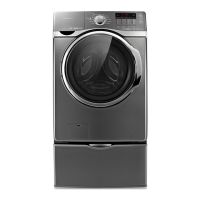
Samsung WD1172XVM - User Manual

Samsung WD1172XVM
88 pages
Print Icon
To Next Page IconTo Next Page
Loading...
Code No. DC68-03073N-01_EN
Washing Machine
user manual
imagine the possibilities
Thank you for purchasing this Samsung product.
To receive a more complete service, please
register your product at
www.samsung.com/register
WD1172XVM
This manual is made with 100% recycled paper.
WD1172XVM-03073N-01_EN_130122.indd 1WD1172XVM-03073N-01_EN_130122.indd 1 2013-01-22  1:07:302013-01-22  1:07:30

Questions and Answers

  • A
    Amy RobinsonAug 17, 2025
    How to fix a Samsung WD1172XVM that won't start?
    • C
      Christopher HarrisAug 17, 2025
      If your Samsung Washer won't start, ensure the door is firmly closed, it's plugged in, and the water source faucets are open. Press the Start/Pause button. Also, check if the Child Lock is activated. Before filling, the washer clicks to check the door lock and does a quick drain. Finally, check the fuse or reset the circuit breaker.
  • K
    Kenneth GoodwinAug 20, 2025
    What to do if Samsung WD1172XVM does not drain and/or spin?
    • K
      Kimberly LinAug 20, 2025
      If your Samsung Washer doesn't drain or spin, first check the fuse or reset the circuit breaker. Then, straighten the drain hoses, eliminating any kinks. Ensure the door is closed and press the Start/Pause Button. Also, make sure the debris filter is not clogged. If there is a drain restriction, call for service.
  • D
    Dana MendozaAug 23, 2025
    Why is my Samsung Washer leaking water?
    • K
      kristinrodriguezAug 23, 2025
      If your Samsung Washer is leaking water, make sure the door is firmly closed and all hose connections are tight. Ensure the end of the drain hose is correctly inserted and secured to the drainage system. Avoid overloading the washer and use high-efficiency detergent to prevent over-sudsing.
  • D
    david83Aug 26, 2025
    What to do if Samsung WD1172XVM Washer door locked or will not open?
    • T
      Troy CervantesAug 26, 2025
      If the door on your Samsung Washer is locked or will not open, press the Start/Pause Button to stop the washer. Note that the door will remain locked during the heating portion of the Sanitize Cycle. It may take a few moments for the door lock mechanism to disengage.
  • M
    mossmichaelAug 28, 2025
    Why Samsung WD1172XVM has excessive suds?
    • H
      Heather HortonAug 28, 2025
      If your Samsung Washer has excessive suds, use high-efficiency detergent to prevent over-sudsing. Reduce the detergent amount for soft water, small loads, or lightly soiled loads. Non-HE detergent is NOT recommended.
  • B
    bbarnettAug 31, 2025
    Why Samsung Washer has no water or not enough water?
    • E
      Erica RuizAug 31, 2025
      If your Samsung Washer isn't filling with enough water, fully turn on both faucets and ensure the door is tightly closed. Straighten the water inlet hoses. Disconnect the hoses and clean the screens, as they may be clogged. Try opening and closing the door, then press the Start/Pause Button.
  • C
    carol56Sep 2, 2025
    Why load is too wet at the end of the cycle in Samsung WD1172XVM?
    • J
      Jeffrey KingSep 2, 2025
      If your load is too wet at the end of the cycle in your Samsung Washer, use the High or Extra High spin speed. Also, use high-efficiency detergent to reduce over-sudsing. Note that very small loads (one or two items) may become unbalanced and not spin out completely.
  • C
    Corey SmithSep 5, 2025
    Why does my Samsung WD1172XVM Washer keep stopping?
    • J
      Joseph RamirezSep 5, 2025
      If your Samsung Washer stops mid-cycle, ensure the power cord is plugged into a live electrical outlet and check the fuse or reset the circuit breaker. Close the door and press the Start/Pause Button. The washer makes clicking noises to check the door lock and do a quick drain. There may be a pause or soak period in the cycle, so wait briefly. Also, check the screens on the inlet hoses at the faucets for obstructions and clean them periodically.
  • T
    Terri ReedSep 8, 2025
    Why is my Samsung WD1172XVM Washer vibrating or too noisy?
    • J
      Jacob CastilloSep 8, 2025
      If your Samsung Washer is vibrating or is too noisy, ensure it is set on a level surface and adjust the feet to level it if necessary. Make sure that the shipping bolts are removed and that the washer is not touching any other object. Also, ensure the laundry load is balanced.
  • K
    Kimberly MoralesSep 12, 2025
    Why Samsung WD1172XVM Washer fills with the wrong temperature water?
    • K
      Kristen BushSep 12, 2025
      If your Samsung Washer is filling with the wrong temperature water, fully turn on both faucets and make sure the temperature selection is correct. Ensure the hoses are connected to the correct faucets and flush the water lines. Check the water heater to ensure it delivers a minimum of 120 °F (49° C) hot water at the tap, and check its capacity and recovery rate. Disconnect the hoses and clean the screens, as they may be plugged. Note that the water temperature may change as the automatic temperature control feature checks the incoming water temperature, which is normal. Also, you may notice just hot and/or just cold water going through the dispenser when cold or warm wash temperatures are selected, which is a normal function of the automatic temperature control feature.

Summary

Washing Machine Features

Key Technologies and Design

Highlights VRT™, Eco Bubble, Diamond Drum™, DD Motor, and stylish design elements.

Safety Information

General Safety Instructions

Essential information for safe and efficient operation of the appliance.

Safety Symbols and Precautions

Explains the meaning of safety symbols and basic precautions.

Installation Safety Warnings

Electrical & Grounding Safety

Ensures correct electrical connection and grounding to prevent hazards.

Installation Precautions

Covers critical safety aspects during appliance installation process.

Usage Safety Warnings

Severe Warnings for Using

Critical safety advice for operating the washing machine.

User Operation Precautions

Cautionary Signs for Using

Advises on safe practices during appliance operation.

Cleaning Safety Warnings

Severe Warnings for Cleaning

Critical safety advice for cleaning the appliance.

Installation Requirements

Electrical Supply and Grounding

Details electrical connection and grounding safety standards.

Removing Shipping Bolts

Control Panel Overview

Child Lock Feature

Managing the Child Lock

Steps to activate, pause, and deactivate the child safety lock.

Troubleshooting and Information Codes

Initial Troubleshooting Checks

Initial checks for common problems before detailed troubleshooting.

Troubleshooting Common Problems

Starting, Water, Vibration & Noise Issues

Solutions for starting, water, vibration, and noise problems.

Information Codes

Error Codes and Solutions

Explains common error codes and their solutions.

Samsung WD1172XVM Specifications

General IconGeneral
BrandSamsung
ModelWD1172XVM
CategoryWasher
LanguageEnglish

Related product manuals