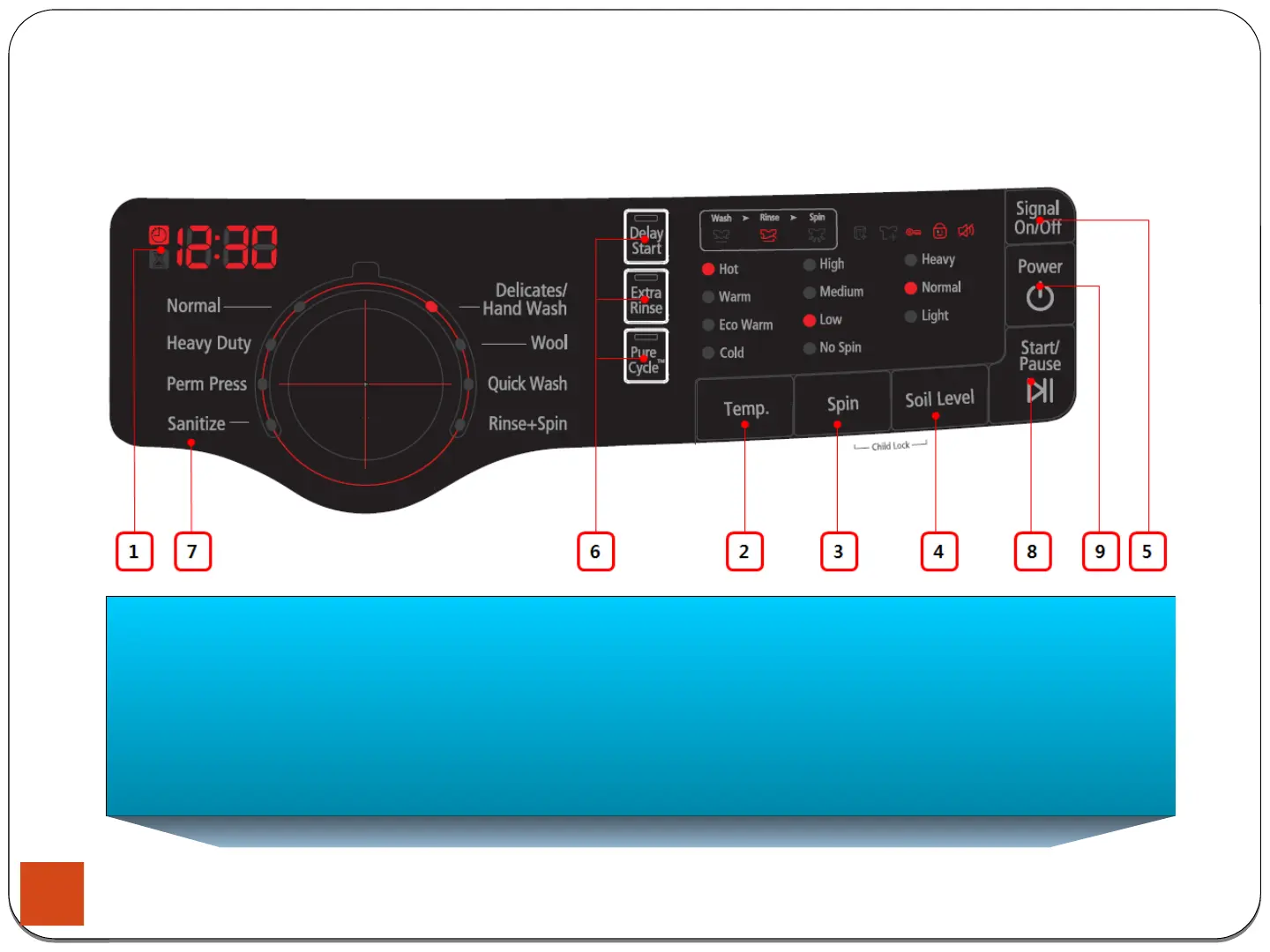
3-1. Control Panel
3.Instruction of Function
4. Soil Level Selection Button
Press the button to select the Soil Level/washing time.
Heavy - For heavily soiled loads.
Normal - For moderately soiled loads. This setting is the best for most loads.
Light - For lightly soiled loads.
5. Signal Selection Button
Press the button to increase or decrease the end of cycle signal volume or turn off the signal.
14





 To Next Page