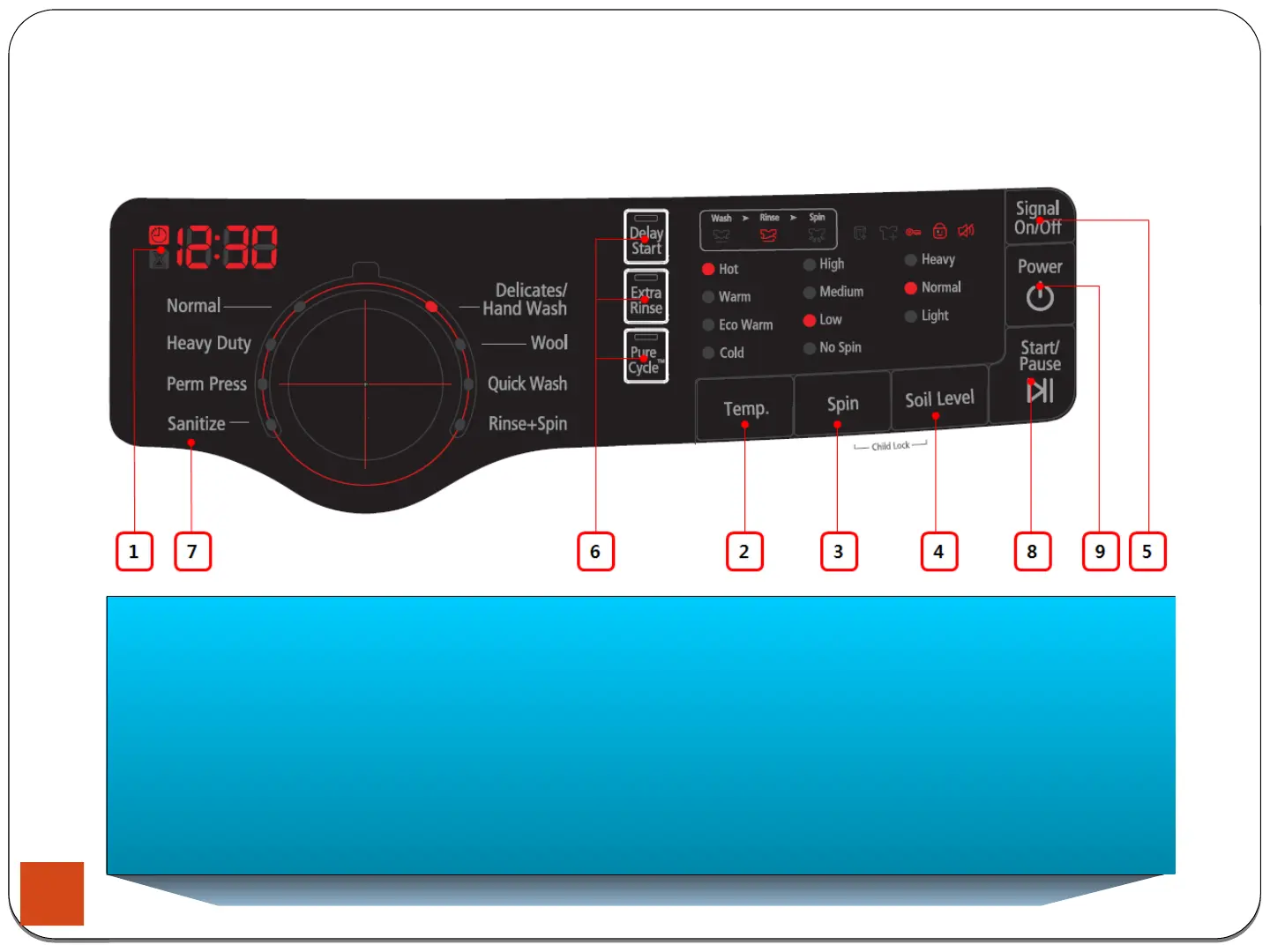
3-1. Control Panel
3.Instruction of Function
8. Start/Pause Selection Button
Press to pause and restart programs.
9. Power Button
Press once to turn your washer on, press again to turn your washer off.
If the washer is left on for more than 10 minutes without any buttons being touched,
the power automatically turns off.
18





 To Next Page