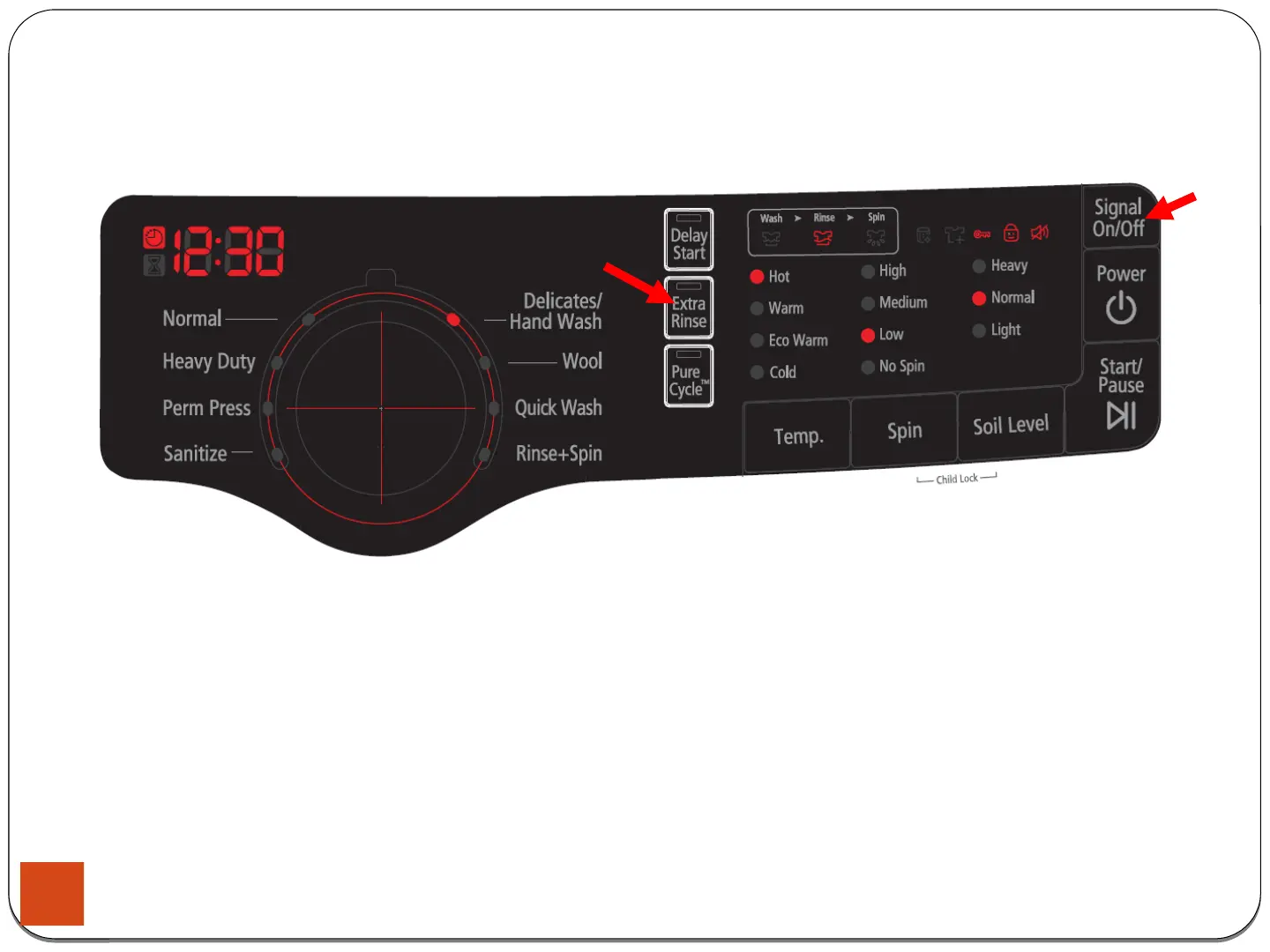
4-1-4. Service Mode
4. Test Mode & Error Check
How to Enter:
- To enter the Service Mode, press the Signal and Extra Rinse Keys for 3 seconds or until the unit sends out
beeping sounds.
Definition of Service Mode:
- Service Mode enables service technicians to verify the operation of the washing machine and do troubleshooting.
- Service Mode can be entered during all washing cycle without interrupting the cycle except some of test modes.
- Various tests can be done with Service Mode. So, troubleshooting can be done based on the resulting diagnostic codes.
28





 To Next Page