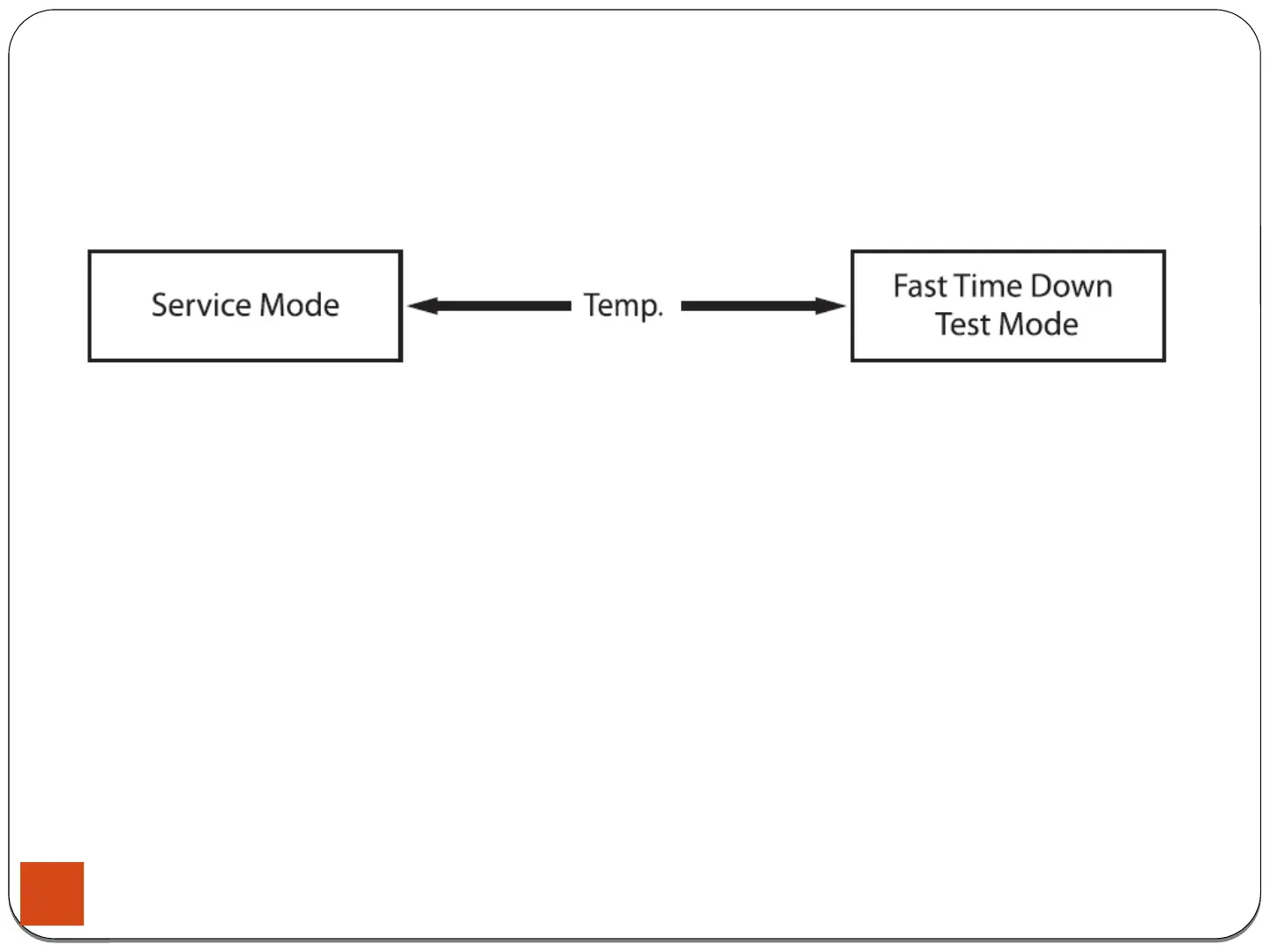
4-1-8. Fast Time Down Test Mode
4. Test Mode & Error Check
How to Enter:
- To enter the Fast Time Down Test Mode, press the Temp key during Service Mode.
Definition of Fast Time Down Test Mode:
- Fast Time Down Test Mode is to forward the program to the next cycle stage.
Fast Time Down Test Mode:
1. Activate the Service Mode in advance.
2. To forward the program to the next cycle stage,
press the Temp key.
Each stage is located at key points of a complete cycle as follows:
- End of Each Fill (Beginning of Wash or Rinse Tumble Session)Caution:
Check if the current water level is higher than the Reset water level
and then perform the Fast time down test.
- Beginning of Drain Session
- Beginning of Spin Session (Here, it checks the water level. So, if it is over
the reset level, it carries out draining before the spinning.)
- Beginning of Fill Session
- Beginning of Bleach Fill
- Beginning of Fabric Softener Fill
- Every 3 minutes during Wash and Rinse Tumble Session
34





 To Next Page