EasyManua.ls Logo

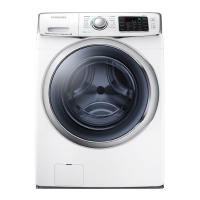
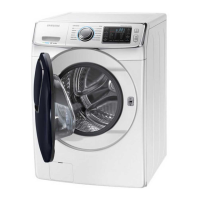
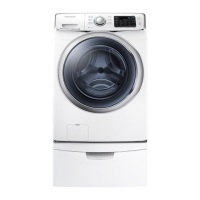
Samsung WF45H6300A - User Manual

Samsung WF45H6300A
144 pages
Print Icon
To Next Page IconTo Next Page
Loading...
Washing Machine
user manual
imagine the possibilities
Thank you for purchasing this Samsung product.
To receive more complete service or accessory
parts,
please register your product at or
contact
www.samsung.com/register
1-800-SAMSUNG (726-7864)
WF45H6300A*
WF45H6100A*
This manual is made with 100% recycled paper.
WF45H6-03385A_EN.indd 1 2014-1-10 9:26:24

Table of Contents

Questions and Answers

  • C
    Cory AdamsAug 18, 2025
    How to troubleshoot a Samsung WF45H6300A Washer that will not start?
    • M
      michaeldavisAug 18, 2025
      If your Samsung Washer won't start, ensure the door is firmly closed, the washer is plugged in, and the water source faucets are open. Press the Start/Pause button. Also, check the fuse or reset the circuit breaker.
  • Z
    Zachary JohnsonAug 20, 2025
    What to do if my Samsung Washer does not drain and/or spin?
    • L
      Linda GutierrezAug 20, 2025
      If your Samsung Washer does not drain or spin, check the fuse or reset the circuit breaker. Straighten the drain hoses to eliminate kinks. Ensure the door is closed and press the Start/Pause button. Also, make sure the debris filter is not clogged.
  • L
    luissandersAug 23, 2025
    Why is my Samsung WF45H6300A Washer not filling with water or not filling enough?
    • T
      Theresa WalterAug 23, 2025
      If your Samsung Washer has no water or not enough water, fully turn on both faucets. Make sure the door is tightly closed and the water inlet hoses are straight. Disconnect the hoses and clean the screens, as they may be clogged. Also, try opening and closing the door, then press the Start/Pause Button.
  • M
    Michael BellAug 26, 2025
    Why is my Samsung WF45H6300A Washer leaking water?
    • B
      Brandon NicholsAug 26, 2025
      If your Samsung Washer leaks water, make sure the door is firmly closed and all hose connections are tight. Ensure the end of the drain hose is correctly inserted and secured to the drainage system. Avoid overloading and use high efficiency detergent to prevent over-sudsing.
  • T
    thompsontraceyAug 28, 2025
    What to do if the Samsung WF45H6300A Washer door is locked or will not open?
    • R
      Rachel GreenAug 28, 2025
      If the door of your Samsung Washer is locked or will not open, press the Start/Pause Button to stop the washer. Note that the door will remain locked during the heating portion of the Sanitize Cycle. It may take a few moments for the door lock mechanism to disengage.
  • J
    Julie HerreraAug 30, 2025
    What to do if the load is too wet after a Samsung Washer cycle?
    • L
      Lisa WheelerAug 30, 2025
      If your laundry load is too wet at the end of the cycle in your Samsung Washer, use the High or Extra High spin speed. Use high efficiency detergent to reduce over–sudsing. Keep in mind that very small loads (one or two items) may become unbalanced and not spin out completely.
  • D
    Daniel TaylorSep 2, 2025
    How to reduce excessive suds in my Samsung WF45H6300A?
    • D
      Derek AlvarezSep 2, 2025
      If your Samsung Washer has excessive suds, use high efficiency detergent to prevent over-sudsing. Reduce the detergent amount for soft water, small or lightly soiled loads. Note that Non-HE detergent is NOT recommended.
  • T
    thompsonmarcSep 4, 2025
    Why does my Samsung WF45H6300A have detergent remains in the dispenser?
    • C
      Colleen JordanSep 4, 2025
      If your Samsung Washer has detergent remains in the automatic dispenser after the wash cycle is complete, make sure your washer is running with sufficient water pressure. Also, ensure the Detergent Selector dial is in the upper position when using granular detergent.
  • T
    Thomas HarrisonSep 7, 2025
    How do I get rid of odor in my Samsung Washer?
    • G
      Gary CordovaSep 7, 2025
      If your Samsung Washer has an odor, excessive suds collect in nooks and crannies and can cause foul odors. Run cleansing cycles to sanitize the machine periodically (Sanitize Cycle or Self Clean+). Clean the door seal (Diaphragm) and dry the interior of your washer after the total cycle has finished.
  • S
    Sarah HernandezSep 9, 2025
    How to fix a Samsung WF45H6300A Washer that vibrates or is too noisy?
    • L
      lcohenSep 9, 2025
      If your Samsung Washer vibrates or is too noisy, ensure it is set on a level surface; adjust the feet if needed. Make sure the shipping bolts are removed and that the washer isn't touching any other object. Also, ensure the laundry load is balanced.

Summary

Safety Information

Important Safety Symbols and Precautions

Explains the meaning of safety icons and general precautions for safe operation.

Installation Safety Warnings

Critical safety guidelines for installing the washing machine to prevent electrical and fire hazards.

Usage and Cleaning Safety Guidelines

Safety instructions for operating, using, and cleaning the washing machine to avoid injury.

Installing Your Washer

Unpacking and Washer Overview

Steps for unpacking the washer and identifying its main parts and accessories.

Location Requirements and Clearances

Guidelines for selecting a suitable installation location, including electrical, grounding, and water requirements.

Installation Clearances and Options

Details minimum clearances for alcove, closet, and undercounter installations, plus options for pedestals.

Installation Steps and Calibration

Step-by-step guide for installing the washer, connecting hoses, and performing the calibration cycle.

Washing a Load of Laundry

Control Panel Overview

Overview of the control panel layout and main function buttons.

Basic Wash Instructions and Cycle Selection

Guide to loading laundry, selecting cycles, temperature, spin speed, and soil level.

Special Functions: Child Lock, Delay End, and Drum Light

Explanation of features like Child Lock, Delay End, and Drum Light for enhanced operation.

Advanced Features: Steam, ATC, and Smart Care

Instructions for using Steam Wash, Auto Temperature Control, and the Smart Care troubleshooting feature.

Detergent Use and Dispensing

Guidance on using high-efficiency detergents and the automatic dispenser compartments.

Maintaining Your Washer

Routine Cleaning and Component Care

Procedures for cleaning the exterior, interior, dispensers, and door diaphragm.

Filter Cleaning and Self-Clean Cycle

Steps for cleaning the debris filter and running the Self Clean+ cycle for optimal performance.

Troubleshooting

Common Washer Problems and Solutions

Addresses common operational issues like starting, water fill, noise, and stopping with solutions.

Information Codes and Network Setup

Explains error codes and provides troubleshooting for network connectivity and app issues.

Appendix

Fabric Care and Cycle Charts

Guides on garment care symbols and recommended wash cycles for various fabric types.

Specifications and Environmental Information

Details product specifications, environmental considerations, and declaration of conformity.

Warranty Information

Limited Warranty Details (U.S.A. & Canada)

Outlines the terms and conditions of the limited warranty for U.S. and Canadian purchasers.

Samsung WF45H6300A Specifications

General IconGeneral
BrandSamsung
ModelWF45H6300A
CategoryWasher
LanguageEnglish

Related product manuals