EasyManua.ls Logo

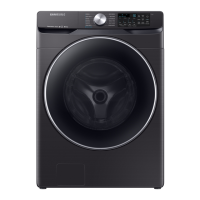
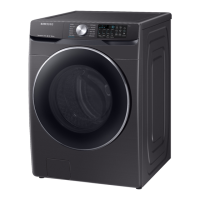
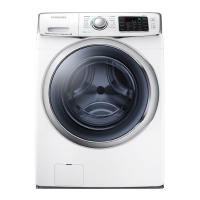
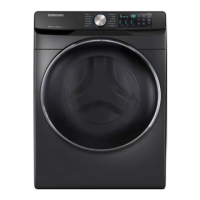
Samsung WF45R6100AP/US - User Manual

Samsung WF45R6100AP/US
124 pages
Print Icon
To Next Page IconTo Next Page
Loading...
Washer
User manual
WF45R6100A*
Untitled-2 1 3/30/2020 12:25:36 PM

Other manuals for Samsung WF45R6100AP/US

Questions and Answers

  • T
    Timothy ArnoldJul 29, 2025
    What causes a Drain Error in my Samsung WF45R6100AP/US Washer?
    • X
      xbradshawJul 29, 2025
      A drain error in your Samsung Washer can be caused by several factors. The pump motor impeller might be damaged internally, or the wrong voltage could be supplied to the parts. Other causes include freezing, a clogged drain hose (due to injection error or foreign material), or a water pump terminal that is not connected because of collected debris inside the drain pump.
  • K
    Katherine WallAug 7, 2025
    Why does my Samsung Washer have a Water Supply Error?
    • X
      xstewartAug 7, 2025
      A water supply error in your Samsung Washer can occur due to several reasons. Foreign material might be entering the water supply valve. The water supply valve terminal may not be properly connected, or the warm water and rinse connectors could be wrongly connected. Also, it can occur if the PCB terminal from the drain hose to the detergent drawer is not connected, or if the transparent hose is folded or torn.
  • D
    David WalkerAug 17, 2025
    Why is my Samsung WF45R6100AP/US showing a Motor Driving Error and Hall Sensor Error?
    • K
      Kevin DownsAug 18, 2025
      A motor driving error and hall sensor error on your Samsung Washer can stem from various issues. The PBA connector terminal or the motor spin net might not be connected. The motor’s internal coil could be damaged, or the hall sensor terminal might be disconnected. Foreign material entering the motor, motor overload due to too much laundry, a PBA fault, unstable relay operation, erroneous operating signals from the motor hall sensor, or a disconnected IPM terminal of the main PBA could also be the cause. Furthermore, the DD motor cover being out of place, a disconnected PCB housing terminal, or a DD motor fault can also lead to this error.

Summary

Safety Information

What You Need to Know About Safety Instructions

Essential guidance for safe operation and efficient use of the washer.

Important Safety Symbols

Explains the meaning of icons used in the user manual for safety.

Important Safety Precautions

Basic precautions to reduce the risk of fire, electric shock, or injury during use.

California Proposition 65 Warning

Warning regarding cancer and reproductive harm as per California law.

Critical Installation Warnings

Crucial warnings regarding the proper installation process to prevent hazards.

Installation Cautions

Precautions to take during the installation phase to ensure safety.

Critical Usage Warnings

Vital warnings to prevent injury or damage during the operation of the washer.

Usage Cautions

Guidelines and precautions for the safe and proper use of the washing machine.

Critical Cleaning Warnings

Important warnings related to cleaning the washer to avoid damage or hazards.

Installation

Unpacking Your Washer

Steps and precautions for safely unpacking the washing machine.

Whats Included

Lists all the components and accessories included with the washer.

Parts and Tools Needed

Details supplied parts, parts not supplied, and tools required for installation.

Installation Requirements

Outlines the necessary electrical and water supply requirements for installation.

Drain, Flooring, and Water Temperature

Guidance on drain connection, suitable flooring, and water temperature considerations.

Clearance Requirements

Specifies the necessary clearances for alcove, closet, and undercounter installations.

Stacked Installation Clearance

Details clearance requirements for stacking washers and dryers.

Step-by-Step Installation

Provides a detailed guide for installing the washer.

Adjusting Leveling Feet

Instructions on how to adjust the washer's leveling feet for stability.

Connecting the Water Hose

Guides on correctly connecting the water supply hoses.

Connecting the Drain Hose

Instructions for properly connecting the drain hose to a standpipe or laundry tub.

Final Installation Steps

Steps for removing door film and powering on the washer.

Before You Start

Initial Settings and Sorting Laundry

Steps for initial setup, including calibration and sorting laundry.

Pocket Emptying and Laundry Nets

Importance of emptying pockets and using laundry nets for protection.

Load Capacity and Detergent Choice

Guidance on determining load size and selecting the correct HE detergent.

HE Detergent and Drawer Guidelines

Emphasis on HE detergent and explanation of the detergent dispenser compartments.

Adding Washing Agents to Drawer

Detailed steps for adding liquid detergent, softener, and bleach to the drawer.

Using Special Detergents and Boosters

Instructions for using powdered detergent, bleach, and oxygen boosters.

Operations

Control Panel Overview

Identifies and explains the functions of buttons and displays on the control panel.

Cycle Settings and Options

Details on spin speed, soil level, pre-soak, steam, delay end, and alarm settings.

Power and Start;Pause Controls

Explanation of the power and start/pause buttons for controlling the washer.

Icon Descriptions

Explains the meaning of various icons displayed on the control panel.

Quick Start Guide

A concise guide to starting a wash cycle and changing it during operation.

Cycle Overview

Description of standard and steam wash cycles available on the washer.

Sanitize Cycle and Cycle Chart

Details on the Sanitize cycle and a comprehensive chart of cycle settings.

Special Features Explained

Detailed explanation of Delay End and Auto Temperature Control features.

Child Lock and Alarm Off

Instructions for using Child Lock to prevent access and managing alarm sounds.

Maintenance

Self Clean+ Cycle and Reminder

Instructions for performing the Self Clean+ cycle and understanding its reminder.

Smart Care Feature

How to use the Smart Care app for diagnosing and resolving washer issues.

Emergency Drain Procedure

Procedure for draining water from the drum in case of power failure.

Washer Cleaning

How to clean the washer's exterior surface and mesh filters.

Pump Filter Cleaning

Steps to clean the pump filter to prevent clogging and ensure performance.

Detergent Drawer Cleaning

How to remove and clean the detergent drawer and its components.

Door Diaphragm and Freezing Recovery

Cleaning the door seal and procedures for recovery from freezing.

Care for Extended Non-Use and Interior Cleaning

Preparing for disuse and periodic cleaning of the washer's interior.

Cleaning the Exterior

Detailed instructions for cleaning the washer's exterior panel and cabinet.

Troubleshooting

Basic Troubleshooting Checks

Checks for starting, water supply, detergent, and noise issues.

Drain, Spin, and Door Issues

Troubleshooting for problems with draining, spinning, and door operation.

Suds, Detergent, and Stopping Problems

Solutions for excessive suds, detergent issues, and unexpected stopping.

Temperature, Load, Leaks, and Odor Issues

Addressing problems with water temperature, load balance, leaks, and odors.

Washer Stays On;Door Wont Open

Resolving issues where the washer remains powered or the door won't unlock.

Information Codes Explained

Explanation and actions for error codes 1C, DC, DC1, LC, 4C, 4C2, 5C.

More Information Codes

Explanation and actions for error codes HC, UB, 8C, OC, 3C, AC6, 9C1, SF.

Specifications

Fabric Care and Wash Cycle Details

Symbols for garment care, wash cycle descriptions, and temperature settings.

Laundering and Dry-Clean Symbols

Standard symbols for laundering and dry-cleaning instructions on care labels.

Environmental Compliance

Information on product recyclability, disposal, and compliance standards.

Technical Specification Sheet

Detailed technical specifications of the washer, including capacity and power.

Limited Warranty (U.S.A.)

Warranty Terms and Coverage

Details the warranty period for parts, labor, tub, and motor.

Warranty Exclusions and Limitations

Lists conditions not covered by warranty and limitations on implied warranties.

Limitation of Remedies and Contact

Outlines remedies, liability limitations, and warranty service contact information.

Samsung WF45R6100AP/US Specifications

General IconGeneral
TypeFront Load
Capacity4.5 cu. ft.
Energy Star CertifiedYes
Number of Cycles12
Steam CleaningYes
Smart FeaturesYes
ColorWhite
VRT TechnologyYes
Self CleanYes
Width27"
Smart CapableYes
Steam OptionYes
Cycle TimeVaries by cycle
Height38.5"

Related product manuals