EasyManua.ls Logo

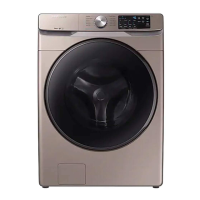
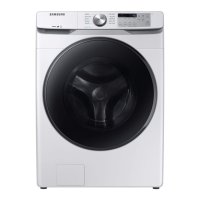
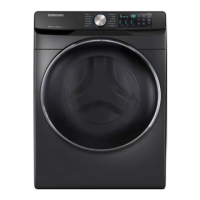
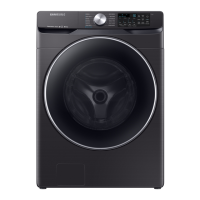
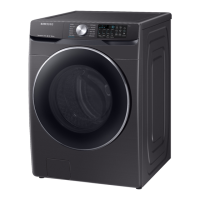
Samsung WF45R6100AC/US - User Manual

Samsung WF45R6100AC/US
124 pages
Print Icon
To Next Page IconTo Next Page
Loading...
Washer
User manual
WF45R6100A*
Untitled-2 1 3/30/2020 12:25:36 PM

Other manuals for Samsung WF45R6100AC/US

Questions and Answers

  • P
    padillasamanthaAug 9, 2025
    What causes a Drain Error in my Samsung WF45R6100AC/US?
    • J
      John StephensonAug 9, 2025
      A drain error in your Samsung Washer can be caused by several factors. The pump motor impeller might be damaged internally, or the wrong voltage could be supplied to the parts. Other causes include freezing, a clogged drain hose (due to injection error or foreign material), or a water pump terminal that is not connected because of collected debris inside the drain pump.
  • B
    boyerpamelaAug 19, 2025
    Why does my Samsung WF45R6100AC/US Washer have a Water Supply Error?
    • D
      Daniel BurkeAug 20, 2025
      A water supply error in your Samsung Washer can occur due to several reasons. Foreign material might be entering the water supply valve. The water supply valve terminal may not be properly connected, or the warm water and rinse connectors could be wrongly connected. Also, it can occur if the PCB terminal from the drain hose to the detergent drawer is not connected, or if the transparent hose is folded or torn.
  • S
    Sharon HunterAug 29, 2025
    Why is my Samsung WF45R6100AC/US showing a Motor Driving Error and Hall Sensor Error?
    • C
      Christian ParkAug 29, 2025
      A motor driving error and hall sensor error on your Samsung Washer can stem from various issues. The PBA connector terminal or the motor spin net might not be connected. The motor’s internal coil could be damaged, or the hall sensor terminal might be disconnected. Foreign material entering the motor, motor overload due to too much laundry, a PBA fault, unstable relay operation, erroneous operating signals from the motor hall sensor, or a disconnected IPM terminal of the main PBA could also be the cause. Furthermore, the DD motor cover being out of place, a disconnected PCB housing terminal, or a DD motor fault can also lead to this error.

Summary

Safety Information

What You Need to Know About Safety Instructions

Provides essential information on safely and efficiently operating the appliance.

Important Safety Symbols

Explains the meaning of warning, caution, and note symbols used in the manual.

Important Safety Precautions

Lists basic precautions to reduce the risk of fire, electric shock, or injury.

Critical Installation Warnings

Highlights critical warnings related to the appliance's installation.

Installation Cautions

Covers important precautions to ensure safe installation of the appliance.

Critical Usage Warnings

Lists critical warnings to prevent injury or damage during appliance usage.

Usage Cautions

Provides cautions for safe and proper use of the washer.

Critical Cleaning Warnings

Highlights warnings to follow during cleaning and maintenance.

Installation

Unpacking Your Washer

Instructions on how to unpack and inspect the washer for shipping damage.

Installation Requirements

Details electrical supply, grounding, and water supply requirements for installation.

Step-by-Step Installation

Detailed steps for installing the washer, starting with location selection and shipping bolts.

Step 3 Adjust the Leveling Feet

Instructions on how to adjust the leveling feet for proper installation.

Step 4 Connect the Water Hose

Guides on connecting the water supply hoses to the washer.

Step 5 Connect the Drain Hose

Provides instructions for connecting the drain hose to a drain system.

Before You Start

Laundry Guidelines

Provides steps for sorting laundry and emptying pockets.

Step 4 Determine the Load Capacity

Advice on determining the correct load capacity to avoid overloading.

Step 5 Add the Correct Detergent Type

Information on selecting and adding the correct type of detergent.

Use HE Detergent Only

Emphasizes the use of high efficiency (HE) detergents for optimal performance.

Detergent Drawer Guidelines

Explains the usage of the three-compartment detergent dispenser.

Operations

Control Panel

Overview of the washer's control panel and its buttons.

01 Cycle Selector

How to select a wash cycle using the control dial.

03 Temp.

How to adjust the water temperature for the selected cycle.

04 Rinse

How to adjust the number of rinse cycles.

05 Spin

How to select the spinning speed for the wash cycle.

06 Soil

How to adjust the soil level setting for the wash cycle.

Maintenance

Self Clean+

Instructions for performing the Self Clean+ cycle to maintain the drum.

Pump Filter

Steps to clean the pump filter to prevent clogging.

Troubleshooting

Checkpoints

A table listing common problems and their solutions.

Does Not Start

Troubleshooting steps for when the washer does not start.

Water Supply Insufficient or None

Steps to resolve issues with water supply.

Does Not Drain and;or Spin

Troubleshooting steps for problems with draining or spinning.

The Door Does Not Open

Steps to resolve issues with the door not opening.

Leaks Water

Troubleshooting steps for water leaks.

Washer Not Off or Door Not Open

Troubleshooting for the washer not turning off or the door not opening.

Information Codes

Explanation of error codes displayed on the washer.

Limited Warranty (U.S.A.)

Samsung WF45R6100AC/US Specifications

General IconGeneral
BrandSamsung
ModelWF45R6100AC/US
TypeFront Load Washer
Capacity4.5 cu. ft.
ColorWhite
Energy Star CertifiedYes
Steam CleaningYes
Max Spin Speed1200 RPM
Voltage120 V
Frequency60 Hz
Smart FeaturesWi-Fi Enabled
Noise Level52 dBA
Warranty1 Year

Related product manuals