EasyManua.ls Logo

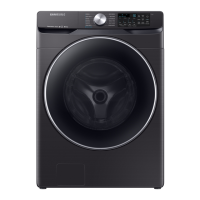
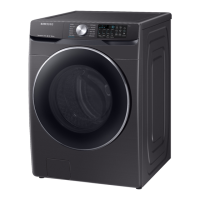
Samsung WF45R6100AC - User Manual

Samsung WF45R6100AC
64 pages
Print Icon
To Next Page IconTo Next Page
Loading...
Washer
User manual
WF45R6100A*
Untitled-4 1Untitled-4 1 4/2/2020 2:27:12 PM4/2/2020 2:27:12 PM

Questions and Answers

  • A
    Ashley HarrisJul 29, 2025
    Why Samsung WF45R6100AC does not start?
    • L
      Lawrence FosterJul 29, 2025
      If your Samsung washer isn't starting, there could be several reasons. First, ensure that the washer is properly plugged into a working outlet and that the door is fully closed. Also, check that the water faucets are open. Press the Start/Pause button, holding it if necessary, to initiate the wash cycle. Make sure that the Child Lock feature is not activated. If these steps don't work, check the fuse or reset the circuit breaker. Note that before the washer begins to fill, it may produce clicking sounds as it checks the door lock and performs a quick drain.
  • L
    Larry LopezAug 6, 2025
    Why is my Samsung Washer making excessive vibrations or noise?
    • A
      Austin StewartAug 6, 2025
      Excessive vibrations or noise in your Samsung washer can stem from several factors. Make sure the washer is installed on a level, solid, and non-slippery floor. If the floor is uneven, adjust the washer's height using the leveling feet. Ensure that the shipping bolts have been removed and that the washer isn't touching any surrounding objects. An unbalanced laundry load can also cause vibrations, so redistribute the items. The motor's operation, as well as metal objects such as coins, or clothes with metal decorations, can cause noise during normal operation. Remove such objects from the drum or filter case after washing. When washing pillows and cushions, remove their fillings and wash only the covers.
  • C
    Christopher TapiaAug 13, 2025
    What to do if Samsung Washer has insufficient water supply?
    • K
      katieruizAug 13, 2025
      If your Samsung washer isn't getting enough water, start by fully opening the faucet. Make sure that the washer door is completely closed. Check the water supply hose to ensure it isn't frozen, kinked, or clogged. Also, verify that there is sufficient water pressure.
  • K
    kelly86Aug 21, 2025
    How to prevent detergent from remaining in the detergent drawer of my Samsung Washer?
    • A
      Andrew WoodsAug 21, 2025
      To prevent detergent from remaining in the detergent drawer of your Samsung washer, ensure the washer is running with sufficient water pressure. If you're using liquid detergent, add it to the liquid detergent container. If you prefer powdered detergent, remove the liquid detergent container. Also, remember to regularly clean the detergent drawer.

Summary

Safety Information Overview

Understanding Safety Instructions and Symbols

General guidance on safety instructions and explanation of warning symbols.

Important Safety Precautions

Key Precautions for Safe Operation

Essential precautions to reduce risks of fire, electric shock, or injury.

Specific Safety Warnings

California Proposition 65 & Critical Installation Warnings

Warning regarding cancer/reproductive harm and crucial installation safety.

Installation and Usage Safety

Installation Cautions and Critical Usage Warnings

Cautions during installation and vital warnings for safe washer operation.

Usage and Cleaning Cautions

Usage Cautions

Cautions to follow during normal use to prevent damage or operational issues.

Critical Cleaning Warnings

Critical Cleaning Warnings

Important warnings to follow when cleaning the appliance to avoid damage or electrical hazards.

Installation Guide

Unpacking Your Washer

Steps for safely unpacking the washer and inspecting for damage.

Installation Components and Tools

Whats Included and Tools Needed

List of included parts and tools required for installation.

Installation Requirements

Electrical and Water Supply Requirements

Requirements for electrical connections, grounding, and water supply.

Installation Specifications

Drain, Flooring, and Dimensions

Requirements for drain setup, flooring, and washer physical dimensions.

Installation Clearances

Alcove, Closet, Undercounter, and Pedestal Clearances

Minimum clearances for various installation types.

Step-by-Step Installation

Location Selection and Shipping Bolt Removal

Steps for choosing an installation site and removing shipping bolts.

Installation Steps: Feet and Hoses

Adjusting Leveling Feet and Connecting Water Hose

Instructions for leveling the washer and connecting water supply hoses.

Installation Step: Drain Hose

Connecting the Drain Hose

Instructions for properly connecting the drain hose to a standpipe or laundry tub.

Final Installation Steps

Door Film Removal and Power On

Final checks including removing door film and powering the appliance on.

Before You Start: Preparation

Initial Settings and Laundry Preparation

Guidance on initial setup and essential steps for preparing laundry.

Before You Start: Detergents

HE Detergents and Detergent Drawer Use

Emphasizes HE detergents and explains the detergent drawer compartments.

Before You Start: Detergent Types

Using Powdered Detergent, Bleach, and Boosters

Instructions for using powdered detergent, bleach, and boosters.

Washer Operations: Control Panel

Control Panel Overview and Cycle Selection

Introduction to the control panel and how to select wash cycles.

Washer Operations: Cycle Controls

Adjusting Spin, Soil, Steam, and Delay End Settings

Details on adjusting spin, soil, steam, and delay end settings.

Washer Operations: Power and Icons

Power, Start;Pause, and Key Indicator Icons

Controls for power, start/pause, and explanations of key indicator icons.

Starting and Changing Wash Cycles

Simple Steps to Start and Change Cycles

Guide to starting cycles and how to change them during operation.

Understanding Wash Cycles

Standard and Steam Cycle Descriptions

Detailed descriptions of standard and steam wash cycles.

Cycle Chart and Settings

Cycle Chart Overview and Functions

A chart detailing recommended settings and functions for each cycle.

Advanced Washer Features

Delay End and Auto Temperature Control

Explanation of features like Delay End and Auto Temperature Control.

Child Lock and Alarm Settings

Child Lock and Alarm Off Functionality

How to activate/deactivate Child Lock and Alarm Off settings.

Washer Maintenance

Self Clean+ Cycle and Reminder

Instructions for performing the Self Clean+ cycle and its reminder.

Smart Care Troubleshooting

Using Smart Care for Diagnostics

How to use the Smart Care function with a mobile app for diagnostics.

Emergency Procedures

Emergency Drain and Freezing Recovery

Procedures for emergency drain and recovery from freezing.

Cleaning Washer Components

Surface and Mesh Filter Cleaning

Instructions for cleaning the washer's exterior surface and mesh filters.

Pump Filter Maintenance

Cleaning the Pump Filter

Guide to cleaning the pump filter to prevent clogging and ensure proper drainage.

Detergent Drawer Maintenance

Cleaning the Detergent Drawer

Instructions for removing and cleaning the detergent drawer.

Door Seal and Freezing Recovery

Cleaning the Door Diaphragm

How to clean the door seal (diaphragm) to prevent odors and leaks.

Recovery from Freezing

Steps to take if the washer freezes due to low temperatures.

Long-Term Care and Cleaning

Care for Extended Non-Use

Procedures for preparing the washer for storage or long periods of inactivity.

Exterior and Interior Cleaning

Instructions for cleaning the outer cabinet and the inside of the washer drum.

Troubleshooting Guide

Basic Checkpoints for Common Issues

A guide to common problems and suggested actions to resolve them.

Troubleshooting Operational Problems

Drain, Spin, Door, Suds, and Detergent Issues

Solutions for issues like no drain/spin, door not opening, excessive suds, and detergent problems.

Troubleshooting Operational Stops and Temperature

Washer Stops and Wrong Water Temperature

Troubleshooting steps for when the washer stops or fills with wrong temperatures.

Load Wetness and Spinning Issues

Reasons for wet loads and how to ensure proper spinning.

Troubleshooting Leaks, Odors, and Door Lock

Resolving Water Leaks, Odors, and Door Lock Issues

Steps to address leaks, odors, and door lock problems.

Washer Information Codes (Errors)

Understanding Error Codes (1 C to 4 C2)

Explanation of specific error codes and recommended actions for resolution.

More Information Codes

Understanding Error Codes (5 C to SF)

Explanation of additional error codes and troubleshooting steps.

Washer Specifications

Fabric Care Symbols and Wash Cycles

Guide to garment care symbols and descriptions of wash cycles.

Water Temp, Bleach, and Heat Settings

Details on water temperatures, bleaching, and heat settings.

Laundering Symbols and Environmental Info

Warning Symbols and Dry-Clean Information

Common laundry warning symbols and dry-cleaning care.

Environmental Protection and Conformity

Information on recyclability, disposal, and compliance.

Technical Specification Sheet

Washer Technical Specifications Summary

Technical data including capacity, pressure, and power consumption.

Limited Warranty (U.S.A.)

Warranty Coverage and Service

Details warranty period, coverage, and how to obtain service.

Warranty Exclusions and Limitations

Excluded Damages and Implied Warranty Limits

List of damages not covered and limits on implied warranties.

Warranty Remedies and Liability

Exclusive Remedies and Liability Limitations

Details on exclusive remedies and limitations on Samsung's liability.

Limited Warranty (Canada)

Canadian Warranty Coverage and Service

Details warranty coverage and service procedures specific to Canada.

Samsung WF45R6100AC Specifications

General IconGeneral
Stylefront load
Colorchampagne
Washer Capacity4.5 cu. ft.
Max Spin Speed1, 200
Spin Speeds5 (extra high, high, medium, low, no spin)
Number of Cycles10
Number of Options7
Temperature Settings5 (extra hot, hot, warm, eco warm, cold)
Soil Levels5 (heavy, heavy medium, normal, low medium, light)
Internal Heateryes
Control Paneldigital and knobs
Delay Start / Endyes
Interior Lightno
Self Cleanyes
Steamyes
Dispensermain wash, softener, bleach
Add Washyes
Soak Settingsyes
Smart Homeyes
Wi-Fino
Annual Energy Consumption90
Voltage120 volts
Current15
Weight and Dimensions IconWeight and Dimensions
Depth31 1/8 inch
Height38 3/4 inch
Width27 inch
Net Weight201 lbs.

Related product manuals