EasyManua.ls Logo

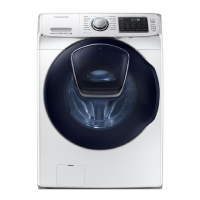
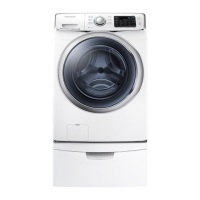
Samsung WF45K6500AV/A2 - User Manual

Samsung WF45K6500AV/A2
232 pages
Print Icon
To Next Page IconTo Next Page
Loading...
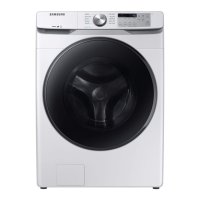
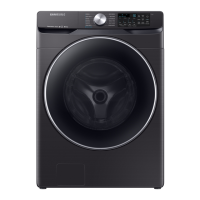
Washer
User manual
WF45K6500A*/WF45K6200A*
WF45K6500AV_DC68-03665A-03_EN.indd 1 2018/8/13 15:06:16

Table of Contents

Other manuals for Samsung WF45K6500AV/A2

Questions and Answers

  • B
    Brian BlevinsAug 8, 2025
    How to fix a Samsung WF45K6500AV/A2 Washer that does not start?
    • M
      megan23Aug 8, 2025
      If your Samsung Washer doesn't start, ensure it's properly plugged in and the door is fully closed. Verify that the faucets are open and that you've pressed the Start/Pause button. Also, check if Child Lock is activated. Note that the washer makes clicking noises and does a quick drain before filling. Finally, check the fuse or reset the circuit breaker.
  • M
    Matthew SchmittAug 12, 2025
    Why is my Samsung Washer vibrating excessively or making noise?
    • B
      Brian EvansAug 13, 2025
      Excessive vibrations or noise in your Samsung Washer can be due to several factors. First, ensure the washer is on a level, solid, and non-slippery floor. Adjust the leveling feet if needed. Make sure the shipping bolts have been removed and that the washer isn't touching anything else. Balance the laundry load. Remember that the motor and certain items like overalls or metal-decorated clothes can cause noise during normal operation. Also, check for and remove any metal objects from the drum or filter case.
  • J
    James PattonAug 18, 2025
    Why is my Samsung WF45K6500AV/A2 Washer showing a water supply error?
    • R
      Rodney YangAug 18, 2025
      A water supply error on your Samsung Washer can occur for several reasons. Foreign material might be blocking the water supply valve, or the water supply valve terminal might be disconnected. Also, the warm water and rinse connectors could be incorrectly connected. Another cause can be a disconnected PCB terminal from the drain hose to the detergent drawer, or a folded or torn transparent hose. To resolve this, ensure the water supply valve is clear, check the connection of the water supply valve terminal, verify the connections of warm water and rinse connectors, and ensure all connections are correct and hoses are intact.
  • N
    Nicole HoffmanAug 23, 2025
    What to do if the Samsung Washer water supply is insufficient?
    • K
      kristin62Aug 23, 2025
      If your Samsung Washer isn't getting enough water, make sure the faucet is fully open and the door is properly closed. Check that the water supply hose isn't frozen, kinked, or clogged. Also, ensure there is sufficient water pressure.
  • D
    Drew RojasAug 28, 2025
    Why does detergent remain in the detergent drawer of my Samsung WF45K6500AV/A2 Washer after a cycle?
    • K
      Kristen ButlerAug 28, 2025
      If detergent remains in the detergent drawer of your Samsung Washer after a cycle, ensure the washer is running with sufficient water pressure. If using powdered detergent, use only the recommended amount. If using liquid detergent, avoid overfilling the compartment. Consider removing and cleaning the liquid detergent and softener containers, as well as the detergent drawer itself.
  • K
    kevin53Sep 2, 2025
    What causes a motor driving error on my Samsung Washer?
    • S
      santanaevanSep 2, 2025
      A motor driving error in your Samsung Washer can stem from various causes that restrain revolutions. The PBA connector terminal or the motor spin net may not be engaged. The motor’s internal coil could be damaged, or the hall sensor terminal might be disconnected. Foreign material inside the motor, overloading due to too much laundry, a faulty PBA, a weak motor driving error from the PBA, erroneous signals from the motor hall sensor, a disconnected IPM terminal on the main PBA, a DD motor cover out of place, a disconnected PCB housing terminal, or a DD motor fault could also be responsible. This error occurs because of restrained revolutions.

Summary

Safety Information

General Safety Guidelines

Overview of safety instructions, symbols, and basic precautions.

Specific Safety Precautions

Detailed warnings for installation, usage, and cleaning.

Installation and Setup

Installation Requirements and Procedures

Includes parts, tools, requirements, and step-by-step guide.

Network Connection

Guidance for connecting the washer to a Wi-Fi network.

Before You Start Guidelines

Preparation, laundry sorting, and detergent drawer usage.

Operation

Feature Panel and Basic Operation

Explanation of the control panel and how to start cycles.

Cycle Guide and Options

Details on standard cycles, options, and their usage.

Smart Home Connectivity

Instructions for connecting and using the Smart Home app.

Maintenance, Troubleshooting, and Specifications

Routine Maintenance and Cleaning

Procedures for self-cleaning, component care, and general upkeep.

Troubleshooting Common Issues

Solutions for common problems, error codes, and checkpoints.

Technical Specifications and Charts

Details on fabric care, wash cycles, and product specifications.

Samsung WF45K6500AV/A2 Specifications

General IconGeneral
Capacity4.5 cu. ft.
TypeFront Load Washer
ColorBlack Stainless Steel
Energy Star CertifiedYes
AddWash DoorYes
Spin Speed1300 RPM
Smart CareYes
SteamYes
VRT TechnologyYes
Voltage120V
Smart HomeWorks with SmartThings

Related product manuals