EasyManua.ls Logo

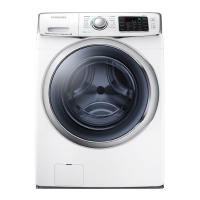
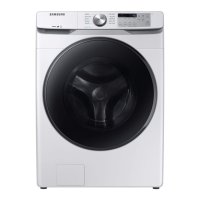
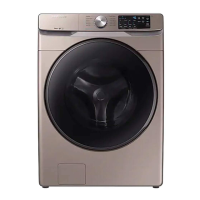
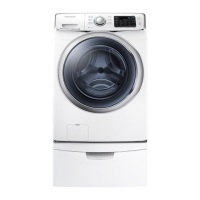
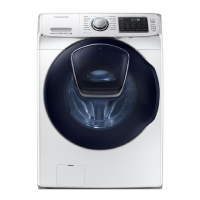
Samsung WF45K6200A series - User Manual

Samsung WF45K6200A series
76 pages
Print Icon
To Next Page IconTo Next Page
Loading...
Washer
User manual
WF45K6500A*/WF45K6200A*
WF45K6500AV_DC68-03665A-01_EN.indd 1 2016/4/1 13:37:05

Other manuals for Samsung WF45K6200A series

Questions and Answers

  • S
    Sharon MeyersSep 23, 2025
    What does 'check for water leaks' mean on my Samsung Washer?
    • L
      lisatorresSep 23, 2025
      If you are prompted to check for water leaks on your Samsung Washer: * Power the washer off, and then check the drain system for any leaks. * Once the leak issue is resolved, power the washer on after 2-3 minutes.
  • T
    Tracy ComptonAug 23, 2025
    What to do if Samsung Washer does not drain and/or spin?
    • M
      Mary SmithAug 25, 2025
      If your Samsung Washer isn't draining or spinning, consider the following: * Check the drain hose to ensure it is free from kinks or obstructions. * Inspect the debris filter for any clogs. * Close the door properly and press the Start/Pause button. * Make sure the drain hose isn't frozen or clogged. * Ensure the drain hose is connected to a drain system that is clear of clogs. * Insufficient power supply may temporarily prevent draining or spinning.
  • K
    kgallagherAug 25, 2025
    What to do if Samsung Washer door does not open?
    • B
      Bryan RodriguezAug 26, 2025
      If the door of your Samsung Washer won't open, try the following: * Press or tap the Start/Pause button to stop the washer. * Allow a few moments for the door lock mechanism to disengage. * Note that the door will not open until 3 minutes after the washer has stopped or the power has been turned off. * Ensure all the water in the drum has been drained. * Check if the door lock light is off.
  • K
    Kylie GarrettAug 27, 2025
    How to fix Samsung Washer that leaks water?
    • P
      Patricia SmithAug 27, 2025
      If your Samsung Washer is leaking water, try the following: * Ensure the door is properly closed. * Make sure all hose connections are tight. * Verify that the end of the drain hose is correctly inserted and secured to the drain system. * Avoid overloading the washer.
  • J
    Jacqueline HartAug 27, 2025
    How to fix a Samsung WF45K6200A that does not start?
    • M
      Melissa DonaldsonAug 27, 2025
      If your Samsung Washer doesn't start, ensure it's properly plugged in and the door is fully closed. Verify that the faucets are open and that you've pressed the Start/Pause button. Also, check if Child Lock is activated. Note that the washer makes clicking noises and does a quick drain before filling. Finally, check the fuse or reset the circuit breaker.
  • C
    Casey WebbSep 16, 2025
    Why am I getting an error message when registering my Samsung washing machine?
    • J
      Jason MathewsSep 16, 2025
      If you receive an error message when registering your Samsung washing machine, the connection may be failing due to: * Distance from your access point (AP). * Electrical interference from the surrounding environment.
  • S
    Sharon TorresSep 13, 2025
    How to log into the app for Samsung Washer?
    • A
      alucasSep 13, 2025
      To log into the app for your Samsung Washer: * You must log into your Samsung account. * If you don’t have a Samsung account, follow the app’s onscreen instructions to create one.
  • J
    Joel SampsonSep 14, 2025
    What to do if Samsung Smart Home app is connected but does not run with Samsung WF45K6200A Washer?
    • L
      Lauren CollinsSep 15, 2025
      If the Samsung Smart Home app is connected but not running with your washing machine: * Exit and restart the Samsung Smart Home app or unplug your router and then reconnect it. * Remove the SmartHome Adapter and reconnect it properly, then try again.
  • L
    Lisa Walker DVMSep 5, 2025
    What to do if the Samsung Washer water supply is insufficient?
    • E
      Eddie CoxSep 5, 2025
      If your Samsung Washer isn't getting enough water, make sure the faucet is fully open and the door is properly closed. Check that the water supply hose isn't frozen, kinked, or clogged. Also, ensure there is sufficient water pressure.
  • T
    taylormckenzieSep 3, 2025
    Why detergent remains in the detergent drawer of my Samsung WF45K6200A?
    • K
      Kristy MartinSep 3, 2025
      If detergent remains in the drawer of your Samsung Washer after a cycle, try these steps: * Ensure the washer is running with sufficient water pressure. * If using powdered detergent, use only the recommended amount. * If using liquid detergent, avoid overfilling the liquid detergent compartment. * Remove the liquid detergent and softener containers, and then clean the detergent drawer.

Summary

Safety Information

Important Safety Precautions

Basic precautions to reduce risk of fire, electric shock, or injury during appliance use.

Critical Installation Warnings

Warnings regarding electrical safety, grounding, and proper installation procedures.

Installation Cautions

Precautions for positioning the washer for accessible power plug and water supply.

Critical Usage Warnings

Warnings about flooding, touching plugs with wet hands, gas leaks, and child safety.

Usage Cautions

Cautions regarding foreign substances, glass breakage, and water supply connection.

Critical Cleaning Warnings

Warnings about appropriate cleaning methods and electrical safety during cleaning.

Installation

Whats Included

List of parts included in the product package for initial setup.

Installation Requirements

Essential requirements for electrical supply, grounding, and water hose connections.

Step-by-Step Installation

Detailed instructions for selecting a location, removing shipping bolts, and connecting hoses.

Before You Start

Initial Settings

Procedure for running the initial calibration for accurate weight detection.

Laundry Guidelines

Steps for sorting laundry, preparing items, and using laundry nets.

Detergent Drawer Guidelines

Instructions on using the detergent dispenser for various types of washing agents.

Operations

Feature Panel Overview

Explanation of the control panel buttons, displays, and cycle selectors.

Simple Steps to Start

Basic procedure to select a cycle, set options, and start the washer.

Cycle Overview

Descriptions of the standard wash cycles available on the washer.

Samsung Smart Home Connection

Instructions for connecting and using the Smart Home app for remote control.

Special Features

Details on unique features like Add Wash, Child Lock, and My Cycle.

Maintenance

Self Clean+

Procedure for running the Self Clean+ cycle to clean the drum and remove bacteria.

Smart Care

How to diagnose and troubleshoot washer problems using the Samsung Smart Washer app.

Emergency Drain

Procedure to drain water from the drum in case of a power failure.

Washer Cleaning

Instructions for cleaning the washer's surface, mesh filter, and detergent drawer.

Recovery from Freezing

Steps to take if the washer freezes due to low ambient temperatures.

Care Against Extended Disuse

Procedures for preparing the washer for periods of extended non-use.

Troubleshooting

Samsung Smart Home Troubleshooting

Solutions for issues related to the Samsung Smart Home app connectivity.

Information Codes

Explanations and recommended actions for error codes displayed by the washer.

Specifications

Fabric Care Chart

Symbols and guidelines for garment care, including washing, drying, and bleaching.

Protecting the Environment

Information on responsible disposal, recycling, and environmental considerations.

Declaration of Conformity

Statement of compliance with relevant industry standards and regulations.

Specification Sheet

Technical details, dimensions, and power consumption of the washer models.

Cycle Chart

Detailed chart mapping cycles to temperature, spin, soil level, and options.

Warranty (U.S.A)

Limited Warranty to Original Purchaser

Terms and conditions of the limited warranty for Samsung washers in the USA.

Warranty (CANADA)

Limited Warranty to Original Purchaser

Terms and conditions of the limited warranty for Samsung washers in Canada.

Samsung WF45K6200A series Specifications

General IconGeneral
Capacity4.5 cu. ft.
Weight205 lbs
Energy Star CertifiedYes
Max Spin Speed1200 RPM
Steam CleaningYes
Smart FeaturesYes
Steam WashYes
VRT TechnologyYes
Number of Wash Cycles12
Maximum Spin Speed1200 RPM
Steam FunctionYes
Wi-Fi EnabledYes
TypeFront Load
ColorWhite
Smart Home CompatibilityYes

Related product manuals