EasyManua.ls Logo

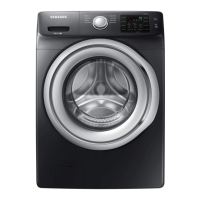
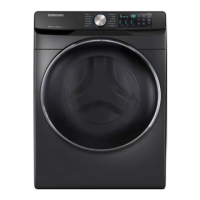
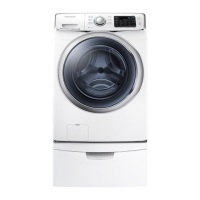
Samsung WF45N5300AV - User Manual

Samsung WF45N5300AV
68 pages
Print Icon
To Next Page IconTo Next Page
Loading...
Washer
User manual
WF45M5500A*/WF45M5100A*/WF45N5300A*
WF5500M_DC68-03876A-02_EN.indd 1 2019-02-12  5:55:06

Other manuals for Samsung WF45N5300AV

Questions and Answers

  • N
    nicholsonlisaAug 8, 2025
    What to do if my Samsung WF45N5300AV does not start?
    • M
      Melissa CruzAug 8, 2025
      If your Samsung Washer isn't starting, check the following: ensure the washer is plugged in, the door is properly closed, and the faucets are open. Press the START/PAUSE button. Verify that Child Lock is not activated. Note that the washer will make clicking noises and do a quick drain before filling. Check the fuse or reset the circuit breaker.
  • M
    Mark BoydAug 13, 2025
    Why is there no water coming into my Samsung Washer?
    • M
      Michael ChapmanAug 13, 2025
      If your Samsung Washer isn't getting enough water, ensure the faucet is fully open and the door is properly closed. Check that the water supply hose isn't frozen, kinked, or clogged, and make sure there is sufficient water pressure.
  • D
    Donald CrawfordAug 18, 2025
    Why is detergent left in the drawer of my Samsung WF45N5300AV Washer after a cycle?
    • M
      Meredith StewartAug 18, 2025
      If detergent remains in the detergent drawer of your Samsung Washer after a cycle, make sure the washer is running with sufficient water pressure. Ensure the detergent is added to the center of the drawer, and the rinse cap is properly inserted. If using granular detergent, the detergent selector should be in the upper position. You may also need to remove the rinse cap and clean the detergent drawer.
  • D
    Drew PorterAug 22, 2025
    Why is my Samsung WF45N5300AV showing a water supply error?
    • E
      Erik JensenAug 23, 2025
      A water supply error on your Samsung Washer can occur for several reasons. Foreign material might be blocking the water supply valve, or the water supply valve terminal might be disconnected. Also, the warm water and rinse connectors could be incorrectly connected. Another cause can be a disconnected PCB terminal from the drain hose to the detergent drawer, or a folded or torn transparent hose. To resolve this, ensure the water supply valve is clear, check the connection of the water supply valve terminal, verify the connections of warm water and rinse connectors, and ensure all connections are correct and hoses are intact.
  • S
    Steven HessAug 28, 2025
    Why is my Samsung Washer vibrating so much?
    • M
      Melissa ScottAug 28, 2025
      Excessive vibrations or noise from your Samsung Washer can occur for several reasons. Ensure the washer is installed on a level, solid, and non-slippery floor, adjusting the leveling feet if necessary. Remove the shipping bolts, and confirm the washer isn't touching anything else. Balance the laundry load. Also, noises can be caused by the motor during regular operation, metal objects like coins, or metal decorations on clothing.
  • M
    Matthew MurphySep 2, 2025
    What causes a motor driving error on my Samsung Washer?
    • J
      Janice DavidsonSep 2, 2025
      A motor driving error in your Samsung Washer can stem from various causes that restrain revolutions. The PBA connector terminal or the motor spin net may not be engaged. The motor’s internal coil could be damaged, or the hall sensor terminal might be disconnected. Foreign material inside the motor, overloading due to too much laundry, a faulty PBA, a weak motor driving error from the PBA, erroneous signals from the motor hall sensor, a disconnected IPM terminal on the main PBA, a DD motor cover out of place, a disconnected PCB housing terminal, or a DD motor fault could also be responsible. This error occurs because of restrained revolutions.

Summary

Safety Information

Important Safety Precautions

Details critical warnings and precautions for reducing risks of fire, electric shock, and injury during operation.

Installation Guide

Step-by-Step Installation Process

Provides a comprehensive guide from location selection and bolt removal to hose connection and final power-on.

Before You Start

Detergent and Load Management

Covers selecting the correct detergent, determining load capacity, and pre-wash options.

Operations

Feature Panel and Controls

Explains the washer's control panel, display, and buttons for selecting cycles, temperature, spin, and options.

Operating Your Washer

Provides simple steps to start the washer, change cycles during operation, and basic operational guidance.

Maintenance

Self Clean+ Cycle

Instructions for performing the Self Clean+ cycle to keep the washer drum clean and odor-free.

Troubleshooting

Common Problems and Solutions

A comprehensive table addressing common issues like 'Does not start' or 'Excessive vibrations' with corresponding actions.

Information Codes and Error Resolution

Explains various information codes displayed by the washer and provides steps for resolving errors.

Samsung WF45N5300AV Specifications

General IconGeneral
BrandSamsung
ModelWF45N5300AV
CategoryWasher
LanguageEnglish

Related product manuals