EasyManua.ls Logo

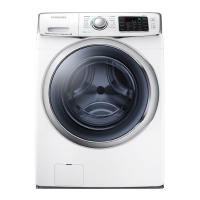
Samsung WF45B6300AP - User Manual

Samsung WF45B6300AP
84 pages
Print Icon
To Next Page IconTo Next Page
Loading...
Washer
Front loading washer
SIMPLE USER MANUAL
Product dimensions are specified in the label attached to the
product.
This manual covers all models in the US and Canada.
For more detailed instructions, visit the Samsung website
(http:// www.samsung.com), go to the Support section, and then
search for your model name.
DC68-04355C-01_IB_WASHER_EN.indd 1 2023-06-15  6:20:13

Table of Contents

Questions and Answers

  • J
    Joanna DrakeAug 19, 2025
    How to fix a Samsung Washer that does not start?
    • J
      jack10Aug 19, 2025
      If your Samsung Washer doesn't start, ensure it's properly plugged in and the door is fully closed. Also, check that the water faucets are open and you've pressed the Start/Pause button. Make sure Child Lock is not activated, and verify the fuse or circuit breaker.
  • T
    Tim TaylorAug 21, 2025
    What to do if my Samsung WF45B6300AP does not drain or spin?
    • J
      jenniferallenAug 21, 2025
      If your Samsung Washer isn't draining or spinning, check the drain hose for kinks or obstructions. Ensure the debris filter isn't clogged. Close the door and press Start/Pause. Also, verify the drain hose is properly inserted into the drain pipe and that the washer is level. Insufficient power supply can also cause this issue; the washer should operate normally once sufficient power is restored.
  • V
    vparkerAug 23, 2025
    Why is there no water coming into my Samsung WF45B6300AP?
    • S
      Stephanie WheelerAug 23, 2025
      If your Samsung Washer isn't getting enough water or no water at all, fully open the faucet. Make sure the door is properly closed. Check that the water supply hose isn't frozen, kinked, or clogged. Also, ensure there is sufficient water pressure.
  • W
    wkleinAug 26, 2025
    What to do if the door on my Samsung WF45B6300AP won't open?
    • T
      Tina CampbellAug 26, 2025
      If the door of your Samsung Washer won't open, press Start/Pause to stop the washer. Wait a few moments for the door lock mechanism to disengage. Ensure all the water in the drum is drained. Also, make sure the door lock light is off.
  • L
    llopezAug 27, 2025
    Why is my Samsung WF45B6300AP leaking water?
    • T
      Tiffany AndersonAug 28, 2025
      If your Samsung Washer is leaking water, make sure the door is properly closed and all hose connections are tight. Ensure the end of the drain hose is correctly inserted and secured to the drain system. Avoid overloading the washer and use high-efficiency (HE) detergent to prevent excessive suds.
  • C
    Christy SmithAug 30, 2025
    Why is my Samsung WF45B6300AP vibrating so much and making noise?
    • A
      Alexis SimmonsAug 30, 2025
      If your Samsung Washer is vibrating excessively or making unusual noises, ensure it's installed on a level, solid floor. Remove the shipping bolts if you haven't already. Make sure the washer isn't touching anything else and that the laundry load is balanced. Remove metal objects such as coins from the drum or filter case.
  • C
    Christine CisnerosSep 1, 2025
    Why does my Samsung Washer keep stopping?
    • D
      Dr. John MooreSep 1, 2025
      If your Samsung Washer stops mid-cycle, ensure the power cord is plugged into a working outlet and check the fuse or circuit breaker. Close the door and press Start/Pause to restart. Also, make sure the mesh filter of the water supply hose at the faucets is not clogged.
  • N
    Nicole TurnerSep 3, 2025
    Why is my laundry still wet after a Samsung WF45B6300AP Washer cycle?
    • T
      tammy91Sep 4, 2025
      If your laundry is still wet after a cycle in your Samsung Washer, try using the High or Extra High spin speed. Using high efficiency (HE) detergent can also help reduce oversudsing. Be aware that small loads may become unbalanced and not spin completely. Ensure the drain hose is not kinked or clogged.
  • B
    Brenda ReeseSep 6, 2025
    Why does detergent remain in the drawer of my Samsung Washer after a cycle?
    • L
      Lisa RichardsonSep 6, 2025
      If detergent remains in the drawer of your Samsung Washer after a cycle, ensure the washer is running with sufficient water pressure. If using liquid detergent, make sure it's added to the liquid detergent container. If using powdered detergent, remove the liquid detergent container. Clean the detergent drawer regularly.
  • J
    johnsonvickieSep 8, 2025
    How to reduce excessive suds in my Samsung Washer?
    • S
      Scott SmithSep 8, 2025
      If your Samsung Washer is producing excessive suds, use the recommended types and amounts of detergent. Use high-efficiency (HE) detergent to prevent oversudsing. Reduce the detergent amount for soft water, small loads, or lightly soiled loads. Avoid using Non-HE detergent.

Summary

Safety Information

Important Safety Symbols

Explains the meaning of warning symbols used in the manual.

Important Safety Precautions

Lists essential precautions to reduce risks of fire, electric shock, or injury.

Critical Installation Warnings

Highlights crucial safety considerations during the appliance's installation process.

Critical Usage Warnings

Alerts users to potential hazards and safety measures during normal operation.

Installation

Electrical Supply and Grounding

Specifies power requirements and correct grounding procedures for safe operation.

Water Supply

Details water connection requirements, pressure, and leak prevention measures.

Drain

Outlines requirements for the drain hose and standpipe connection.

Operations

Simple Steps to Start

A concise guide on how to initiate a wash cycle using the washer.

Control Panel

Explains the functions of various buttons and displays on the washer's control panel.

Maintenance

Troubleshooting

Checkpoints

A guide to identify and resolve common washer operational problems.

Does Not Drain and;or Spin

Solutions for issues related to the washer's inability to drain or spin laundry.

Samsung WF45B6300AP Specifications

General IconGeneral
Capacity4.5 cu. ft.
TypeFront Load
Energy Star CertifiedYes
Spin Speed1200 RPM
Wi-Fi ConnectivityYes
SteamYes
Vibration Reduction TechnologyYes
Dimensions27" W x 38.7" H x 31.3" D

Related product manuals