EasyManua.ls Logo

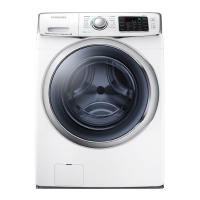
Samsung WF45N5300A Series - User Manual

Samsung WF45N5300A Series
136 pages
Print Icon
To Next Page IconTo Next Page
Loading...
Washer
User manual
WF45M5500A*/WF45M5100A*/WF45N5300A*
WF5500M_DC68-03876A-02_EN.indd 1 2019-02-12  5:55:06

Table of Contents

Questions and Answers

  • A
    andrew17Jul 29, 2025
    How to fix a Samsung Washer that does not start?
    • G
      Gerald LewisJul 29, 2025
      If your Samsung Washer doesn't start, here are a few things to check: * Ensure the washer is properly plugged in. * Verify the door is completely closed. * Confirm that the water faucets are turned on. * Press the START/PAUSE button to initiate the wash cycle. * Deactivate Child Lock if it's enabled. * Check the fuse or reset the circuit breaker.
  • R
    Ruth PopeAug 5, 2025
    Why is my Samsung Washer vibrating so much and making noise?
    • M
      Maria BridgesAug 5, 2025
      If your Samsung Washer is vibrating excessively or making unusual noises, consider the following: * Ensure the washer is installed on a level, solid, and non-slippery floor. * Verify that the shipping bolts have been removed. * Make sure the washer isn't touching any surrounding objects. * Check that the laundry load is balanced. * Remember that the motor can create noise during normal operation. * Also, metal objects like coins can cause noise; remove them from the drum or filter case after washing.
  • S
    Steven JonesAug 12, 2025
    What to do if water supply is insufficient in my Samsung WF45N5300A Washer?
    • J
      Jessica BrownAug 12, 2025
      If your Samsung Washer isn't getting enough water, or no water at all, try these steps: * Fully open the faucet. * Ensure that the door is properly closed. * Check that the water supply hose isn't frozen, kinked, or clogged. * Also, make sure there's sufficient water pressure.
  • D
    Denise DeckerAug 21, 2025
    Why does detergent remain in the detergent drawer of my Samsung WF45N5300A after a cycle?
    • H
      Heather ConnerAug 21, 2025
      If detergent remains in the drawer of your Samsung Washer after a cycle, consider these solutions: * Ensure the washer has sufficient water pressure. * Add detergent to the center of the drawer. * Make sure the rinse cap is correctly inserted. * If using granular detergent, put the detergent selector in the upper position. * Clean the detergent drawer after removing the rinse cap.

Summary

Safety Information

Key Safety Instructions

Learn about essential safety instructions, symbols, and precautions for safe operation.

Installation and Usage Warnings

Critical warnings for installation, usage, and potential hazards like fire, electric shock, and child safety.

Cleaning Safety Precautions

Details precautions for cleaning the washer and general environmental safety guidelines.

Washer Installation Guide

Unpacking and Parts Check

Instructions on unpacking the washer, checking for damage, and identifying included parts.

Installation Requirements

Covers electrical, water supply needs, and location requirements for proper installation.

Installation Configurations

Details different installation types like alcove, undercounter, side-by-side, and stacked setups.

Step-by-Step Installation

A detailed, sequential guide for physically installing the washer, including connecting hoses.

Preparing for Wash Cycles

Initial Setup and Calibration

Guidance on initial setup, running calibration for accurate weight detection.

Laundry Sorting and Preparation

Tips on sorting laundry, emptying pockets, and using laundry nets for effective washing.

Detergent Drawer Usage

Instructions for using the detergent drawer correctly with various detergents and fabric softeners.

Operating Your Washer

Control Panel and Display Guide

Explanation of the feature panel, buttons, and display indicators for operating the washer.

Starting and Changing Wash Cycles

Simple instructions on how to start a wash cycle and modify it during operation.

Cycle Types and Options Overview

Details on standard cycles, steam cycles, and available options like Delay End and Child Lock.

Special Wash Functions

Covers specific functions like Steam, Delay End, Child Lock, My Cycle, Sound, and ATC.

Washer Maintenance and Care

Routine Cleaning and Self-Maintenance

Instructions for Self Clean+ cycle, cleaning exterior/interior, and checking filters.

Component-Specific Maintenance

Guidance on emergency drain, pump filter, detergent drawer, and door diaphragm care.

Storage and Freezing Prevention

Procedures for caring for the washer during extended disuse and preventing freezing issues.

Troubleshooting Washer Issues

Common Problems and Solutions

Checklists for common issues like 'Does not start' or 'Excessive vibrations' and their resolutions.

Error Information Codes

Explanation of error codes displayed on the washer and recommended actions to resolve them.

Product Specifications and Care

Garment Care and Cycle Selection

Guides on fabric care symbols, wash cycles, water temperature, and heat settings.

Technical Specifications and Compliance

Details technical specs like dimensions, power, and information on environmental protection and conformity.

Detailed Cycle Chart

Charts to help set the best cycle and options for different types of laundry.

Warranty and Support

Limited Warranty Coverage

Details of the limited warranty for original purchasers, including coverage and service procedures.

Warranty Exclusions and Limitations

Information on what is not covered by the warranty and limitations on implied warranties.

Samsung WF45N5300A Series Specifications

General IconGeneral
BrandSamsung
ModelWF45N5300A Series
CategoryWasher
LanguageEnglish

Related product manuals