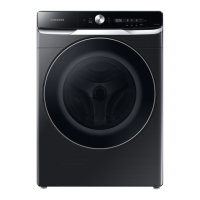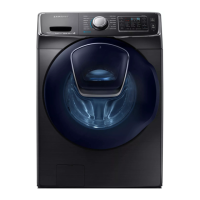
EasyManua.ls Logo

Samsung WF50K7500A Series - User Manual

Samsung WF50K7500A Series
80 pages
Print Icon
To Next Page IconTo Next Page
Loading...
Washer
User manual
WF50K7500A*
WF7500K-DC68-03667A-01_EN.indd 1 2016/4/1 9:20:03

Questions and Answers

  • A
    adamsgeraldSep 10, 2025
    Why is my Samsung Washer filling with the wrong water temperature?
    • J
      jonesjoshuaSep 10, 2025
      If your Samsung Washer is filling with the wrong water temperature, fully open both taps. Make sure the temperature selection is correct and the hoses are connected to the correct taps. Flush the water lines and ensure your water heater is set to a minimum of 120 °F (49 °C). Clean the mesh filter. The water temperature may change as the automatic temperature control checks the incoming water temperature, and you may notice just hot or cold water going through the dispenser when cold or warm temperatures are selected.
  • D
    dharrisonAug 25, 2025
    What to do if my Samsung WF50K7500A Washer does not drain or spin?
    • C
      Catherine SandersAug 25, 2025
      If your Samsung Washer isn’t draining or spinning, check the drain hose for kinks or obstructions. Ensure the debris filter isn’t clogged. Close the door and press START/PAUSE. Make sure the drain hose isn’t frozen or connected to a clogged drain system. Insufficient power can also temporarily prevent draining or spinning.
  • I
    Ian BurtonAug 25, 2025
    Why is my Samsung WF50K7500A leaking water?
    • R
      Richard QuinnAug 26, 2025
      If your Samsung Washer is leaking water, ensure the door is properly closed and all hose connections are tight. Verify the drain hose is correctly inserted and secured. Avoid overloading the washer and use high-efficiency (HE) detergent to prevent excessive suds.
  • G
    Gregory SmithSep 23, 2025
    What to do if my Samsung WF50K7500A displays 'The Add Door is open'?
    • B
      Brandon FlowersSep 23, 2025
      If your Samsung Washer displays 'The Add Door is open', close the Add Door and press START/PAUSE to resume operation.
  • C
    cynthiamooreSep 12, 2025
    Why is the Samsung Smart Home app not working?
    • G
      garzanathanSep 12, 2025
      The Samsung Smart Home app is available for applicable models only. The old Samsung Smart Washing machine app cannot connect with Samsung Smart Home models.
  • P
    Paul LeeSep 15, 2025
    How do I check for water leaks in my Samsung WF50K7500A?
    • D
      Dakota JacksonSep 16, 2025
      Power your Samsung Washer off, and then check the drain system for any leaks. Once the leak issue is resolved, power the washer on after 2-3 minutes. Depending on the model, the drain system drains water automatically and the POWER and START/PAUSE buttons may be disabled during this process.
  • S
    Stacy WillisSep 4, 2025
    What to do if water may overflow in my Samsung Washer?
    • P
      Paul GordonSep 4, 2025
      Close the water tap, and then call for service for your Samsung Washer.
  • J
    Jasmine OliverSep 5, 2025
    What to do if my Samsung WF50K7500A Washer load is wet at the end of a cycle?
    • N
      Nathan KnightSep 5, 2025
      If your laundry is still wet after a cycle in your Samsung Washer, try using the High or Extra High spin speed and high-efficiency (HE) detergent to reduce oversudsing. Also, be aware that small loads (one or two items) may become unbalanced and not spin completely. Finally, check that the drain hose is not kinked or clogged.
  • M
    Mary SandovalSep 23, 2025
    Why there are no bubbles are seen in my Bubbleshot Samsung WF50K7500A Washer?
    • M
      maryhamiltonSep 23, 2025
      In Bubbleshot Samsung Washer models, overloading may screen bubbles, or severely contaminated laundry may not generate bubbles.
  • L
    Larry BatesAug 30, 2025
    Why is my Samsung Washer producing excessive suds?
    • L
      Luis MorseAug 30, 2025
      Excessive suds in your Samsung Washer can be due to using the wrong type of detergent. Use high-efficiency (HE) detergent to prevent oversudsing. Reduce the detergent amount for soft water, small loads, or lightly soiled loads. Non-HE detergent is not recommended.

Summary

Safety Information

General Safety Instructions and Precautions

Covers all safety warnings, symbols, precautions for installation, usage, and cleaning.

Installation Guide

Requirements and Components

Details included parts, electrical, water supply, and flooring requirements.

Step-by-Step Installation Process

Comprehensive guide from selecting location to connecting hoses and power.

Smart Home Connectivity

Instructions for setting up Wi-Fi and the Smart Home Adapter.

Operation Guide

Before You Start: Settings & Laundry Prep

Covers initial settings, laundry sorting, and detergent drawer usage.

Using the Control Panel and Cycles

Explains the feature panel, selecting cycles, options, and starting the wash.

Special Features and Smart Home Use

Details on AddWash, Child Lock, My Cycle, and remote operation via Smart Home.

Maintenance

Self Clean+ and Smart Care Functions

Instructions for performing self-cleaning cycles and using diagnostic features.

Routine Cleaning and Filter Care

Guide to cleaning the washer's exterior, interior, filters, and detergent drawer.

Emergency Drain and Extended Disuse

Procedures for draining water in emergencies and preparing for long periods of non-use.

Troubleshooting

Common Problems and Solutions

Checkpoints and actions for common operational issues.

Information Codes and App Issues

Explanations of error codes and troubleshooting the Smart Home app.

Specifications

Fabric Care and Cycle Charts

Guide to garment care symbols, wash cycles, and options.

Technical Specifications

Details on dimensions, weight, water pressure, and heater ratings.

Warranty Information

Limited Warranty Coverage

Terms and conditions of the limited warranty for U.S.A. and Canada.

Samsung WF50K7500A Series Specifications

General IconGeneral
BrandSamsung
ModelWF50K7500A Series
CategoryWasher
LanguageEnglish

Related product manuals