EasyManua.ls Logo

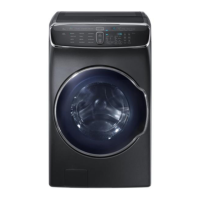
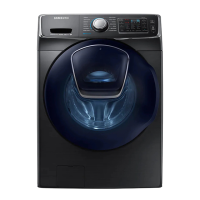
Samsung WF50K7500A Series - User Manual

Samsung WF50K7500A Series
80 pages
Print Icon
To Next Page IconTo Next Page
Loading...
Washer
User manual
WF50K7500A*
WF7500K-DC68-03667A-01_EN.indd 1 2016/4/1 9:20:03

Questions and Answers

  • L
    Luke JonesAug 29, 2025
    What to do if the door of my Samsung WF50K7500A Washer does not open?
    • R
      Rose WilliamsAug 29, 2025
      If the door of your Samsung Washer does not open, press START/PAUSE to stop the washer. It may take a few moments for the door lock to disengage, and the door will not open until 3 minutes after the washer has stopped or the power has been turned off. Ensure all the water in the drum is drained and that the door lock light is off.
  • L
    Larry BatesAug 30, 2025
    Why is my Samsung Washer producing excessive suds?
    • L
      Luis MorseAug 30, 2025
      Excessive suds in your Samsung Washer can be due to using the wrong type of detergent. Use high-efficiency (HE) detergent to prevent oversudsing. Reduce the detergent amount for soft water, small loads, or lightly soiled loads. Non-HE detergent is not recommended.
  • J
    josephglassAug 30, 2025
    Why does my Samsung WF50K7500A keep stopping?
    • P
      Paul WoodAug 30, 2025
      If your Samsung Washer stops, ensure the power cord is plugged into a live outlet. Check the fuse or reset the circuit breaker. Close the door and press START/PAUSE. The washer clicks and does a quick drain to check the door lock before filling. There may be a pause or soak period in the cycle, or the mesh filter of the water supply hose may be clogged. Insufficient power can also cause the washer to stop.
  • D
    Derek OsbornAug 25, 2025
    How to fix a Samsung WF50K7500A Washer that does not start?
    • C
      Christopher ReyesAug 25, 2025
      If your Samsung Washer isn't starting, ensure it's plugged in, the door is properly closed, and the faucets are open. Press the START/PAUSE button. Also, check if Child Lock is activated. Before filling, the washer clicks and does a quick drain to check the door lock. Finally, verify the fuse or circuit breaker.
  • H
    hmasseySep 1, 2025
    Why does detergent remain in the drawer of my Samsung Washer after a cycle?
    • S
      Steven ParkerSep 1, 2025
      If detergent remains in the drawer of your Samsung Washer after a cycle, ensure the washer is running with sufficient water pressure. If using powdered detergent, use the recommended amount. If using liquid detergent, do not overfill the compartment. Also, remove and clean the detergent drawer, including the liquid detergent and softener containers.
  • S
    Stephanie DavisSep 1, 2025
    How to get rid of odors in my Samsung Washer?
    • T
      Thomas HooverSep 1, 2025
      If your Samsung Washer has odors, excessive suds may be collecting in recesses. Run cleansing cycles to sanitize periodically, clean the door seal (diaphragm), and dry the washer interior after each cycle.
  • M
    Michael ClarkSep 2, 2025
    Why can't I add more detergent to my Samsung WF50K7500A?
    • J
      Joshua ThomasSep 2, 2025
      Do not fill the detergent or fabric softener compartments of your Samsung Washer beyond the marked maximum fill limit.
  • T
    Tara SmithSep 3, 2025
    What to do if the Add Door is open on my Samsung Washer?
    • A
      Amy Myers MDSep 3, 2025
      Close the Add Door on your Samsung Washer, and then press START/PAUSE to resume operation.
  • A
    Alyssa SmithSep 4, 2025
    What to do if the door is open on my Samsung WF50K7500A?
    • S
      Samuel KleinSep 4, 2025
      Close the door of your Samsung Washer, and then press START/PAUSE to resume operation.
  • S
    Stacy WillisSep 4, 2025
    What to do if water may overflow in my Samsung Washer?
    • P
      Paul GordonSep 4, 2025
      Close the water tap, and then call for service for your Samsung Washer.

Summary

Safety Information

General Safety Instructions and Precautions

Covers all safety warnings, symbols, precautions for installation, usage, and cleaning.

Installation Guide

Requirements and Components

Details included parts, electrical, water supply, and flooring requirements.

Step-by-Step Installation Process

Comprehensive guide from selecting location to connecting hoses and power.

Smart Home Connectivity

Instructions for setting up Wi-Fi and the Smart Home Adapter.

Operation Guide

Before You Start: Settings & Laundry Prep

Covers initial settings, laundry sorting, and detergent drawer usage.

Using the Control Panel and Cycles

Explains the feature panel, selecting cycles, options, and starting the wash.

Special Features and Smart Home Use

Details on AddWash, Child Lock, My Cycle, and remote operation via Smart Home.

Maintenance

Self Clean+ and Smart Care Functions

Instructions for performing self-cleaning cycles and using diagnostic features.

Routine Cleaning and Filter Care

Guide to cleaning the washer's exterior, interior, filters, and detergent drawer.

Emergency Drain and Extended Disuse

Procedures for draining water in emergencies and preparing for long periods of non-use.

Troubleshooting

Common Problems and Solutions

Checkpoints and actions for common operational issues.

Information Codes and App Issues

Explanations of error codes and troubleshooting the Smart Home app.

Specifications

Fabric Care and Cycle Charts

Guide to garment care symbols, wash cycles, and options.

Technical Specifications

Details on dimensions, weight, water pressure, and heater ratings.

Warranty Information

Limited Warranty Coverage

Terms and conditions of the limited warranty for U.S.A. and Canada.

Samsung WF50K7500A Series Specifications

General IconGeneral
BrandSamsung
ModelWF50K7500A Series
CategoryWasher
LanguageEnglish

Related product manuals