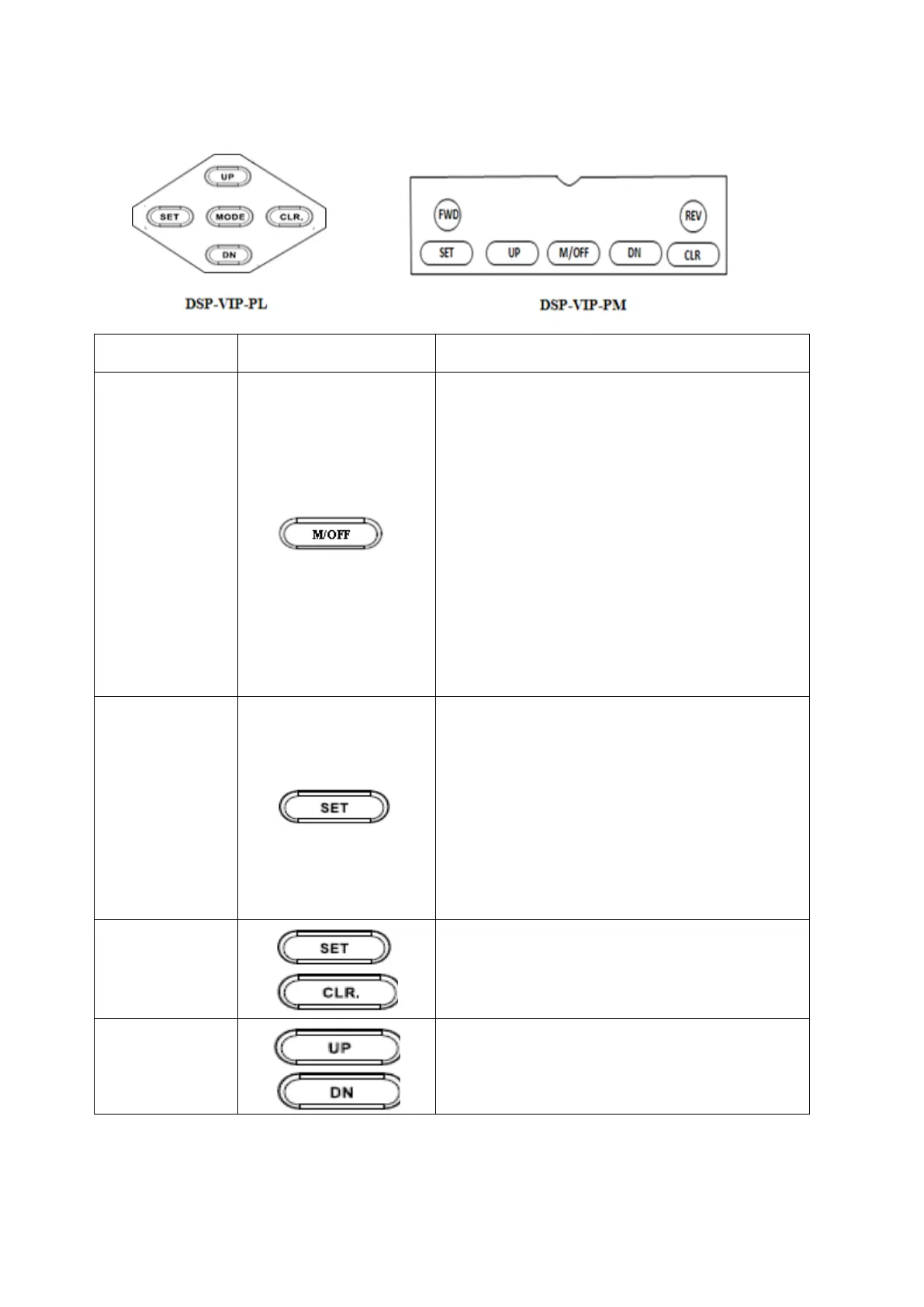
14.Control Key Operation
*Initial state to indicate one of controlled
position(ON-OFF control:LOP/over bar_ n CC
(MCC)/rcs/PC) is appeared.
*Main Mode or Sub Mode in conjunction with
"Main" LED/"Main “ mode:LED is turned on.
*Press "SET" Key to enter into setting
mode,then "P0000"(factory default password) is
shown
*In case of using this default number, move
cursor from first digit to right end digit by
pressing "CLR" key ,finally press once
more,then operator meets possible state for
setting a number or character of mode .
*If there is no input for 15 sec or pressing
"Mode" key, VIP is entered into operating
condition.
*After entering into posible state for setting ,
each key acts its job as follows :
SET--->backward direction, CLR--->
foward direction,UP.DN--->able to
select number or character in preset
mode.
*if operator wants to stop setting,it is possible
to return to next mode as pressing "Mode" key
or setting nothing for 15 sec or more ,then all
selected data untill previous action to cease a
setting is stored automatically.


 To Next Page