2)if you want to change this main window with image of samwha dsp company into your own
layout,then you need to save a file named by "main.bmp" for new layout in "samdsp" folder
3) If you create a motor symbol matched with address of VIP in the position what you want to put,click
a number matched in a bottom ,then you can put a motor symbol in proper position by operating a
mouse. Like this manner,same process should be done for remained motor.
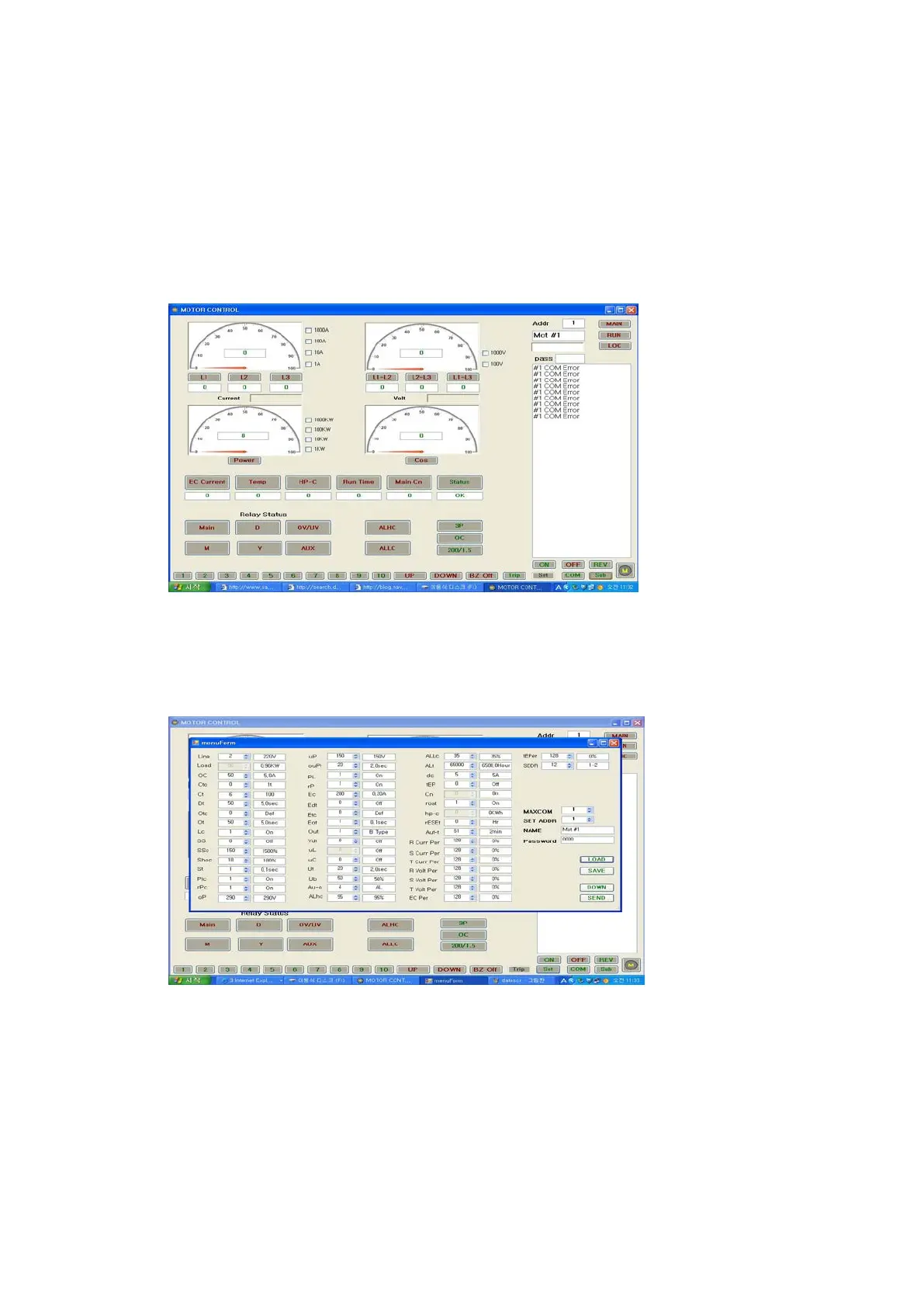
4)After this action,an operator is able to control a data by clicking a button in screen on the
5)In case you click "Main" button,a following screen has come
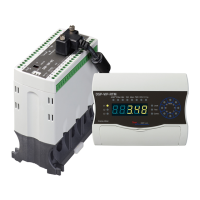
6) In case you click "Set" button under the condition with password input,a following screen
is come


 To Next Page