22.PC Operation Program/”Samdsp
R
”
▶ General
(1) This program is written by C# language and a basic bps is ranged in 9.6K to 38.4K,but MWR-S
(2) The user needs additional USB/232<>485/422 protocol converter like DSP-CMB to make PC to
communicate with VIP
(3) The user's PC basically based on Window XP and Window 7 should be embeded by following file
*.net framework 4.0(dotnetfx40_full_setup.exe) for MS Window :able to down load from MS or
"www://samwhadsp.com"
* This is opened software with a free of charge
▶ How to install "samdsp" program
(1) Down load latest "samdsp-v**(version nmber)" file provided by
SamWha DSP.Co.(web page or CD) in C:// of your PC and run into the execution for this file
(2) Check if c:\"samdsp" folder is created naturally or not
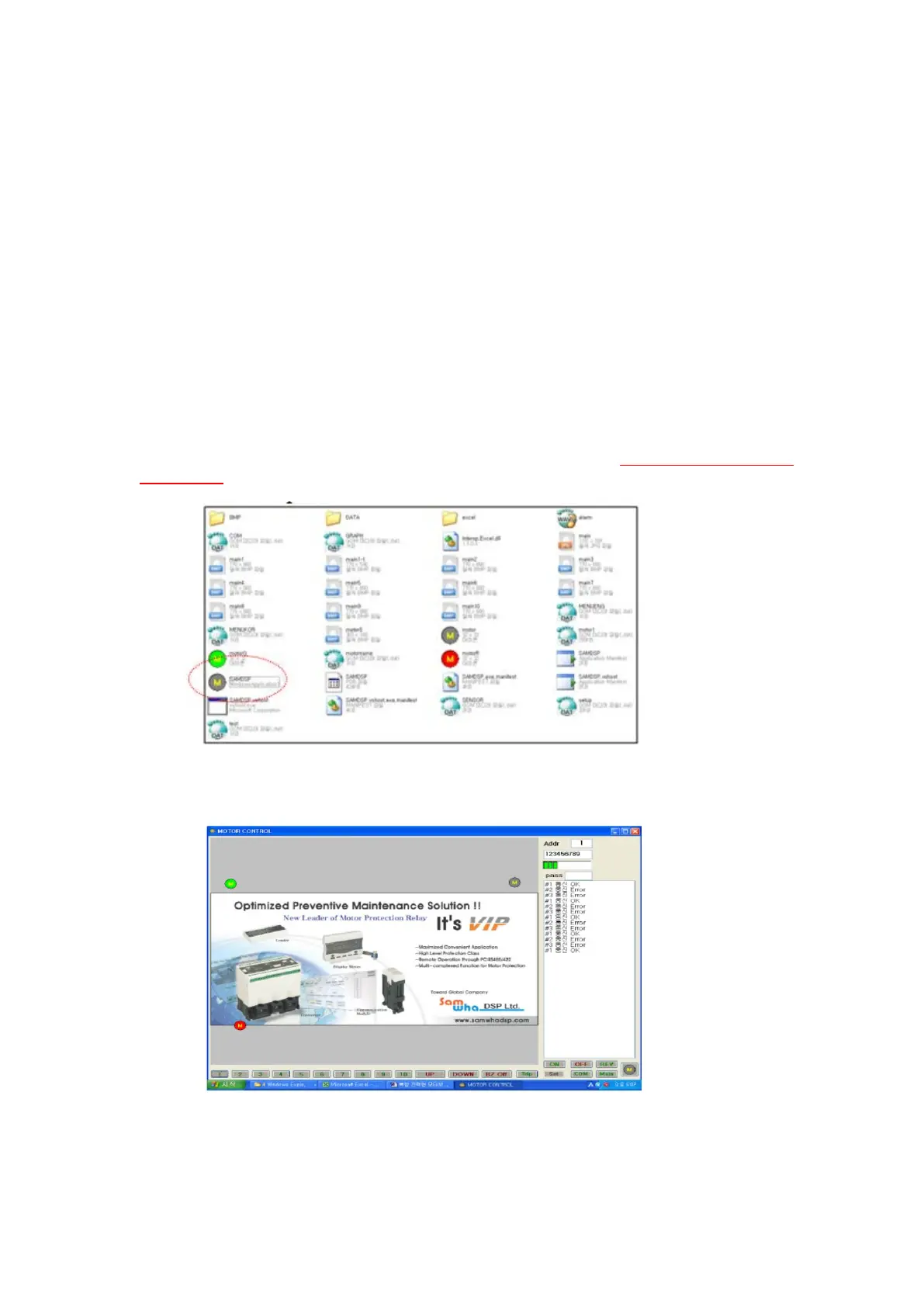
(3) If you find "Samdsp" folder ,enter into c:\"samdsp",then user will meet “samdsp” file with circled
"M" symbol , hereafter this “samdsp” is execution file to open main window.
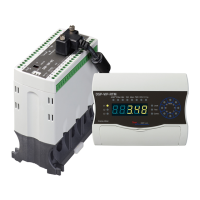
4)Eexcute "samdsp" with image of motor symbol "M" in circle,then main window is shown.
5) In this stage,if communication port to be run in “samdsp” is not matched with it in your PC,
errorred message in right column is shown, then user can preset right port number and bps in pop-up
window that is shown by pressing “COM” button
After preset port number and bps, make a press “SAVE” button in pop-up window.


 To Next Page