EasyManua.ls Logo

S&A CWFL-800 - User Manual

S&A CWFL-800
28 pages
Print Icon
To Next Page IconTo Next Page
Loading...
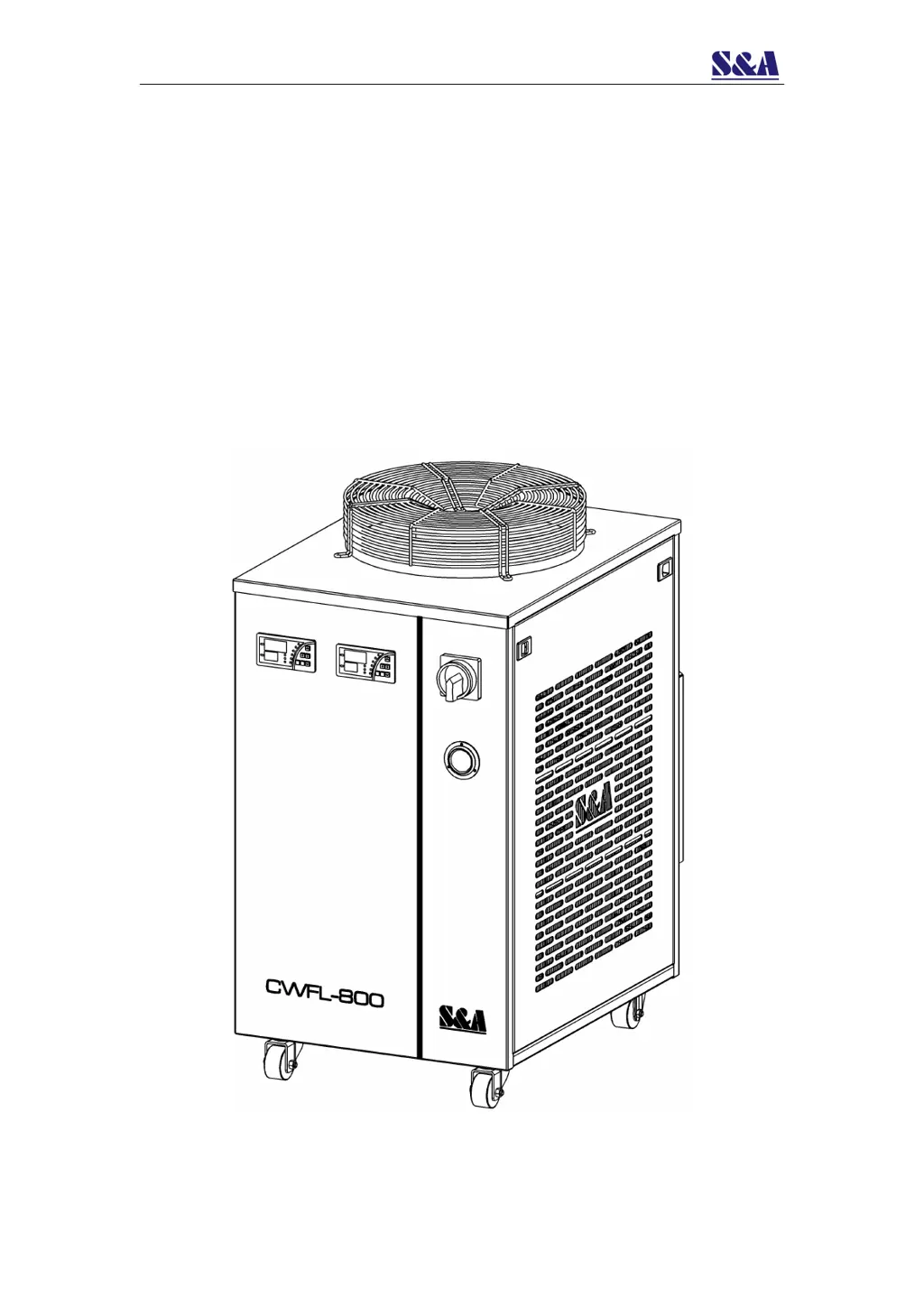
CWFL-800/1000/1500
DUAL TEMPERATURE
INDUSTRIAL CHILLER
USER MANUAL

Questions and Answers

  • F
    frank93Aug 2, 2025
    Why does my S&A CWFL-800 Industrial Equipment show an ultra-high temperature alarm (E2)?
    • J
      Jennifer AndrewsAug 2, 2025
      An ultra-high temperature alarm (E2) on your S&A Industrial Equipment can be triggered by several factors. First, check if the dust gauze is blocked and needs cleaning to improve thermolysis. Poor ventilation around the air outlet and inlet can also cause this, so ensure they are unobstructed. Other potential causes include extremely low or unstable voltage (in which case, improve the power supply circuit or use a voltage regulator), improper thermostat parameter settings (reset controlling parameters or restore factory settings), frequent power switching (ensure at least 5 minutes between power cycles for refrigeration), and excessive heat load (reduce the heat load or switch to a model with larger cooling capacity).
  • S
    Sara BrooksAug 6, 2025
    How to fix S&A Industrial Equipment that turns on but is unelectrified?
    • J
      Joseph MartinezAug 6, 2025
      If your S&A Industrial Equipment turns on but is unelectrified, there are a couple of things to check. First, make sure the power cord is properly plugged into the power interface and that the connection is secure. Also, check the fuse. If it's burnt out, open the electric box cover, inspect the protective tube, and replace the fuse with a spare if needed. Ensure the power supply voltage is stable and the power interface and plug are making good contact.
  • R
    Robert CortezAug 11, 2025
    What to do if S&A Industrial Equipment shows alarm for ultra-high room temperature (E1)?
    • E
      edward27Aug 11, 2025
      If your S&A Industrial Equipment displays an ultra-high room temperature alarm (E1), it means the working ambient temperature is too high for the chiller. To resolve this, improve ventilation to ensure the machine operates below 40 degrees Celsius.
  • M
    Matthew GarciaAug 15, 2025
    What to do if S&A Industrial Equipment shows flow alarm (E6) despite direct water connection?
    • B
      burgesshollyAug 15, 2025
      If your S&A Industrial Equipment experiences a flow alarm (E6) even when using a water pipe directly connected to the water outlet and inlet, it indicates that the water level in the storage water tank might be too low. Check the water level gauge display and add water until the level is within the green area. Also, inspect the water circulation pipes for any leaks.
  • D
    Diana GuerreroAug 19, 2025
    Why S&A Industrial Equipment has flow alarm (E6) with other equipment but not with direct water connection?
    • F
      Felicia CollierAug 19, 2025
      If your S&A Industrial Equipment triggers a flow alarm (E6) while running with other equipment, but works fine with a direct water pipe connection, the water circulation pipes may be blocked or deformed due to bending. Inspect the water circulation pipe to resolve this issue.
  • D
    Dylan CookeAug 23, 2025
    Why is there a serious problem of condensate water in my S&A Industrial Equipment?
    • P
      Phillip DoughertyAug 23, 2025
      If you're experiencing a serious problem with condensate water in your S&A Industrial Equipment, it's likely because the water temperature is much lower than the ambient temperature, and humidity is high. Try increasing the water temperature or insulating the pipeline to preserve heat.
  • M
    manningdeannaAug 27, 2025
    Why does water drain slowly from S&A CWFL-800 during water changing?
    • B
      Brian JacksonAug 27, 2025
      If water drains slowly from the outfall during water changing in your S&A Industrial Equipment, it may be because the injection port is not open. Open the injection port to allow the water to drain properly.

Summary

Cautions

Safety Precautions

Essential safety guidelines and warnings for operating the industrial chiller.

Contour and Parts Introduction

Component Identification

Diagram illustrating the main components and connection points of the chiller.

Installation

Installation Procedure

Step-by-step guide for installing the industrial chiller and initial setup.

Operation Status and Parameters Adjustment

Temperature Controller Interface

Overview of the temperature controller panel, indicators, and button functions.

Alarm Function and Display

Explanation of alarm codes, display, and how to suspend alarms.

Temperature Controller Parameters

List and explanation of adjustable parameters for the temperature controller.

General Settings Adjustment

Guide to adjusting general settings on the temperature controller.

Advanced Settings Adjustment

Procedure for accessing and modifying advanced controller settings.

Parameter Adjustment Cases

Examples and explanations for different parameter settings and their effects.

Flow Adjustment in High Temperature Segment

Flow Alarm and Output Ports

Alarm Output Ports and Wiring Diagram

Diagrams showing flow alarm output connections and wiring.

Alarm Causes and Working Status

Table detailing alarm conditions, codes, and corresponding system status.

Specifications

CWFL-800 Specifications

Technical specifications for the CWFL-800 model, including electrical, cooling, and physical data.

CWFL-1000 Specifications

Technical specifications for the CWFL-1000 model, including electrical, cooling, and physical data.

CWFL-1500 Specifications

Technical specifications for the CWFL-1500 model, including electrical, cooling, and physical data.

Simple Troubleshooting

Troubleshooting Guide

Common failures, their causes, and recommended solutions for the chiller.

S&A CWFL-800 Specifications

General IconGeneral
BrandS&A
ModelCWFL-800
CategoryIndustrial Equipment
LanguageEnglish