
 Need help?
Do you have a question about the Sandstorm S95PD11E and is the answer not in the manual?
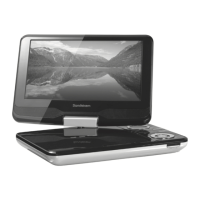
Displays the layout of the top part of the DVD player.
Displays the layout of the front part of the DVD player.
Displays the layout of the right side of the DVD player.
Details functions of various buttons on the remote control for operation.
Instruction for removing the initial protective strip from the remote.
Guide on how to replace the battery in the remote control.
Describes the 180° clockwise or 45° anti-clockwise swivel feature.
Instructions for folding the display for handheld use.
Details using the AC power adapter for operation and charging.
Explains the process of charging the unit's internal battery.
Guide for connecting the unit to a TV via AV cable.
Steps to view DVD content on a connected television.
Lists supported disc formats like DVD, CD, CD-R/RW.
Specifies supported image file types and formats.
Explains the importance of matching disc and player region codes.
Step-by-step guide to starting and playing a DVD.
How to stop playback, resume, and stop completely.
Moving between chapters, tracks, or titles on a disc.
Adjusting playback speed, fast forwarding, reversing, and pausing.
Adjust playback speed, volume, and set repeat modes.
Repeating a specific segment of playback between points A and B.
Managing subtitle languages and viewing scenes from different angles.
Steps to load and play standard Audio CDs.
Guide on how to add files to a custom playback program list.
Instructions for removing files from the custom program list.
How to switch back to the standard file browser view.
Configure OSD language, subtitles, audio, and DVD menu language.
Adjust aspect ratio, TV system, and picture mode for optimal display.
Set parental controls and rating levels to restrict content.
How to set or change the password for parental controls.
Resetting all settings to factory defaults, except password.
Proper methods for handling, cleaning, and storing discs.
 General
| Screen Resolution | 800 x 480 pixels |
|---|---|
| Video Output | AV output |
| USB Port | Yes |
| SD Card Slot | Yes |
| Disc Compatibility | DVD, CD |
| Power Source | AC adapter, rechargeable battery |
| Audio Output | headphone jack |

 To Next Page