34
GB
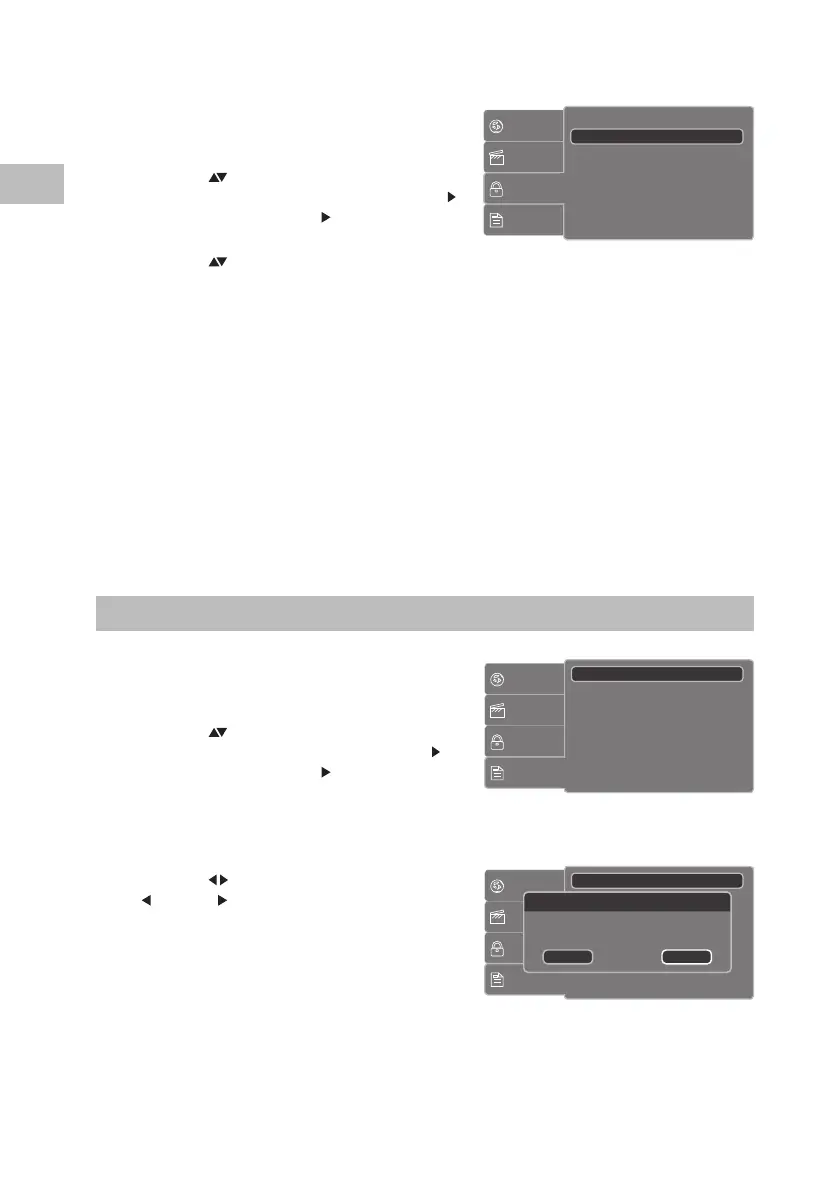
Set Password
1. Press the SETUP button on the unit or the
remote control to display the system setup
menu.
2. Press the
buttons on the unit or the remote
control to select Rating and then press the
button on the unit or the /VOL+ button on
the remote control.
3. Press the
buttons on the unit or the remote
control to select Set Password
4. Press the 0-9 buttons on the remote control to input the old password (the factory
pre-set password is “6666” for the rst time setup) and then press the OK button on
the unit or press the ENTER button on the remote control to conrm. If you input the
wrong password, the screen will show Incorrect Password.
5. Press the OK button on the unit or press the ENTER button on the remote control
again, then press the 0-9 buttons on the remote control to input the new password.
Press the OK button on the unit or press the ENTER button on the remote control to
conrm.
6. Enter the new password again to verify. After veried, the screen will show Set
Password Successful.
7. Press the SETUP button on the unit or the remote control to exit the menu.
Customising the Miscellaneous Settings
1. Press the SETUP button on the unit or the
remote control to display the system setup
menu.
2. Press the
buttons on the unit or the remote
control to select Misc and then press the
button on the unit or the /VOL+ button on
the remote control.
3. Select Use default Setting and then press
the OK button on the unit or press the ENTER
button on the remote control.
4. Press the
buttons on the unit or the
/VOL– or /VOL+ buttons on the remote
control to select “Yes” to reset all your settings
to the factory’s default except your own
password, then press the OK button on the
unit or press the ENTER button on the remote
control to conrm.
5. Press the SETUP button on the unit or the
remote control to exit the menu.
Language
Video
Rating
Misc
Parental control
Set Password
: 1. Kid Safe
Language
Video
Rating
Misc
Use Default Settings
Language
Video
Rating
Misc
Use Default Settings
Use Default Settings
Do you want to use default setting?
Yes No
S95PD11E_IB_7L_RC_130606_Michelle.indb 34 6/6/13 4:08 PM


 To Next Page