Need help?
Do you have a question about the Sangean WR-2CL and is the answer not in the manual?
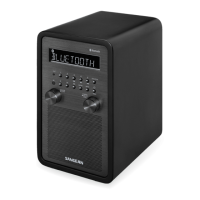
Detailed description of the buttons and controls located on the front panel of the WR-2CL.
Explanation of the icons and information displayed on the WR-2CL's screen.
Information on connecting FM and AM antennas to the rear panel.
Details on AUX IN, REC OUT, 12V DC input, and AC power sockets.
Explains the functions of each button on the provided remote control.
Instructions for powering the radio via AC adapter or 12V DC input.
Guide to initial setup, including RDS and clock synchronization.
Manual and automatic methods for setting the radio's clock time.
Information on setting up and configuring radio and buzzer alarms.
Detailed steps to set a wake-up alarm using the buzzer sound.
Detailed steps to set a wake-up alarm using a radio station.
Procedures for snoozing active alarms and canceling alarm settings.
Instructions for using the sleep timer to automatically switch off the radio.
How to monitor the currently tuned radio station.
Guide to connecting the FM wire antenna for better reception.
How to turn on, adjust, or turn off the display illumination.
Instructions for connecting an AM antenna for improved reception.
How to automatically scan for and tune to radio stations.
Performing scan tuning using the remote control device.
Tuning stations manually using the rotary control knob.
Steps to save favorite radio stations into memory presets.
How to recall and listen to stored preset radio stations.
How to adjust volume, bass, and treble settings on the radio.
Adjusting FM reception between stereo and mono modes.
Customizing FM tuning step increments (50/100 kHz).
Customizing MW tuning step increments (9/10 kHz).
Changing the display format between 12-hour and 24-hour clocks.
Overview of RDS features like Program Service (PS) and Enhanced Other Network (EON).
How the radio indicates and uses traffic information broadcasts.
Automatic clock synchronization using RDS time information.
Utilizing AF to automatically switch to better reception frequencies.
How to use the AF feature to find the best signal for a station.
Activating and using the Traffic Announcement feature for traffic updates.
Renewing the clock time display using the CT button.
Changing displayed information (station name, time, alarm) by pressing Display.
Connecting and playing audio from external devices via the AUX IN.
Reducing input level for strong external audio signals.
Connecting the radio to recording devices or Hi-Fi systems.
Powering the radio using an external 12V DC power source.
How to connect and use headphones with the radio.
Steps to reset the radio to factory defaults to resolve operational issues.
Instructions for muting and unmuting the radio audio.
Information on clock and preset retention during power outages.
Specifications for FM/AM frequency ranges and power requirements.
Details on output power, headphone socket, and input/output impedances.
List of included accessories, unit dimensions, and weight.
 General
| Frequency Range FM | 87.5 - 108 MHz |
|---|---|
| Frequency Range AM | 520 - 1710 kHz |
| Speaker Power | 5 W |
| Display | LCD |
| Presets AM | 5 |
| Presets FM | 5 |
| Clock | Yes |
| Alarm | Yes |
| Sleep Timer | Yes |
| Snooze | Yes |
| Auxiliary Input | Yes |
| Headphone Jack | Yes |
| AC Power | 120V AC |
| Antenna FM | Telescopic |
| Tuner Bands | AM, FM |
| Speaker Size | 3 inch |
| Speaker Impedance | 4 Ohms |
| Power Source | AC |
| Antenna AM | Internal |


 To Next Page