EasyManua.ls Logo

Sansui RX-710 - Panel Information; VOLUME;BAL (Balance) Control; FADER Control; LOUD Switch (Loudness)

Sansui RX-710
17 pages
Print Icon
To Next Page IconTo Next Page
To Previous Page IconTo Previous Page
Loading...
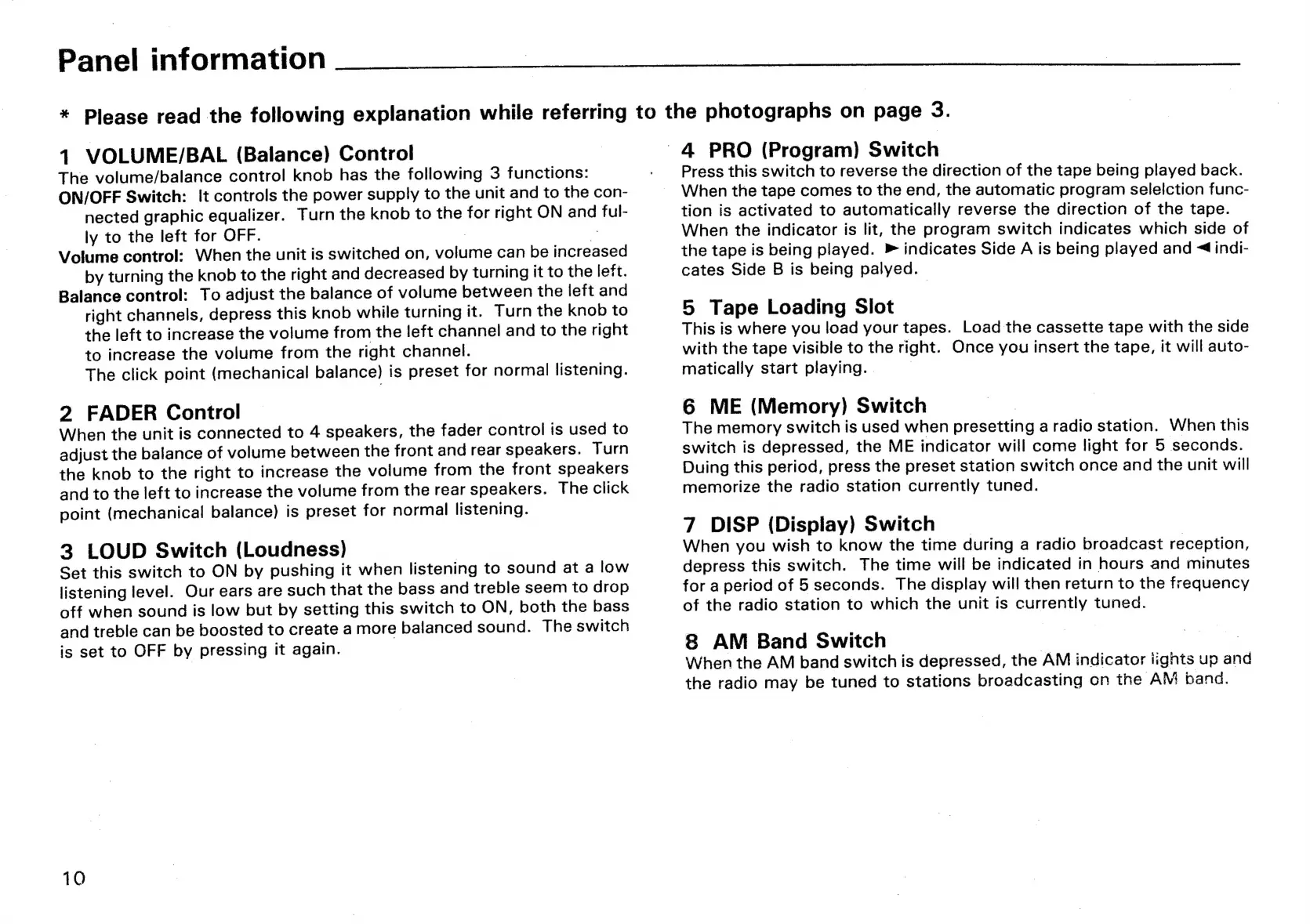
Panel
information
*
Please
read
the
following
explanation
while
referring
to
the
photographs
on
page
3.
1
VOLUME/BAL
(Balance)
Control
The
volume/balance
control
knob
has
the
following
3
functions:
ON/OFF
Switch:
!t
controls
the
power
supply
to
the
unit
and
to
the
con-
nected
graphic
equalizer.
Turn
the
knob
to
the
for
right
ON
and
ful-
ly
to
the
left
for
OFF.
:
2
Volume
control:
When
the
unit
is
switched
on,
volume
can
be
increased
by
turning
the
knob
to
the
right
and
decreased
by
turning
it
to
the
left.
Balance
control:
To
adjust
the
balance
of
volume
between
the
left
and
right
channels,
depress
this
knob
while
turning
it.
Turn
the
knob
to
the
left
to
increase
the
volume
from
the
left
channel
and
to
the
right
to
increase
the
volume
from
the
right
channel.
The
click
point
(mechanical
balance)
is
preset
for
normal
listening.
2
FADER
Control
When
the
unit
is
connected
to
4
speakers,
the
fader
control
is
used
to
adjust
the
balance
of
volume
between
the
front
and
rear
speakers.
Turn
the
knob
to
the
right
to
increase
the
volume
from
the
front
speakers
and
to
the
left
to
increase
the
volume
from
the
rear
speakers.
The
click
point
(mechanical
balance)
is
preset
for
normal
listening.
3
LOUD
Switch
(Loudness)
|
Set
this
switch
to
ON
by
pushing
it
when
listening
to
sound
at
a
low
listening
level.
Our
ears
are
such
that
the
bass
and
treble
seem
to
drop
off
when
sound
is
low
but
by
setting
this
switch
to
ON,
both
the
bass
and
treble
can
be
boosted
to
create
a
more
balanced
sound.
The
switch
is
set
to
OFF
by
pressing
it
again.
10
4
PRO
(Program)
Switch
Press
this
switch
to
reverse
the
direction
of
the
tape
being
played
back.
When
the
tape
comes
to
the
end,
the
automatic
program
selelction
func-
tion
is
activated
to
automatically
reverse
the
direction
of
the
tape.
When
the
indicator
is
lit,
the
program
switch
indicates
which
side
of
the
tape
is
being
played.
Ā»
indicates
Side
A
is
being
played
and
<4
indi-
cates
Side
B
is
being
palyed.
5
Tape
Loading
Slot
This
is
where
you
load
your
tapes.
Load
the
cassette
tape
with
the
side
with
the
tape
visible
to
the
right.
Once
you
insert
the
tape,
it
will
auto-
matically
start
playing.
|
6
ME
(Memory)
Switch
|
The
memory
switch
is
used
when
presetting
a
radio
station.
When
this
switch
is
depressed,
the
ME
indicator
will
come
light
for
5
seconds.
Duing
this
period,
press
the
preset
station
switch
once
and
the
unit
will
memorize
the
radio
station
currently
tuned.
7
DISP
(Display)
Switch
_
When
you
wish
to
know
the
time
during
a
radio
broadcast
reception,
depress
this
switch.
The
time
will
be
indicated
in
hours
and
minutes
for
a
period
of
5
seconds.
The
display
will
then
return
to
the
frequency
of
the
radio
station
to
which
the
unit
is
currently
tuned.
8
AM
Band
Switch
|
|
When
the
AM
band
switch
is
depressed,
the
AM
indicator
iignts
up
and
the
radio
may
be
tuned
to
stations
broadcasting
on
the
AM
band.

Related product manuals