EasyManua.ls Logo

Sansui SE-7 - Panel Information

Sansui SE-7
22 pages
Print Icon
To Next Page IconTo Next Page
To Previous Page IconTo Previous Page
Loading...
10
SOE
DEFEAT
i
OUTPUT
LEVEL
EQUALIZER
oes
ae
RECORDING
mR.
Panel
information
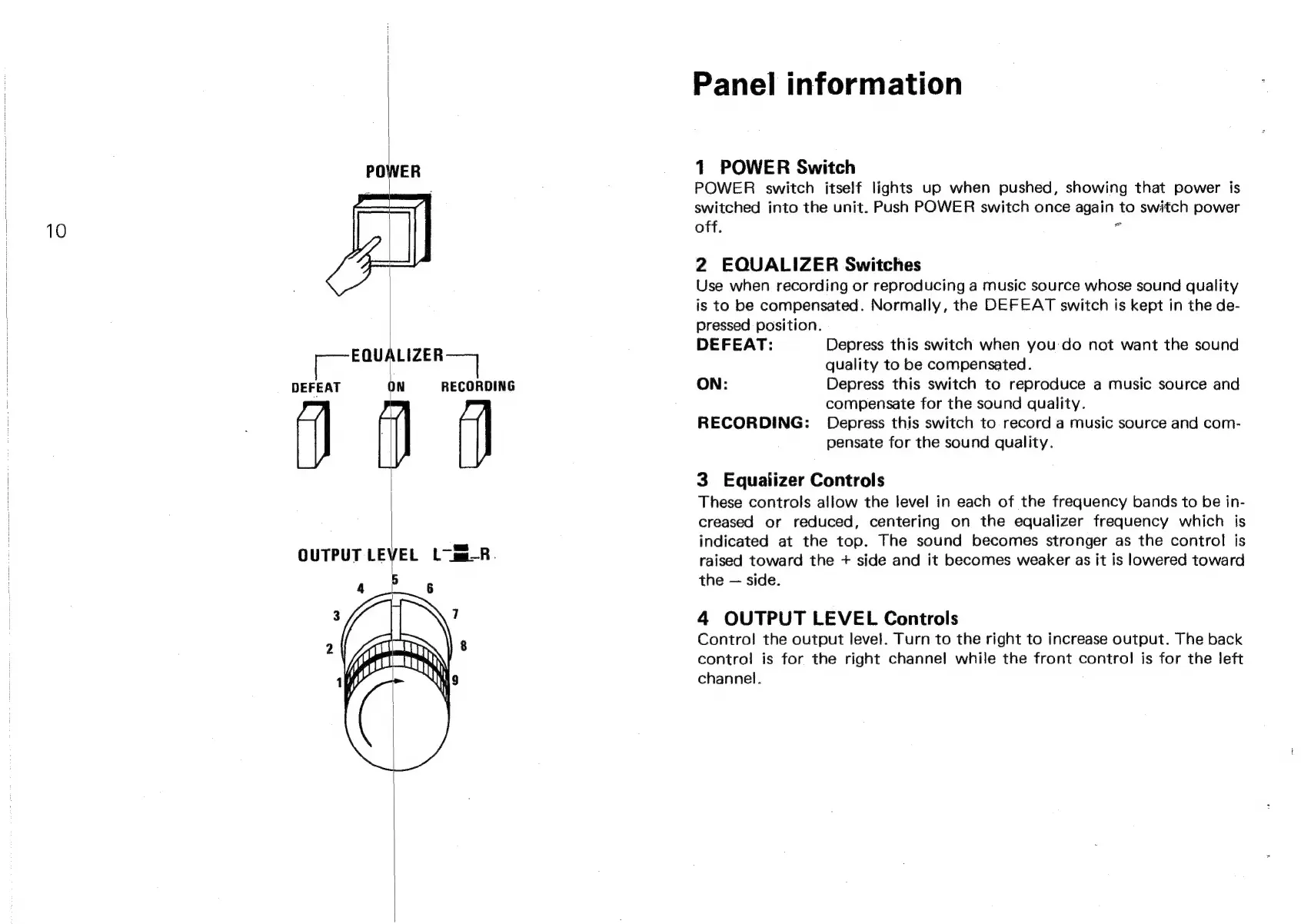
1
POWER
Switch
POWER
switch
itself
lights
up
when
pushed,
showing
that
power
is
switched
into
the
unit.
Push
POWER
switch
once
again
to
switch
power
off.
*
2
EQUALIZER
Switches
Use
when
recording
or
reproducing
a
music
source
whose
sound
quality
is
to
be
compensated.
Normally,
the
DEFEAT
switch
is
kept
in
the
de-
pressed
position.
DEFEAT:
Depress
this
switch
when
you
do
not
want
the
sound
quality
to
be
compensated.
ON:
Depress
this
switch
to
reproduce
a
music
source
and
compensate
for
the
sound
quality.
RECORDING:
Depress
this
switch
to
record
a
music
source
and
com-
pensate
for
the
sound
quality.
3
Equalizer
Controls
These
controls
allow
the
level
in
each
of
the
frequency
bands
to
be
in-
creased
or
reduced,
centering
on
the
equalizer
frequency
which
is
indicated
at
the
top.
The
sound
becomes
stronger
as
the
control
is
raised
toward
the
+
side
and
it
becomes
weaker
as
it
is
lowered
toward
the
side.
4
OUTPUT
LEVEL
Controls
Control
the
output
level.
Turn
to
the
right
to
increase
output.
The
back
contro!
is
for
the
right
channel
while
the
front
control
is
for
the
left
channel.