EN 26
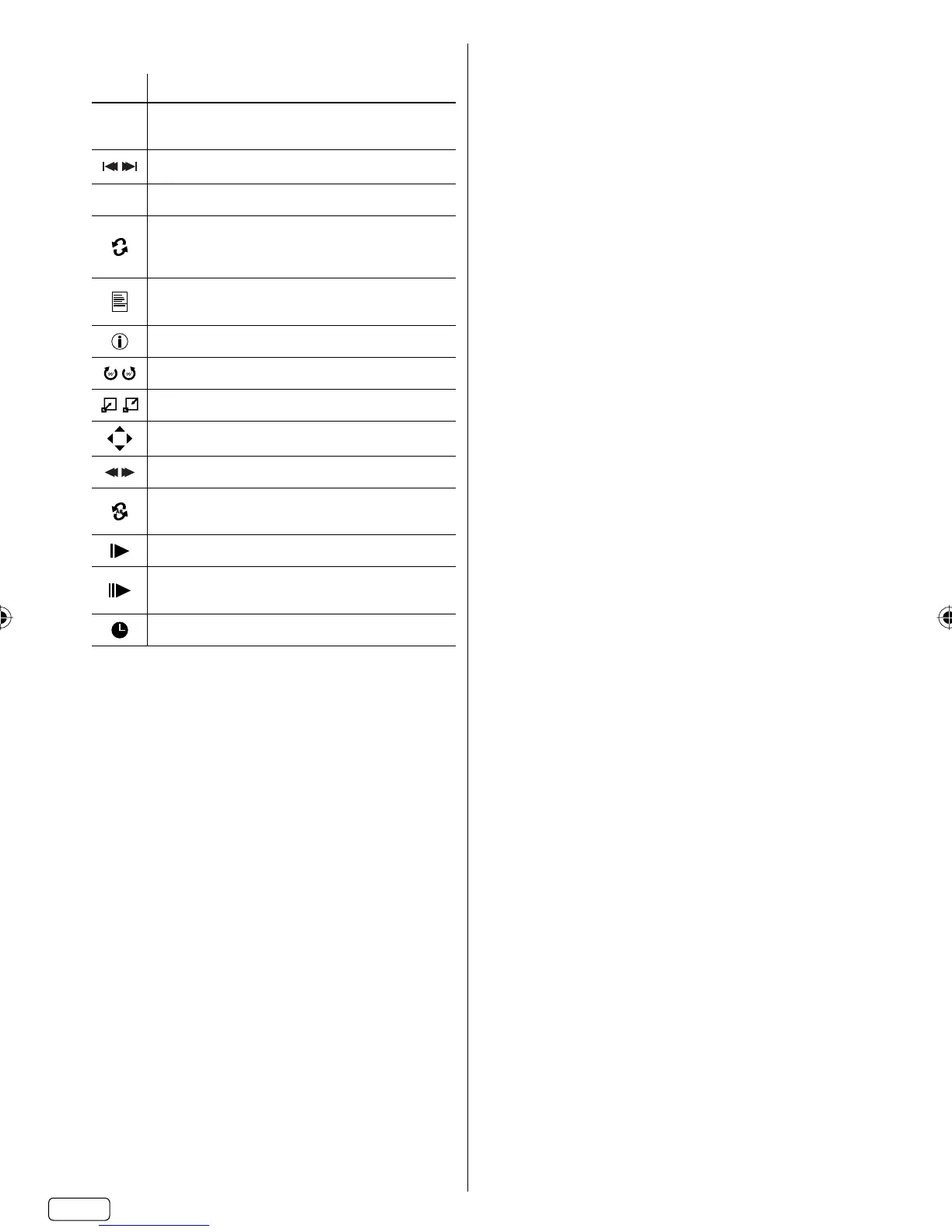
Details of operation commands
Icon Operation
▶
▐▐
Play / Resume playback.
Pause.
Skip file to reverse / forward direction.
■
Stop.
Repeat playback.
Press ENTER repeatedly to select desired
repeat option.
Show the playlist.
Press ▲ or ▼ and ENTER to select the playback
Show the file information.
Rotate the image.
Zoom in / out.
Move the frame from the center position.
Review / Fast playback.
Select start point, then select end point.
Repeat material between two selected points.
Slow-motion Playback.
One frame is advanced each time select this
command.
Direct jump by desired time.
J3QE0121A_EN.indd 26J3QE0121A_EN.indd 26 12/14/12 6:03:43 PM12/14/12 6:03:43 PM


 To Next Page