EasyManua.ls Logo

Sanus Systems WMS3 - User Manual

Sanus Systems WMS3
6 pages
Print Icon
To Next Page IconTo Next Page
Loading...
Sanus Systems 2221 Hwy 36 West, St Paul, MN 55113 USA
USA Customer Service 1-800-359-5520 • www.sanus.com
WMS3
Do not use this product for any purpose not explicitly specified by Sanus Systems.
Improper installation or use may cause personal injury and/or property damage. If
you do not understand these instructions, or if you have doubts about the safety of
the installation, contact Sanus Systems Customer Service. Sanus Systems is not liable
for injury or damage caused by incorrect installation or use.
CAUTION
This product contains small items that could be a choking hazard if swallowed.
Keep these items away from young children!
WARNING
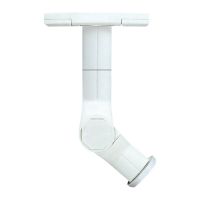
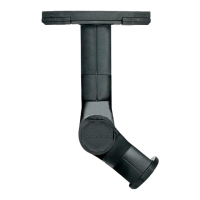
Thank you for choosing the Sanus Systems WMS3 wall mount. The Sanus Systems WMS3
wall mount is designed to support speakers weighing up to 3.62 kg (8 lbs.).
OPT
Hardware and procedures for multiple mounting configurations are included.
When you see this symbol, choose the correct configuration to suit your
needs. Not all hardware included will be used.
This product is designed for use in wood stud and concrete block walls only! The
wall must be capable of supporting up to five times the weight of the monitor and
mount combined. If you have any doubts about the ability of the wall to support the
monitor, contact Sanus Systems Customer Service, or a qualified contractor.
CAUTION
6901-100150 <01>

Other manuals for Sanus Systems WMS3

Question and Answer IconNeed help?

Do you have a question about the Sanus Systems WMS3 and is the answer not in the manual?

Summary

Sanus WMS3 Wall Mount Overview and Safety

Product Introduction and Specifications

Introduces the Sanus WMS3 mount, its purpose, and speaker weight capacity up to 3.62 kg.

Important Safety Precautions and Warnings

Covers wall suitability, load capacity, choking hazards, and general usage safety guidelines.

Mounting Configuration Guidance

Explains the 'OPT' symbol for selecting correct mounting configurations for various needs.

Sanus WMS3 Parts and Hardware List

Supplied Parts and Hardware Verification

Instructions to verify all included parts and hardware are present and undamaged before starting assembly.

Step 1: Mount the Speaker Plate

Mounting to Wall or Speaker Plate

Attaching the speaker plate to walls or speakers with dual threaded inserts or small speakers.

Mounting to Satellite Speaker Adapter

Securing the speaker plate to satellite speakers using single threaded or keyhole mounts.

Drilling Caution for Speaker Protection

Warning to prevent damage to internal speaker components during drilling.

Step 2: Mount the Wall Plate

Installation on Wood Stud Walls

Guidance for mounting the wall plate securely into wood stud walls using appropriate screws.

Installation on Concrete Block Walls

Instructions for mounting the wall plate into concrete block walls using anchors and screws.

Step 3: Install Covers and Arm

Attaching Speaker Covers and Arm

Steps for fitting the protective covers and assembling the articulated arm.

Set Screw Tightening Advisory

Caution against over-tightening the Allen set screw for optimal connection strength.

Step 4: Attach the Speakers

Connecting Speakers for Wall Mount

Instructions to attach speakers when the mount is configured for wall installation.

Connecting Speakers for Ceiling Mount

Instructions to attach speakers when the mount is configured for ceiling installation.

Manual Accuracy Disclaimer

Statement from CSAV regarding the manual's content accuracy and completeness.

Sanus Systems WMS3 Specifications

General IconGeneral
BrandSanus Systems
ModelWMS3
CategoryRacks & Stands
LanguageEnglish

Related product manuals