3
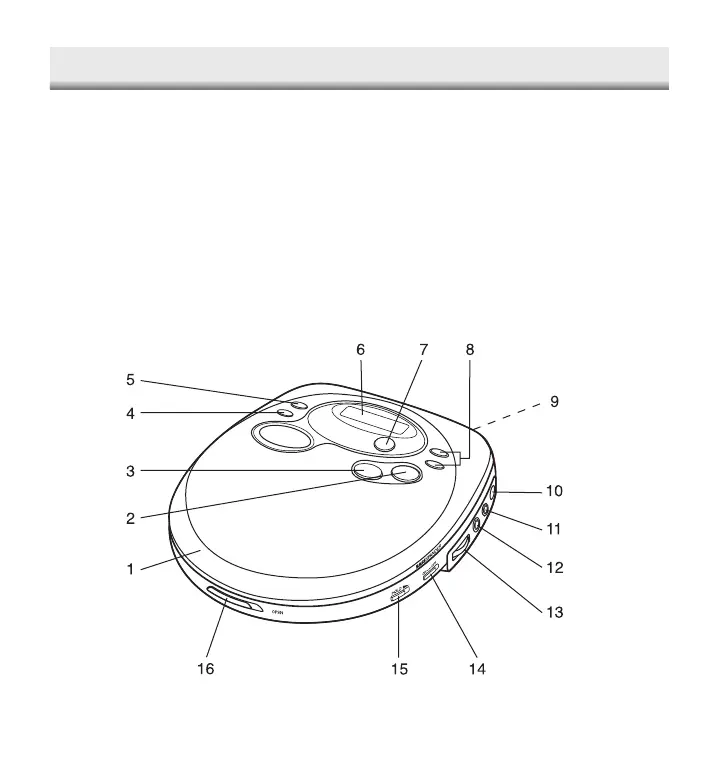
CONTROLS
9. Battery compartment (bottom)
10. External DC socket (DC 6V)
11. Line output socket (LINE OUT)
12. Headphones socket (PHONES)
13. Volume control (VOLUME)
14. Bass expander switch
(BASSXPANDER)
15. Hold switch (HOLD)
16. Open switch (OPEN)
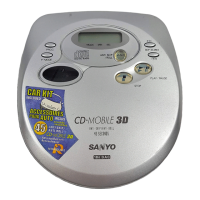
1. Disc compartment
2. Play/Pause button (PLAY/PAUSE)
3. Stop button (STOP)
4. Play mode button (P-MODE)
5. Programme button (PROG)
6. Display
7. Anti rolling shock button
(ANTI SHOCK/ROLL)
8. Skip/Search buttons
(SKIP/SEARCH)
16
CLEANING
Cleaning the pickup lens
Dust on the pickup lens can lead to erratic
operation and interruption of the sound
during play.
• To clean the pickup lens, open the
disc compartment lid. Blow the dust
off of the lens using a camera lens
blower (available at most camera
stores).
• Do not touch the surface of the lens.
Cleaning the cabinet
Use a soft cloth moistened with plain
lukewarm water and wrung dry.
Never use benzol, benzene or other
strong chemical cleaners.
CDP-4100CR/AU-final 2/3/05, 10:50 AM4


 To Next Page