EasyManua.ls Logo

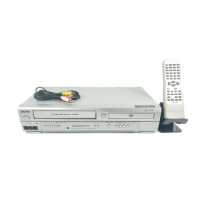
Sanyo DVW-7100 - User Manual

Sanyo DVW-7100
38 pages
Print Icon
To Next Page IconTo Next Page
Loading...
Only cassettes marked can be used with this DVD+VCR.
Please read this manual carefully before connecting your DVD+VCR and operating it for the first time.
Keep the manual in a safe place for future reference.
As an E
NERGY STAR
®
Partner,
SANYO has determined that
this product or product model
meets the E
NERGY STAR
®
guidelines for energy efficiency.
INSTRUCTION MANUAL
DVW-7100
DVD VIDEO PLAYER & 4-HEAD VCR
English
REPRODUCTOR DE DVD VIDEO Y VCR DE
4 CABEZALES
Español
SANYO'S HELP-LINE
Call the toll-free number below if you have any difficulties operating this product.
1-800-813-3435 (Weekdays: 7:30 AM - 4:00 PM Central Time)
P/N: (8)3834RV0003Q
(1E05/04)

Table of Contents

Other manuals for Sanyo DVW-7100

Questions and Answers

  • J
    Jonathan HouseAug 12, 2025
    Why picture and sound of broadcasting channel are weak on my Sanyo DVD VCR Combo?
    • J
      James DixonAug 12, 2025
      A weak or missing picture and sound on a broadcasting channel of your Sanyo DVD VCR Combo can be due to a loose antenna or cables. Ensure all connections are tightened or consider replacing the cable. It could also be due to using the wrong TUNING BAND option. Try all available TUNING BAND options to resolve this issue.
  • B
    bjarvisAug 16, 2025
    What to do if timer recording is not working on Sanyo DVD VCR Combo?
    • T
      Tony LangAug 16, 2025
      If timer recording isn't working on your Sanyo DVD VCR Combo, it could be due to several reasons. First, ensure the clock in the DVD VCR is set to the correct time. Second, the timer may have been programmed incorrectly, so reprogram the timer. Finally, if the indicator does not appear after programming the timer, reprogram the timer.
  • T
    tracygloverAug 20, 2025
    What to do if camcorder image via A/V input to DVD+VCR is not shown on TV screen for Sanyo device?
    • A
      Amber TorresAug 20, 2025
      If the camcorder image via A/V input to your Sanyo DVD+VCR isn't showing on the TV screen, the DVD+VCR SOURCE SELECT might not be set to LINE1 or LINE2. Press the INPUT button to select the appropriate LINE input channel (LINE1 or LINE2).
  • L
    lfischerAug 23, 2025
    How to fix snowy picture on Sanyo DVW-7100 DVD VCR Combo?
    • K
      Kimberly RyanAug 25, 2025
      A snowy picture on your Sanyo DVD VCR Combo indicates that the video head needs cleaning. Use an equivalent high quality chemical non-abrasive (wet) head cleaning tape or have them cleaned professionally.
  • D
    David HoganAug 27, 2025
    What does indicator appearing after Sanyo DVW-7100 DVD VCR Combo is turned off mean?
    • J
      Jonathan NelsonAug 28, 2025
      If the indicator appears after your Sanyo DVD VCR Combo is turned off, it means the device is in Timer Recording mode. This is normal when the DVD VCR is set to TIMER mode.
  • T
    Tina WilliamsAug 31, 2025
    What to do if "PROGRESSIVE SCAN MODE" message remains on Sanyo DVD+VCR?
    • S
      Stephanie LambAug 31, 2025
      If "PROGRESSIVE SCAN MODE" message remains displayed on your Sanyo DVD+VCR, it means the DVD+VCR was turned off while setting the Progressive scan mode. Keep pressing the STOP button for more than 5 seconds to resolve this.
  • D
    Diane VazquezSep 4, 2025
    Why are some channels skipped on my Sanyo DVW-7100 DVD VCR Combo?
    • C
      christinaodomSep 4, 2025
      Some channels are skipped on your Sanyo DVD VCR Combo because they were deleted using the CH. ADD/DEL option. To restore these channels, use the CH. ADD/DEL function.
  • J
    Jacob KingSep 7, 2025
    What to do if camcorder image is not shown on Sanyo DVW-7100?
    • S
      sarah32Sep 8, 2025
      If the camcorder image is not showing on your Sanyo DVD VCR Combo, ensure the camcorder is turned on and operating correctly.

Summary

Safety Precautions and Warnings

Electric Shock, Fire, and Laser Hazards

Details warnings related to electric shock, fire risks, and safe operation of the laser system.

Essential Safety Operating Procedures

General Safety Guidelines for Use

Provides a comprehensive list of numbered instructions for safe installation, operation, and maintenance of the device.

Before Use

Playable Discs Guide

Lists supported disc formats including DVD, Audio CD, and MP3 files.

Disc Handling and Care Instructions

Provides guidelines for handling, cleaning, and storing discs to ensure proper playback and prevent damage.

Front Panel Controls

Remote Control Operations

Rear Panel Connectivity

Video and Audio Input;Output Jacks

Identifies various video and audio jacks for input and output.

System Connections Guide

Antenna and Cable TV Hookup

Guides on connecting an antenna or cable TV, with and without a cable box.

Advanced TV Video Connections

Explains S-Video and Component/Progressive Scan connections for enhanced picture quality.

VCR Setup and Configuration

Clock and Timer Settings

Instructions for setting the unit's clock using auto or manual methods and preparing for timer recordings.

DVD Setup and Features

Initial DVD System Settings

Covers accessing and navigating the initial DVD setup menus for customization.

Display and Picture Settings

Explains how to configure TV aspect ratio, display mode, and progressive scan output.

Audio Configuration and Enhancement

Details settings for audio output formats, dynamic range control, and vocal enhancement.

Parental Controls and Security

Guides on setting up parental controls, managing passwords, and selecting country codes for playback.

VCR Tape Operations

Recording Methods and Timer Setup

Details normal recording, instant timer recording, and setting up timed recordings.

DVD Playback and Features

Audio CD and MP3 Disc Playback

Troubleshooting and Maintenance

Power, Picture, and Sound Issues

Addresses problems like no power, no picture, no sound, and poor picture quality.

Playback and Remote Control Problems

Covers issues with disc/tape not starting playback and remote control malfunctions.

Video Head Cleaning and Care

Explains how to identify and resolve video head clogging issues through cleaning.

Sanyo DVW-7100 Specifications

General IconGeneral
BrandSanyo
ModelDVW-7100
CategoryDVD VCR Combo
LanguageEnglish

Related product manuals