EasyManua.ls Logo

Sanyo HV-DX3E - User Manual

Sanyo HV-DX3E
64 pages
Print Icon
To Next Page IconTo Next Page
Loading...
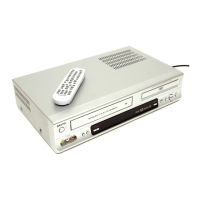
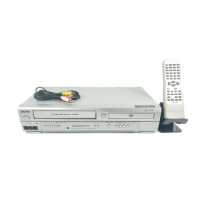
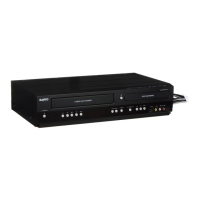
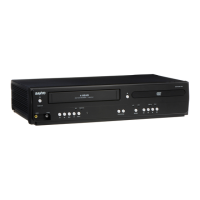
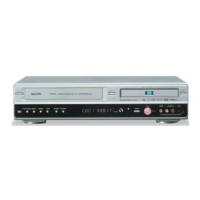
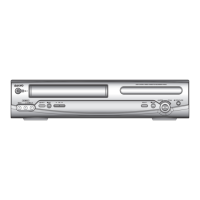
DVD Player + Video Cassette Recorder
PAL
Please read this manual carefully before connecting your DVD+VCR and operating it
for the first time.
Keep the manual in a safe place for future reference.
HV-DX3E
INSTRUCTION MANUAL

Other manuals for Sanyo HV-DX3E

Questions and Answers

  • A
    Angela RobertsonAug 18, 2025
    Why does my Sanyo HV-DX3E remote control not work?
    • V
      Valerie BrooksAug 18, 2025
      If the remote control for your Sanyo DVD VCR Combo is not working, the battery may be weak or exhausted. Alternatively, the receiver of the remote control may be of an incompatible frequency to the sender frequency.
  • P
    petersondaleAug 20, 2025
    Why is the picture poor/noisy in play on my Sanyo HV-DX3E?
    • E
      Evan ChanAug 20, 2025
      If you're experiencing noise or poor picture quality during playback on your Sanyo DVD VCR Combo, try pressing the “TRACKING” button to improve the picture. If the issue persists, the videotape may be worn, so try using a different one.
  • A
    Anthony NormanAug 23, 2025
    What to do if there is no picture on VCR channel on Sanyo DVD VCR Combo?
    • S
      sonyaturnerAug 23, 2025
      If your Sanyo DVD VCR Combo isn't displaying a picture on the VCR channel, first ensure that the VCR is turned on. Then, select TV by pressing the [TV/VCR] button on the remote control.
  • R
    Rebecca SmithAug 25, 2025
    How to select cable broadcasting on Sanyo HV-DX3E DVD VCR Combo?
    • V
      Valerie HallAug 26, 2025
      If you're unable to select cable broadcasting on your Sanyo DVD VCR Combo, select the “CABLE” program number from the “CHANNEL SETTING.”
  • J
    john82Aug 28, 2025
    What to do if sound and screen are irregular on Sanyo DVD VCR Combo?
    • D
      David MillsAug 28, 2025
      If your Sanyo DVD VCR Combo is showing irregular sound and screen, or displaying an "Error" message, the VCR heads may be contaminated. Use a head-cleaner to clean the VCR heads.
  • S
    Sabrina Cooper PhDAug 30, 2025
    How to fix “Power On” does not work on Sanyo HV-DX3E?
    • B
      Briana MitchellAug 30, 2025
      If your Sanyo DVD VCR Combo is not turning on, make sure the power plug is properly inserted into the mains socket. Also, check if a videotape is inserted. If it still doesn't work, try switching it off and reinserting the plug into the mains socket.
  • M
    Madison TapiaSep 1, 2025
    What to do if a videotape is not recognised by Sanyo HV-DX3E?
    • S
      Sandra WestSep 2, 2025
      If your Sanyo DVD VCR Combo is not recognizing a videotape, check if the power plug is properly inserted into the mains socket and that a videotape is inserted correctly, with the transparent window side up. If you've just ejected the tape, fully eject it before trying again.
  • J
    Julie RussellSep 4, 2025
    Why on inserting a videotape, the tape is re-ejected from Sanyo DVD VCR Combo?
    • D
      David MontoyaSep 4, 2025
      If, when inserting a videotape into your Sanyo DVD VCR Combo, the tape is immediately re-ejected, this is a safety mode to protect the videotape and is operated automatically. Please pull out the tape and put it in again.
  • M
    Marc JonesSep 6, 2025
    How to fix if picture is not clear on Sanyo HV-DX3E DVD VCR Combo?
    • K
      kandersonSep 7, 2025
      If the picture on your Sanyo DVD VCR Combo isn't clear, and the videotape was recorded by another/incompatible product or old faulty unit, stripes may appear on the screen. Try to adjust the screen using the [TRACKING+/-] button. You can also try using a head-cleaner.
  • D
    David WellsSep 9, 2025
    What to do if a channel on video and a play screen does not appear on Sanyo HV-DX3E DVD VCR Combo?
    • E
      Evan CarrSep 9, 2025
      If you are experiencing a channel on video and a play screen that does not appear on your Sanyo DVD VCR Combo, check your antenna’s connection. The TV channel should be tuned to the unit on a vacant program number video channel. Also, check your antenna’s signal strength; if it's weak, contact an aerial specialist. Finally, press “TV/VCR” and ensure “VCR” is displayed on the display panel.

Summary

Product Information and Safety

Important Safeguards

Covers essential safety warnings for electrical and operational use.

Advantages of This Product

Lists key features and benefits of the DVD+VCR unit.

Installation and System Setup

Setting Up Your Player

Guides initial player setup and connection to TV via RF or Scart.

Connecting External Equipment

Instructions for connecting to Hi-Fi systems, satellite receivers, or other devices.

System Configuration

Customizing language, video, audio, and other operational settings.

Basic Operations

Initial Installation and Clock Setup

Covers initial player setup, auto-tuning, and time/date configuration.

DVD Playback and Navigation

Instructions for playing DVDs, navigating scenes, and media playback.

VCR Playback and Recording

Guides for playing tapes, recording programs, and timer functions.

Tuning and Station Management

Procedures for tuning channels, managing station names, and sorting.

Advanced Features and Troubleshooting

More Functions

Details on counter display, tape length, index search, and special modes.

Connections and Copying

Guidance on connecting to TVs, copying content, and assembling footage.

Troubleshooting Guide

Solutions for common VCR and DVD playback issues.

Specifications

Technical details and operating parameters of the unit.

Sanyo HV-DX3E Specifications

General IconGeneral
BrandSanyo
ModelHV-DX3E
CategoryDVD VCR Combo
LanguageEnglish

Related product manuals