9
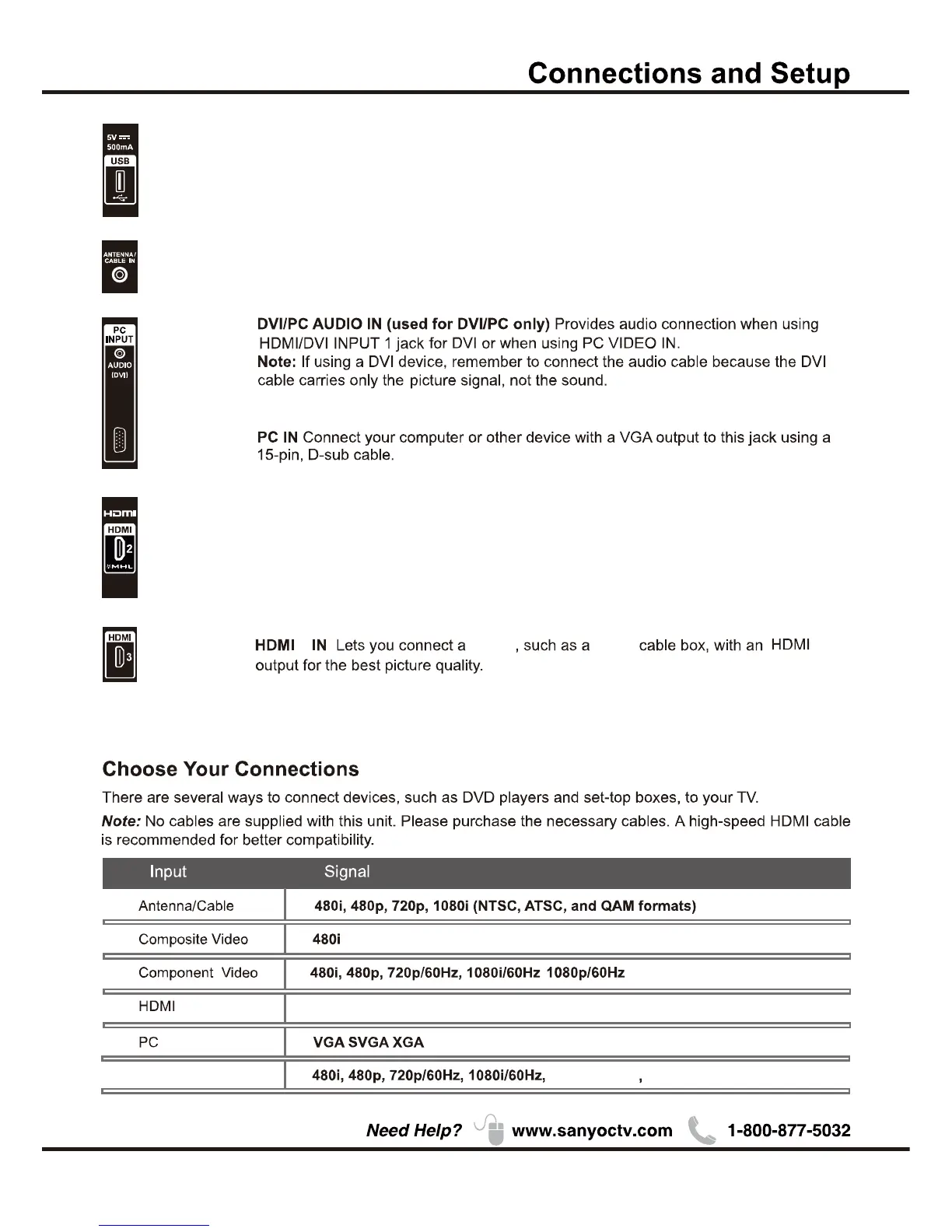
ANTENNA/CABLE IN
HDMI 2/*MHL(High-Definition Multimedia Interface/Mobile High-Definition Link)
Provides an uncompressed digital connection that carries both video and
audio data by way of an integrated mini-plug cable. Since HDMI technology is
based on Mobile High-Definition Link(MHL),the jack on the side of your TV is also
compatible with MHL Device.
3
Device Digital
USB Allows you to connect a compatible mass storage device for the display of JPEG
pictures on the TV.
MHL2.1
1080p/30Hz 1080p/60Hz
Compatibility
WXGA
480i, 480p, 720p/60Hz, 1080i/60Hz
,
this socket can be used to connect and indoor or outdoor
antenna (for both analog and digital signals), or a direct Cable TV signal
(when no set-top box is required.)


 To Next Page