EasyManua.ls Logo

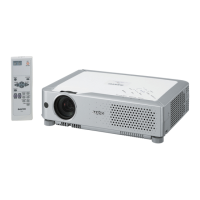
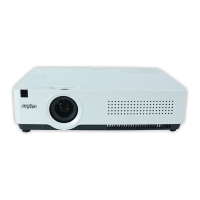
Sanyo PLC-XU78 - User Manual

Sanyo PLC-XU78
104 pages
Print Icon
To Next Page IconTo Next Page
Loading...
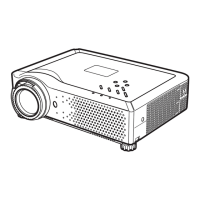
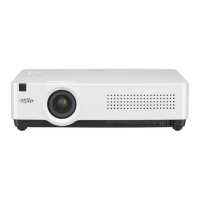
Multimedia Projector
SERVICE MANUAL
PRODUCT CODE
PLC-XU78 PLC-XU75
1 122 390 00 (KH3AC) 1 122 416 00 (KZ3AC)
1 122 391 00 (LH3AC) 1 122 417 00 (LZ3AC)
1 122 391 02 (LH3CC) 1 122 417 02 (LZ3CC)
Original Version
REFERENCE NO. SM5110874-00
FILE NO.
Model No. PLC-XU78
PLC-XU75
U.S.A, Canada,
Europe, U.K, Asia
Chassis No. KH3-XU7800
KZ3-XU7500
Match the Chassis No. on the unit's back cover with the
Chassis No. in the Service Manual.
If the Original Version Service Manual Chassis No. does
not match the unit’s, additional Service Literature is re-
quired. You must refer to “Notices” to the Original Service
Manual prior to servicing the unit.

Other manuals for Sanyo PLC-XU78

Questions and Answers

  • D
    David TaylorAug 10, 2025
    Why is the LAMP REPLACE indicator light yellow on my Sanyo PLC-XU78 Projector?
    • J
      John BuckAug 10, 2025
      If the LAMP REPLACE indicator on your Sanyo Projector lights up yellow, it means the projection lamp is nearing the end of its life. Replace it with a new one as soon as possible. Don't forget to reset the lamp replacement counter after you've installed the new lamp.
  • U
    ubakerAug 18, 2025
    What to do if my Sanyo PLC-XU78 Projector cannot be turned on due to high internal temperature?
    • R
      Richard PetersonAug 18, 2025
      Your Sanyo Projector may not turn on due to a high internal temperature. A possible solution is to check and clean the air filters to ensure proper ventilation.
  • M
    monica97Aug 26, 2025
    What to do if my Sanyo PLC-XU78 Projector cannot be turned on due to abnormal conditions?
    • K
      keith83Aug 26, 2025
      If your Sanyo Projector cannot be turned on due to abnormal conditions, it means the projector has detected an issue. You may need to check the power supply circuit and the fan control circuit.
  • C
    Carolyn BranchSep 2, 2025
    Why Sanyo PLC-XU78 Projector cannot be turned on until cooling is completed?
    • M
      Mark PhamSep 2, 2025
      Your Sanyo Projector may be preparing for standby mode, or the projection lamp might be cooling down. Wait for the process to complete before attempting to turn it on again.

Sanyo PLC-XU78 Specifications

General IconGeneral
BrandSanyo
ModelPLC-XU78
CategoryProjector
LanguageEnglish

Related product manuals