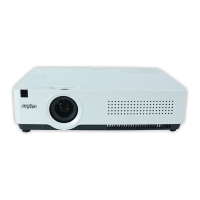
Why input signal switches automatically on Sanyo PLC-XU305A Projector?
- CChristopher DodsonSep 9, 2025
If the input signal on your Sanyo Projector switches automatically, ensure that the Input search function is properly adjusted.
Why input signal switches automatically on Sanyo PLC-XU305A Projector?
If the input signal on your Sanyo Projector switches automatically, ensure that the Input search function is properly adjusted.
Why auto setup does not work properly on Sanyo PLC-XU305A Projector?
If the auto setup feature on your Sanyo Projector isn't working correctly: Ensure that 'On' is not selected for the Ceiling function. Also, verify that the Auto keystone function is not set to Manual; press the AUTO SET UP button on the top control.
How to troubleshoot no power on Sanyo Projector?
If your Sanyo Projector isn't powering on, try these steps: First, ensure the power cord is securely plugged into the AC outlet. Next, check if the POWER indicator lights up red. If it's blinking, wait for it to stop before attempting to turn the projector on again. Lastly, inspect the WARNING indicator; if it's red, verify that 'Off' or 'Countdown off' are not selected in the display settings.
What to do if the Sanyo PLC-XU305A remote control does not work?
If the remote control for your Sanyo Projector isn't working, try these troubleshooting steps: * Check and replace the batteries if necessary. * Ensure there are no obstructions between the remote and the projector. * Make sure you are within the maximum operating range of 16.4 feet (5 meters). * Verify that the remote control code matches the projector's code. * Unlock the Key lock function for the remote. * Ensure the RESET/ON/ALL-OFF switch on the remote is set to ON.
Why is there no sound coming from my Sanyo Projector?
If you're experiencing no sound with your Sanyo Projector, here are a few things to check: First, verify the audio cable connection from the audio input source. Then, adjust the audio source volume. Keep in mind that when the AUDIO OUT is plugged in, the projector's built-in speaker will not be available. Also, sound is only produced when an image is being projected, so ensure an image is displayed.
How to increase brightness on Sanyo Projector?
If the picture on your Sanyo Projector isn't bright enough, try the following: Check if the Contrast or Brightness settings are properly adjusted. Verify that the correct Image mode is selected. Review the lamp control function settings. Also, check the LAMP REPLACE indicator; if it's lit, the lamp is nearing the end of its life and should be replaced promptly.
What does exclamation mark on Sanyo PLC-XU305A Projector mean?
If an exclamation mark appears on the screen of your Sanyo Projector, it indicates that your operation is invalid. Please operate correctly.
Why top control does not work on Sanyo PLC-XU305A?
The top control on your Sanyo Projector is not available if the top control is locked at Key lock.
What to do if Sanyo PLC-XU305A image is distorted?
If the image from your Sanyo Projector is distorted or runs off the screen, check the PC adjust menu or Screen menu and adjust the settings accordingly.
How to correct a left/right reversed image on Sanyo PLC-XU305A Projector?
If the image on your Sanyo Projector is reversed left to right, check the Ceiling/Rear function setting.
Provides essential safety and operating instructions to prevent hazards and ensure proper product use.
Explains the functions of each button on the remote control for operating the projector.
Provides step-by-step instructions for turning the projector on and off.
Describes warning indicators and provides initial troubleshooting steps for projector issues.
Details the process and precautions for replacing the projector lamp.
Offers solutions for common projector problems and indicators.
Provides essential safety and operating instructions to prevent hazards and ensure proper product use.
Explains the functions of each button on the remote control for operating the projector.
Provides step-by-step instructions for turning the projector on and off.
Describes warning indicators and provides initial troubleshooting steps for projector issues.
Details the process and precautions for replacing the projector lamp.
Offers solutions for common projector problems and indicators.
| Vertical scan range | 50 - 100 Hz |
|---|---|
| Horizontal scan range | 15 - 100 kHz |
| Projection technology | LCD |
| Contrast ratio (typical) | 500:1 |
| Projector native resolution | XGA (1024x768) |
| Lamp power | 225 W |
| Light source type | Lamp |
| Focus | Manual |
| Headphone outputs | 2 |
| USB 2.0 ports quantity | USB 2.0 ports have a data transmission speed of 480 Mbps, and are backwards compatible with USB 1.1 ports. You can connect all kinds of peripheral devices to them. |
| S-Video inputs quantity | 1 |
| Dimensions (WxDxH) | 326 x 231.6 x 83.1 mm |
| Power requirements | 100 V-240 V |
| Noise level | 29 dB |
| Power consumption (standby) | 0.8 W |
| Power consumption (typical) | 310 W |
| Power consumption (economy mode) | 240 W |
| Weight | 2900 g |
|---|
Loading...