EasyManua.ls Logo

Sanyo PLC-XU301A - User Manual

Sanyo PLC-XU301A
79 pages
Print Icon
To Next Page IconTo Next Page
Loading...
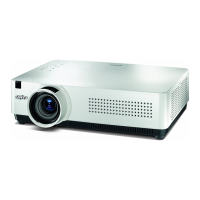
Multimedia Projector
MODEL PLC-XU301A
Owners Manual
Network Supported
□ WiredLAN
RefertotheOwner'sManualsbelowfor
detailsaboutnetworkfunction.
 NetworkSet-upandOperation
 PJNetworkManager

Table of Contents

Questions and Answers

  • M
    Martin RobertsSep 23, 2025
    Why doesn't auto setup work properly on my Sanyo PLC-XU301A?
    • J
      jacob05Sep 23, 2025
      If Auto setup does not work properly on your Sanyo Projector, make sure 'Off' is not selected at any function of Auto setup. Also, ensure 'On' is not selected at the Ceiling function.
  • D
    Douglas GlassAug 23, 2025
    Why is my Sanyo PLC-XU301A picture not bright enough?
    • C
      Christine KimAug 23, 2025
      If the picture on your Sanyo Projector isn't bright enough, first check whether the Contrast or Brightness settings are properly adjusted. Next, verify that the correct Image mode is selected. Then, inspect the lamp control function. Finally, check the LAMP REPLACE indicator; if it's lit, the lamp is nearing the end of its life and should be replaced promptly.
  • J
    Jeff WarnerAug 25, 2025
    How to troubleshoot no power on a Sanyo Projector?
    • B
      Brianna MartinAug 26, 2025
      If your Sanyo Projector has no power, ensure the power cord is securely plugged into the AC outlet. Check if the POWER indicator lights up red. If it's blinking, wait for it to stop before attempting to turn the projector on again. Also, check the WARNING indicator; if it lights up red, it indicates a potential issue.
  • B
    bowensAug 27, 2025
    Why does the remote control not work on my Sanyo PLC-XU301A?
    • B
      bloveAug 27, 2025
      If your Sanyo Projector's remote control isn't working, start by checking the batteries. Ensure there are no obstructions between the remote and the projector. Make sure you're within the maximum operating range of 16.4 feet (5 meters). Verify that the remote control code matches the projector's. Lastly, confirm that the Key lock function for the remote control is unlocked.
  • R
    Regina TerryAug 27, 2025
    Why is there no sound on my Sanyo Projector?
    • K
      Katrina BrewerAug 27, 2025
      If there is no sound from your Sanyo Projector, check the audio cable connection from the audio input source. Adjust the audio source volume. Note that the projector's built-in speaker is disabled when the AUDIO OUT is plugged in. Sound is only available when an image is projected.
  • M
    Molly ShieldsSep 16, 2025
    What does the exclamation mark on my Sanyo PLC-XU301A Projector mean?
    • A
      Amy NovakSep 16, 2025
      To address the issue of the exclamation mark appearing on the screen of your Sanyo Projector, ensure that you operate the projector correctly, as the exclamation mark indicates an invalid operation.
  • B
    bfloresSep 13, 2025
    Why are some displays not seen during the operation of my Sanyo Projector?
    • D
      Daniel HardingSep 13, 2025
      If some displays are not seen during the operation of your Sanyo Projector, check the Display function settings.
  • B
    bwadeSep 14, 2025
    What does it mean when an icon other than Input or Lamp mode appears on my Sanyo Projector?
    • J
      Jordan FitzgeraldSep 15, 2025
      If an icon other than Input mode or Lamp mode appears on your Sanyo Projector, it indicates either the Lamp replacement icon or the Filter warning icon.
  • C
    caitlin51Sep 5, 2025
    Why is the initial display not the same on my Sanyo PLC-XU301A?
    • R
      robert00Sep 5, 2025
      If the initial display on your Sanyo Projector is not the same as expected, ensure that 'User' or 'Off' are not selected in the Logo (select) settings.
  • J
    Jasmine EvansSep 3, 2025
    What to do if the initial display is not shown on Sanyo PLC-XU301A?
    • A
      Adam EvansSep 3, 2025
      If the initial display is not shown on your Sanyo Projector, make sure 'Off' or 'Countdown off' are not selected in the display settings.

Summary

Features and Design

To the Owner

Safety Precautions

Important safety warnings including earthing, exposure to moisture, and lens stare.

Safety Instructions

General Safety Guidelines

Covers operation, cleaning, power source, and avoiding hazards.

Maintenance and Servicing

Instructions for servicing, replacement parts, and when to contact qualified personnel.

Part Identification

Installation Procedures

Projector Positioning

Guidance on setting up the projector for optimal projection distance and size.

Connecting to a Computer

Details on cables and connections for computer input.

Connecting the AC Power Cord

Instructions for connecting the projector to the AC power outlet.

Basic Operation

Powering On the Projector

Step-by-step guide to turning the projector on.

PIN Code Entry

Procedure for entering the PIN code when the projector is locked.

Powering Off the Projector

Step-by-step guide to safely turning the projector off.

On-Screen Menu Navigation

Menu Structure Overview

Explanation of the hierarchical menu bar and its sections.

Image and Setup Adjustments

Auto Setup Function

Automated adjustment for input, PC, and keystone correction.

Remote Control Functions

Computer Input Signals

RGB Signal Selection

Selecting RGB input sources for Computer 1 and Computer 2.

Computer System Selection

Automatic and manual selection of computer signal formats.

Auto PC Adjustment

Automatic adjustment of PC signal parameters.

Manual PC Adjustment

Manual fine-tuning of PC signal parameters like sync, dots, and position.

Image Mode Selection

Selecting predefined image modes for different viewing conditions.

Image Adjustment Details

Adjusting contrast, brightness, color, white balance, sharpness, and gamma.

Video Input Signals

Video System Selection

Automatic or manual selection of video system formats (PAL, NTSC, etc.).

Video Image Adjustment

Adjusting video image parameters like color, tint, sharpness, and noise reduction.

System Settings

Auto Setup Configuration

Configuring input search, auto PC adjustment, and auto keystone.

Security Lock Functions

Key lock and PIN code lock functions to prevent unauthorized operation.

Maintenance and Cleaning

Warning Indicator Lights

Interpreting warning and power indicators for projector status.

Filter Cleaning and Reset

Instructions for cleaning projector filters and resetting the filter counter.

Lamp Replacement Procedure

Step-by-step guide for replacing the projector lamp.

Lamp Handling Precautions

Important safety instructions for handling and replacing the projector lamp.

Troubleshooting Guide

Appendix: Specifications

Technical Specifications

Detailed technical data including dimensions, weight, power, and interfaces.

Sanyo PLC-XU301A Specifications

General IconGeneral
Brightness3000 lumens
Resolution1024 x 768 (XGA)
Contrast Ratio500:1
Weight3.4 kg
Display Technology3LCD
Aspect Ratio4:3
Lamp Life2000 hours (Normal mode), 3000 hours (Eco mode)
Projection Size40" - 300"
Lamp TypeUHP lamp
Input PortsVGA, Composite, S-Video, Audio
Output PortsVGA, Audio
Operating Temperature5°C to 35°C

Related product manuals