EasyManua.ls Logo

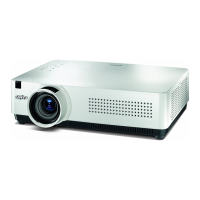
Sanyo PLC-XU301 - User Manual

Sanyo PLC-XU301
169 pages
Print Icon
To Next Page IconTo Next Page
Loading...
Multimedia Projector
MODEL PLC-XU301
PLC-XU301K
Owners Manual
Network Supported
Ƒ :LUHG/$1
%DVH7;%DVH7
5HIHUWRWKH2ZQHUV0DQXDOVEHORZIRU
GHWDLOVDERXWQHWZRUNIXQFWLRQ
Ƒ 1HWZRUN6HWXSDQG2SHUDWLRQ
Ƒ 3-1HWZRUN0DQDJHU

Table of Contents

Other manuals for Sanyo PLC-XU301

Questions and Answers

  • S
    Sydney BlanchardAug 10, 2025
    What to do if the WARNING (red) and POWER (red) indicators are flashing on my Sanyo PLC-XU301 Projector?
    • P
      powellmelanieAug 10, 2025
      If the Sanyo Projector detects an abnormal temperature rise, inspect the air filters and clear any obstructions near the intake and exhaust fan openings.
  • R
    Ryan RiceAug 15, 2025
    How to take Sanyo Projector out of stand-by mode?
    • K
      kenneth92Aug 15, 2025
      If your Sanyo Projector is in stand-by mode, press the ON/STAND-BY button to turn on the projector.
  • H
    heidihernandezAug 21, 2025
    What to do if my Sanyo PLC-XU301 Projector cannot be turned on until cooling is completed?
    • A
      alyssa35Aug 21, 2025
      If the Sanyo Projector is preparing for stand-by or the projection lamp is cooling down, you must wait until the cooling process is completed. After cooling is completed, the projector can be turned on.
  • C
    Christopher PerkinsAug 27, 2025
    What does it mean when the WARNING indicator lights red on a Sanyo Projector?
    • J
      Joshua LynchAug 27, 2025
      If the WARNING indicator lights up red on your Sanyo Projector, inspect the fan operation, power supply lines, and the driving signal status, because the projector has detected an abnormality in the cooling fan operation or in the power supply secondary circuits.
  • I
    ian30Sep 2, 2025
    What to do if all LED indicators are not lighting on Sanyo PLC-XU301?
    • T
      Toni MezaSep 3, 2025
      If all of the LED indicators on your Sanyo Projector are not lighting, check the power primary circuit and parts such as the AC cord, F601 (Fuse), Power board, and SW902 (Thermal sw.) for shorts in normal.

Summary

Installation

Positioning the Projector

Guide on how to place the projector for optimal viewing.

Adjustable Feet

Information on using the projector's adjustable feet for leveling.

Basic Operation

Zoom and Focus Adjustment

Instructions for adjusting the zoom and focus for a clear image.

Auto Setup Function

How to automatically adjust the projector's image settings.

Keystone Correction

Steps to correct keystone distortion for a rectangular image.

Setting

Language

How to select the on-screen display language for the projector.

Menu position

How to change the position of the on-screen menu display.

Maintenance and Cleaning

Cleaning the Filters

Step-by-step guide on how to clean the projector's filters.

Resetting the Filter Counter

Procedure to reset the filter counter after cleaning.

Sanyo PLC-XU301 Specifications

General IconGeneral
BrandSanyo
ModelPLC-XU301
CategoryProjector
LanguageEnglish

Related product manuals