EasyManua.ls Logo

Sanyo PLC-XU300A - User Manual

Sanyo PLC-XU300A
168 pages
Print Icon
To Next Page IconTo Next Page
Loading...
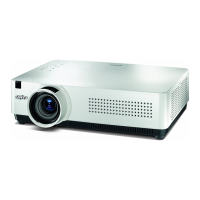
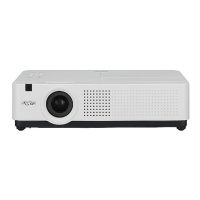
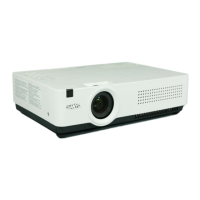
Multimedia Projector
MODEL PLC-XU300A
PLC-XU350A
Owners Manual
Network Supported
O Wired LAN
Refer to the Owner's Manuals below for
details about network function.
O
Network Set-up and Operation
O
PJ Network Manager

Table of Contents

Other manuals for Sanyo PLC-XU300A

Questions and Answers

  • J
    Jacob HancockSep 10, 2025
    What to do if the remote control does not work with my Sanyo PLC-XU300A?
    • S
      Shelley LongSep 10, 2025
      If the remote control isn't working with your Sanyo Projector, try these steps: * Check the batteries and replace them if needed. * Ensure there are no obstructions between the remote and the projector. * Make sure you're within the remote's operating range (16.4 feet or 5 meters). * Verify the remote control code matches the projector's. * Unlock the Key lock function for the remote control.
  • L
    Lisa NicholsonAug 22, 2025
    How to troubleshoot no sound on Sanyo PLC-XU300A Projector?
    • C
      cindy95Aug 23, 2025
      If there is no sound from your Sanyo Projector, check if the audio signal is observed at pins 7 and 15 of IC5001.
  • A
    Amber JohnsonAug 25, 2025
    How to fix auto setup if it does not work properly on my Sanyo PLC-XU300A Projector?
    • R
      Rebecca PadillaAug 25, 2025
      If the auto setup feature on your Sanyo Projector isn't working correctly, ensure that 'Off' is not selected for any function within the Auto setup menu. Also, verify that 'On' is not selected for the Ceiling function.
  • A
    Amanda BautistaAug 26, 2025
    How to fix a Sanyo Projector that is off?
    • T
      Taylor GarciaAug 26, 2025
      If the Sanyo Projector is off, make sure the AC power cord is properly plugged into the power outlet.
  • H
    Holly MillerAug 27, 2025
    What to do if WARNING and POWER indicators are flashing on Sanyo PLC-XU300A?
    • H
      Hannah BakerAug 27, 2025
      If the WARNING (red) and POWER (red) indicators are flashing on your Sanyo Projector, this indicates that the projector has detected an abnormally high temperature inside. You should check the air filters, remove any obstructions near the intake and exhaust fan openings, and then wait for the POWER indicator to stop flashing.
  • H
    huntersusanAug 29, 2025
    Why my Sanyo Projector cannot be turned on due to high temperature?
    • D
      donnagarciaAug 29, 2025
      If your Sanyo Projector cannot be turned on due to abnormally high temperature, wait until it cools down enough for the temperature to return to normal. When this happens, the POWER indicator will emit a red light, and you will be able to turn on the projector. Also, check and clean the air filter.
  • J
    Johnny GardnerSep 18, 2025
    What to do if auto keystone function does not work on my Sanyo PLC-XU300A?
    • A
      Andrew RamirezSep 18, 2025
      If the auto keystone function on your Sanyo Projector isn't working, ensure it is not set to Manual. Press the AUTO SETUP button on the top control.
  • M
    Matthew TurnerSep 12, 2025
    Why is there no sound coming from my Sanyo Projector?
    • E
      Elizabeth MillerSep 12, 2025
      If you are experiencing a lack of sound from your Sanyo Projector, verify the audio cable connection from the audio input source. Adjust the audio source volume. Note that when headphones are plugged into the AUDIO OUT, the projector's built-in speaker is disabled. Also, sound will only be audible when an image is projected.
  • S
    Seth PachecoSep 8, 2025
    Why is there no image on my Sanyo PLC-XU300A?
    • S
      steven61Sep 8, 2025
      If your Sanyo Projector displays no image, several factors could be the cause. First, verify the connection between your computer or video equipment and the projector. Ensure the input signal is correctly output from your computer, adjusting monitor output settings if necessary. Allow approximately 30 seconds for the image to appear after turning on the projector. Also, check the input signal, color system, video system, or computer system mode. Confirm that the operating temperature is within the specified range. Finally, if 'No Show' is active, press the NO SHOW button or any other button on the remote control to restore the image.
  • D
    danieljonesSep 5, 2025
    Why Sanyo Projector cannot be turned on due to abnormal condition?
    • S
      Sarah CampbellSep 5, 2025
      If your Sanyo Projector cannot be turned on due to a detected abnormal condition, check the power supply circuit and fan control circuit.

Summary

Features and Design

Security Function

Helps ensure projector security with Key lock and PIN code.

Safety Instructions

Part Names and Functions

Remote Control

Explains the functions of buttons on the remote control.

Installation

Connecting to a Computer

Steps for connecting the projector to a computer via various cables.

Connecting to Video Equipment

Steps for connecting video sources like VCRs or DVD players.

Connecting the AC Power Cord

Instructions for connecting the power cord safely.

Basic Operation

Turning On the Projector

Step-by-step guide to powering on the projector.

Enter a PIN code

Procedure for entering the PIN code if security is enabled.

Turning Off the Projector

Correct procedure for powering down the projector.

How to Operate the On-Screen Menu

Navigation and usage of the projector's on-screen menu system.

Input Source Selection

How to select different video and computer input sources.

Auto PC Adjustment

Automatic adjustment of computer signal parameters.

Setting

PIN code lock

Setting a PIN code to prevent unauthorized projector operation.

Maintenance and Cleaning

Lamp Replacement

Step-by-step guide for replacing the projection lamp.

Appendix

Troubleshooting

Solutions for common projector problems and error messages.

Sanyo PLC-XU300A Specifications

General IconGeneral
BrandSanyo
ModelPLC-XU300A
CategoryProjector
LanguageEnglish

Related product manuals