EasyManua.ls Logo

Sanyo PLC-XU350A - User Manual

Sanyo PLC-XU350A
168 pages
Print Icon
To Next Page IconTo Next Page
Loading...
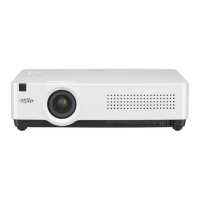
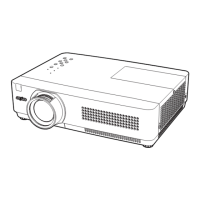
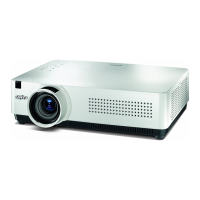
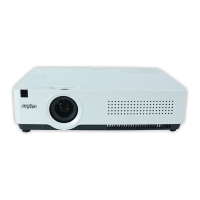
Multimedia Projector
MODEL PLC-XU300A
PLC-XU350A
Owners Manual
Network Supported
O Wired LAN
Refer to the Owner's Manuals below for
details about network function.
O
Network Set-up and Operation
O
PJ Network Manager

Table of Contents

Other manuals for Sanyo PLC-XU350A

Questions and Answers

  • L
    Lee LeeSep 10, 2025
    What to do if the remote control does not work with my Sanyo PLC-XU350A?
    • J
      James PooleSep 10, 2025
      If the remote control isn't working with your Sanyo Projector, try these steps: * Check the batteries and replace them if needed. * Ensure there are no obstructions between the remote and the projector. * Make sure you're within the remote's operating range (16.4 feet or 5 meters). * Verify the remote control code matches the projector's. * Unlock the Key lock function for the remote control.
  • H
    Hayley GillespieAug 22, 2025
    How to troubleshoot no sound on Sanyo PLC-XU350A Projector?
    • K
      Kendra AllenAug 22, 2025
      If there is no sound from your Sanyo Projector, check if the audio signal is observed at pins 7 and 15 of IC5001.
  • J
    Jaime ParkerAug 25, 2025
    How to fix auto setup if it does not work properly on my Sanyo PLC-XU350A?
    • P
      philipshermanAug 25, 2025
      If the auto setup feature on your Sanyo Projector isn't working correctly, ensure that 'Off' is not selected for any function within the Auto setup menu. Also, verify that 'On' is not selected for the Ceiling function.
  • M
    medinabrittanyAug 26, 2025
    How to fix a Sanyo PLC-XU350A that is off?
    • N
      Nicolas HumphreyAug 27, 2025
      If the Sanyo Projector is off, make sure the AC power cord is properly plugged into the power outlet.
  • M
    Mike MasonAug 27, 2025
    What to do if WARNING and POWER indicators are flashing on Sanyo PLC-XU350A Projector?
    • I
      Isabel SmithAug 27, 2025
      If the WARNING (red) and POWER (red) indicators are flashing on your Sanyo Projector, this indicates that the projector has detected an abnormally high temperature inside. You should check the air filters, remove any obstructions near the intake and exhaust fan openings, and then wait for the POWER indicator to stop flashing.
  • L
    Lisa JacksonAug 29, 2025
    Why my Sanyo PLC-XU350A cannot be turned on due to high temperature?
    • M
      Maria UnderwoodAug 29, 2025
      If your Sanyo Projector cannot be turned on due to abnormally high temperature, wait until it cools down enough for the temperature to return to normal. When this happens, the POWER indicator will emit a red light, and you will be able to turn on the projector. Also, check and clean the air filter.
  • G
    Gabrielle ClarkeSep 18, 2025
    What to do if auto keystone function does not work on my Sanyo PLC-XU350A?
    • M
      mary53Sep 18, 2025
      If the auto keystone function on your Sanyo Projector isn't working, ensure it is not set to Manual. Press the AUTO SETUP button on the top control.
  • W
    William RiosSep 12, 2025
    Why is there no sound coming from my Sanyo PLC-XU350A Projector?
    • L
      larry43Sep 12, 2025
      If you are experiencing a lack of sound from your Sanyo Projector, verify the audio cable connection from the audio input source. Adjust the audio source volume. Note that when headphones are plugged into the AUDIO OUT, the projector's built-in speaker is disabled. Also, sound will only be audible when an image is projected.
  • J
    Jacob SmithSep 8, 2025
    Why is there no image on my Sanyo Projector?
    • C
      Christopher HolmesSep 8, 2025
      If your Sanyo Projector displays no image, several factors could be the cause. First, verify the connection between your computer or video equipment and the projector. Ensure the input signal is correctly output from your computer, adjusting monitor output settings if necessary. Allow approximately 30 seconds for the image to appear after turning on the projector. Also, check the input signal, color system, video system, or computer system mode. Confirm that the operating temperature is within the specified range. Finally, if 'No Show' is active, press the NO SHOW button or any other button on the remote control to restore the image.
  • M
    Melissa HillSep 5, 2025
    Why Sanyo PLC-XU350A cannot be turned on due to abnormal condition?
    • P
      Pamela NelsonSep 5, 2025
      If your Sanyo Projector cannot be turned on due to a detected abnormal condition, check the power supply circuit and fan control circuit.

Summary

Safety Instructions

Installation

Basic Operation

Turning On the Projector

Step-by-step guide to power on the projector.

How to Operate the On-Screen Menu

Instructions on navigating and using the on-screen menu.

Computer Input

Video Input

Setting

Maintenance and Cleaning

Lamp Replacement

Step-by-step guide for replacing the projection lamp.

Appendix

Troubleshooting

Solutions for common projector problems.

Technical Specifications

Detailed technical specifications of the projector.

Chapter 2 Set up

PJ Network Manager installation

Steps to install the PJ Network Manager software.

Chapter 3 Basic Setting and Operation

Chapter 4 Controlling the Projector

Chapter 5 Appendix

Sanyo PLC-XU350A Specifications

General IconGeneral
Brightness3500 ANSI Lumens
Contrast Ratio2000:1
Display TechnologyLCD
Aspect Ratio4:3
Projection Size30 to 300 inches
Zoom Ratio1.2x
Resolution1024 x 768 pixels (XGA)
Lamp Life2000 hours (Standard Mode) / 3000 hours (Eco Mode)
Throw Distance1.2 m
Input PortsS-Video, Composite Video
Output PortsAudio

Related product manuals