EasyManua.ls Logo

Sanyo PLC-XU70 - User Manual

Sanyo PLC-XU70
64 pages
Print Icon
To Next Page IconTo Next Page
Loading...
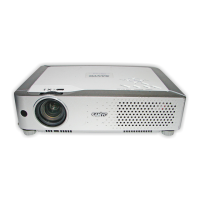
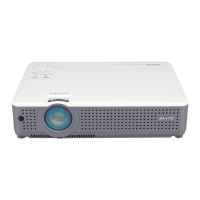
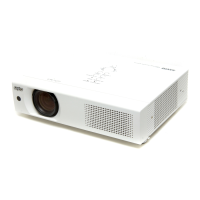
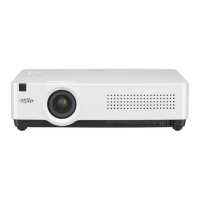
Multimedia Projector
MODEL PLC-XU73
PLC-XU70
Owners Manual

Table of Contents

Other manuals for Sanyo PLC-XU70

Questions and Answers

  • A
    Ashley PayneJul 31, 2025
    Why does the LAMP REPLACE indicator light up yellow on my Sanyo PLC-XU70?
    • D
      Deanna LynchJul 31, 2025
      If the LAMP REPLACE indicator on your Sanyo Projector lights yellow, it signifies that the projection lamp is nearing the end of its lifespan. Replace the projection lamp with a new one as soon as possible. After replacing the lamp, remember to reset the lamp replacement counter.
  • A
    Aaron HaleyAug 9, 2025
    Why my Sanyo Projector cannot be turned on until cooling is completed?
    • S
      Susan CisnerosAug 9, 2025
      If the Sanyo Projector cannot be turned on until cooling is completed, it means the projection lamp is currently cooling down. Please wait until the cooling process is finished.
  • R
    Robin LittleAug 19, 2025
    What to do if Sanyo PLC-XU70 Projector cannot be turned on due to an abnormal condition?
    • M
      Manuel VargasSep 12, 2025
      If your Sanyo Projector cannot be turned on and detects an abnormal condition, check the power supply circuit and fan control circuit.

Summary

Owner Information and Safety

Important Safety Precautions

Critical warnings regarding electrical shock, heat, and proper installation to prevent hazards.

Safety Instructions

General Safety Guidelines

Comprehensive safety advice for operating and maintaining the projector safely.

Proper Projector Installation

Guidelines for positioning the projector correctly to ensure safe operation and longevity.

Projector Components Overview

Projector Installation Guide

Positioning the Projector

Guidance on correctly positioning the projector for optimal image projection.

Connecting the AC Power Cord

Instructions for safely connecting the projector to the power supply.

Connecting to a Computer

Steps for connecting the projector to a computer via various cables.

Basic Projector Operation

Turning On the Projector

Step-by-step instructions for powering on the projector.

Turning Off the Projector

Procedures for safely shutting down the projector and its cooling fans.

Operating the On-Screen Menu

How to navigate and use the projector's on-screen menu system.

Computer Input Operations

Selecting Computer Input Source

How to choose between different computer input signals.

Computer System Selection

Choosing the appropriate system setting for computer signals.

Auto PC Adjustment

Automated adjustment of computer image parameters for optimal display.

Manual PC Adjustment

Manual tuning of computer image settings like sync, dots, and position.

Video Input Operations

Video Input Source Selection

How to select video input sources like Video and S-Video.

Component and RGB Input Selection

Selecting component or RGB Scart sources for video input.

Projector Settings and Configuration

Security Functionality

Setting up key lock and PIN code lock for projector operation security.

Maintenance and Cleaning Procedures

Understanding Warning Indicators

Interpreting indicator lights for projector status and potential issues.

Replacing the Projection Lamp

Detailed procedure for safely replacing the projector lamp.

Appendix and Support Information

Troubleshooting Common Issues

Solutions for common problems like no power, no image, or focus issues.

Indicator Status and Projector Condition

Mapping indicator light patterns to specific projector operating conditions.

Sanyo PLC-XU70 Specifications

General IconGeneral
Resolution1024 x 768 (XGA)
Contrast Ratio400:1
Weight2.9 kg
Lamp Life2000 hours (Normal Mode), 3000 hours (Eco Mode)
Display TypeLCD
Zoom Ratio1.2x
Projection Technology3LCD
Input PortsVGA, S-Video, Composite Video
Lamp TypeUHP

Related product manuals