EasyManua.ls Logo

Sanyo SAP-KRV123EH - User Manual

Sanyo SAP-KRV123EH
77 pages
Print Icon
To Next Page IconTo Next Page
Loading...
TECHNICAL & SERVICE MANUAL
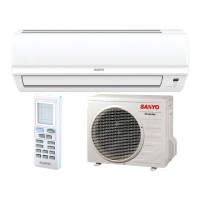
SAP-KRV93EH + SAP-CRV93EH
SAP-KRV123EH + SAP-CRV123EH
DC INVERTER SPLIT SYSTEM AIR CONDITIONER
SAP-CRV93EH
SAP-CRV123EH
AIR CO
N
DITIONER
IMPORTANT
These air conditioners employ new
refrigerant R410A.
Pay special attention when
servicing the unit.
SAP-KRV93EH
SAP-KRV123EH
FILE NO.
REFERENCE NO. SM700590
W
Indoor Unit Outdoor Unit
Indoor Model No. Product Code No.
SAP-KRV93EH 1 852 089 81
SAP-KRV123EH 1 852 089 80
Outdoor Model No. Product Code No.
SAP-CRV93EH 1 852 089 85
SAP-CRV123EH 1 852 089 84
Destination: Europe

Table of Contents

Questions and Answers

  • D
    Danielle BurnettJul 29, 2025
    What to do if my Sanyo SAP-KRV123EH Air Conditioner malfunctions due to high-frequency noise?
    • E
      Elijah HarmonJul 29, 2025
      If your Sanyo Air Conditioner malfunctions due to abnormal signal pulses caused by high-frequency noise, especially if you are near broadcast stations with strong electromagnetic waves, amateur radio stations, electronic sewing machines, or arc-welding machines, insulate for noise or increase the distance from the noise source. You can also use shielded wires or move the unit away from the noise source.
  • M
    Miguel LaraAug 3, 2025
    What to do if the self-diagnostics function fails on my Sanyo Air Conditioner?
    • R
      Rhonda JacksonAug 3, 2025
      If the self-diagnostics function fails to operate on your Sanyo Air Conditioner (no indicators illuminate and the indoor fan does not rotate), check the indoor unit and the power voltage. Also, check if the fuse is blown. If needed, replace the circuit board or the fuse.
  • J
    Jonathan SmithAug 6, 2025
    How to troubleshoot a Sanyo SAP-KRV123EH when the fan motor does not rotate during outdoor unit operation?
    • J
      Jillian AndersonAug 6, 2025
      To troubleshoot a Sanyo Air Conditioner when the fan motor does not rotate during outdoor unit operation, disconnect the motor connectors and measure the voltage at the DC motor connectors on the outdoor unit controller.
  • D
    Danielle ThompsonAug 11, 2025
    Why does noise appear in the TV picture when using my Sanyo SAP-KRV123EH Air Conditioner?
    • N
      Nicholas GarrettAug 11, 2025
      Noise in the television picture or static in the radio sound due to electromagnetic interference when using your Sanyo Air Conditioner can be caused by several factors: * A television or radio is located near the A/C and A/C wiring. In this case select a separate power source. * The antenna cable for a television or radio is located close to the A/C and A/C wiring. Keep the A/C and A/C wiring at least 1 meter away from wireless devices and antenna cables. * Locations where television and radio signals are weak. Use a noise filter for the wireless device. * Also change the wireless device’s antenna to a high-sensitivity antenna, the antenna cable to a BS coaxial cable or use a signal booster.
  • D
    Dr. James RoblesAug 15, 2025
    What causes the fan to not stop when the outdoor unit stops in my Sanyo SAP-KRV123EH Air Conditioner?
    • J
      Jeremy Herrera IIIAug 15, 2025
      If the fan does not stop when the outdoor unit stops in your Sanyo Air Conditioner, this is due to outdoor unit controller trouble.
  • M
    Matthew MorrowAug 20, 2025
    What causes the motor to stop quickly when the outdoor unit operates in my Sanyo SAP-KRV123EH?
    • V
      Victoria JonesAug 20, 2025
      If the motor rotates for a few seconds and then quickly stops when the outdoor unit operates in your Sanyo Air Conditioner, there is trouble in the system that provides feedback of motor rotation speed from the motor to the outdoor unit controller.
  • H
    harveybrianaAug 25, 2025
    What does it mean if the operation lamp blinks every 0.5 seconds on my Sanyo SAP-KRV123EH?
    • A
      Angela WagnerAug 25, 2025
      If the operation lamp blinks every 0.5 seconds immediately when the power is turned ON, it indicates an external ROM (OTP data) failure on the indoor circuit board, a ROM socket insertion problem, or that the ROM has not been installed.

Summary

IMPORTANT Safety and Precautions

Installation and Handling Precautions

Guidelines for safe installation, tubing, and handling of units and components.

Wiring and Servicing Safety

Critical safety measures for electrical wiring, servicing, and general precautions.

Unit Specifications

Outdoor Unit Component Specifications

Refrigerant Flow Diagram

System Refrigerant Path and Tubing Insulation

Illustrates the refrigerant circuit and emphasizes proper tubing insulation.

Performance Data: Temperature Charts

Electrical Data: Characteristics

Electric Wiring Diagrams

Indoor and Outdoor Unit Wiring Schematics

Provides detailed wiring diagrams for both indoor and outdoor units.

Installation Instructions: Site Selection

Indoor Unit Installation Location Criteria

Specifies ideal locations for the indoor unit, avoiding obstacles and heat sources.

Recommended Wire Length and Diameter

How to Test Run the Air Conditioner

Test Run Procedure and Mode Activation

Step-by-step guide to perform a test run and verify unit operation.

Functions: Operation Modes

Protective Functions

Troubleshooting: Self-Diagnostics

Executing Self-Diagnostic Mode

Procedure to enter and interpret the unit's self-diagnostic function for fault finding.

Refrigerant R410 A: Characteristics and Precautions

R410 A Properties and Handling Guidelines

Covers R410A characteristics, composition, and essential safety precautions for servicing.

Remote Control Unit Display Symbols

Remote Control Unit Operation

Operation Mode: Automatic Operation

Operation Mode: Manual Operation

Troubleshooting Guide and Operating Ranges

Common Issues and Troubleshooting Steps

Lists common problems, their causes, remedies, and operational temperature limits.

Sanyo SAP-KRV123EH Specifications

General IconGeneral
BrandSanyo
ModelSAP-KRV123EH
CategoryAir Conditioner
LanguageEnglish

Related product manuals