EasyManua.ls Logo

Sanyo SAP-KRV96EH - User Manual

Sanyo SAP-KRV96EH
65 pages
Print Icon
To Next Page IconTo Next Page
Loading...
TECHNICAL & SERVICE MANUAL
SAP-KRV96EH + SAP-CRV96EH
SAP-KRV126EH + SAP-CRV126EH
DC INVERTER SPLIT SYSTEM AIR CONDITIONER
Indoor Model No.
SAP-KRV96EH
SAP-KRV126EH
Product Code No.
1 852 346 74
1 852 346 75
FILE NO.
Outdoor Model No.
SAP-CRV96EH
SAP-CRV126EH
Product Code No.
1 852 346 81
1 852 346 82
REFERENCE NO. SM700728
Destination: Europe
A
I
R
C
O
N
DITIONER
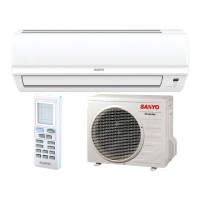
Indoor Unit Outdoor Unit
SAP-KRV96EH
SAP-KRV126EH
SAP-CRV96EH
SAP-CRV126EH
RoHS
WARNING
This product does not contain any hazardous substances prohibited by the RoHS Directive.
Compliance with regulation 842/EC/2006, Article 7(1) requirements
Do not vent R410A into the atmosphere:
R410A is a fluorinated greenhouse gas, covered by the Kyoto Protocol,
with a global warming potential (GWP) = 1975.
• You are requested to use RoHS compliant parts for maintenance or repair.
• You are requested to use lead-free solder.


Table of Contents

Questions and Answers

  • S
    starkherbertAug 1, 2025
    What to do if no indicators illuminate and the indoor fan does not rotate on my Sanyo SAP-KRV96EH Air Conditioner?
    • E
      Elizabeth CrossAug 1, 2025
      If the indicators don't illuminate and the indoor fan isn't rotating on your Sanyo Air Conditioner, check the indoor unit and the power voltage. Also, check if the fuse is blown. You may need to replace the circuit board or the fuse.
  • A
    andersonbrianAug 8, 2025
    What to do if the operation lamp blinks every 0.5 seconds on my Sanyo Air Conditioner?
    • J
      James PetersonAug 8, 2025
      If the operation lamp blinks every 0.5 seconds immediately when the power is turned ON on your Sanyo Air Conditioner, there may be an external ROM (OTP data) failure on the indoor circuit board, or a ROM socket insertion problem, or the ROM has not been installed.
  • J
    jonesmartinAug 16, 2025
    What to do if Sanyo SAP-KRV96EH Air Conditioner causes electromagnetic interference with nearby wireless devices?
    • D
      Drew RiversAug 16, 2025
      If your Sanyo Air Conditioner is causing electromagnetic interference, here are some steps you can take: 1. Use a separate power source. 2. Ensure the A/C and its wiring are at least 1 meter away from wireless devices and antenna cables. 3. Change the wireless device’s antenna to a high-sensitivity antenna. 4. Change the antenna cable to a BS coaxial cable. 5. Use a noise filter for the wireless device. 6. Consider using a signal booster.
  • A
    Amber LamAug 23, 2025
    What to do if my Sanyo Air Conditioner has noise malfunction due to noise applied to signal wires?
    • C
      callahanrodneyAug 23, 2025
      If your Sanyo Air Conditioner experiences noise malfunction because of noise applied to signal wires, consider the following: * Insulate for noise or increase the distance from the noise source. * Use shielded wires. * Move the unit away from the noise source.

Summary

1. OPERATING RANGE

2. SPECIFICATIONS

2-1. Unit Specifications

Lists essential performance, electrical, and dimensional details for both indoor and outdoor units.

2-2. Major Component Specifications

Details specifications for key components like control PCB, fan motor, and heat exchanger coil.

2-3. Other Component Specifications

Presents performance data for sensors, showing resistance vs. temperature characteristics.

3. DIMENSIONAL DATA

4. REFRIGERANT FLOW DIAGRAM

4-1. Refrigerant Flow Diagram

Shows the complete refrigerant circuit, including key components and flow direction for cooling and heating.

5. PERFORMANCE DATA

5-1. Temperature Charts

Charts showing cooling and heating characteristics like pressure, current, and discharge air temperature.

5-2. Air Throw Distance Charts

Graphs illustrating air throw distance based on flap angle and air velocity for cooling and heating.

6. ELECTRICAL DATA

6-1. Electrical Characteristics

Lists running amperes and power input for indoor, outdoor, and complete units under different conditions.

6-2. Electric Wiring Diagrams

Provides wiring diagrams for the indoor unit, showing connections for various components.

7. INSTALLATION INSTRUCTIONS

7-1. Installation Site Selection

Advises on proper placement of the indoor and outdoor units, avoiding specific environmental factors.

7-2. Recommended Wire Length and Diameter

Specifies guidelines for wire sizing and length for power supply and control wiring.

7-3. Remote Control Unit Installation Position

Details recommended and prohibited locations for mounting the remote control unit.

7-4. How to Test Run the Air Conditioner

Step-by-step instructions for performing a test run of the air conditioning system.

7-5. Removing and Installing the Grille

Provides instructions for safely removing and reattaching the front grille for access.

8. MAINTENANCE

8-1. Address Setting of the Remote Control Unit

Explains how to set addresses for multiple remote controllers to prevent interference.

8-2. Disconnecting and Connecting Positive Connector for Outdoor Unit

Illustrates the correct procedure for disconnecting and connecting electrical connectors.

9. FUNCTIONS

9-1. Operation Functions

Details functions like Emergency Operation, AUTO mode, SENSOR DRY, and PAM-a control.

9-2. Protective Functions

Explains built-in safety features such as overload prevention and freeze prevention.

10. TROUBLESHOOTING

10-1. Precautions before Performing Inspection or Repair

Lists safety precautions to follow before starting any inspection or repair work.

10-2. Method of Self-Diagnostics

Provides a procedure to activate and interpret the unit's self-diagnostic mode for fault finding.

10-3. Checking the Indoor and Outdoor Units

Outlines steps to check basic operation of indoor and outdoor units using test run modes.

10-4. Noise Malfunction and Electromagnetic Interference

Discusses potential noise issues and electromagnetic interference and their solutions.

11. CHECKING ELECTRICAL COMPONENTS

11-1. Measurement of Insulation Resistance

Explains how to measure insulation resistance of power cords and unit components.

11-2. Checking Continuity of Fuse on PCB Assy

Describes the method for checking the continuity of fuses on the Printed Circuit Board Assembly.

12. REFRIGERANT R410 A

12-1. Characteristics of New Refrigerant R410 A

Details the composition, properties, and handling precautions for R410A refrigerant.

12-2. Checklist before Servicing

Provides a checklist of important points to consider before performing service on the unit.

12-3. Tools Specifically for R410 A

Lists specialized tools required for servicing units using R410A refrigerant.

12-4. Tubing Installation Procedures

Outlines procedures for installing refrigerant tubing, including necessary precautions.

12-5. In Case of Compressor Malfunction

Describes the procedure for replacing a malfunctioning compressor.

12-6. In Case Refrigerant is Leaking

Details the steps for detecting, repairing, and recharging refrigerant after a leak.

12-7. Charging Additional Refrigerant

Explains how to charge additional refrigerant, especially when tubes are extended.

12-8. Retro-Fitting Existing Systems

Provides guidance on adapting existing systems for R410A, including tubing considerations.

APPENDIX INSTRUCTION MANUAL

Sanyo SAP-KRV96EH Specifications

General IconGeneral
BrandSanyo
ModelSAP-KRV96EH
CategoryAir Conditioner
LanguageEnglish

Related product manuals