EasyManua.ls Logo

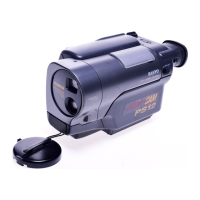
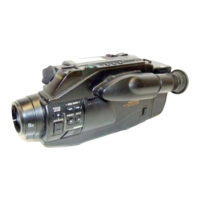
Sanyo VM-EX26P - Camcorder Parts Names

Sanyo VM-EX26P
24 pages
Print Icon
To Next Page IconTo Next Page
To Previous Page IconTo Previous Page
Loading...
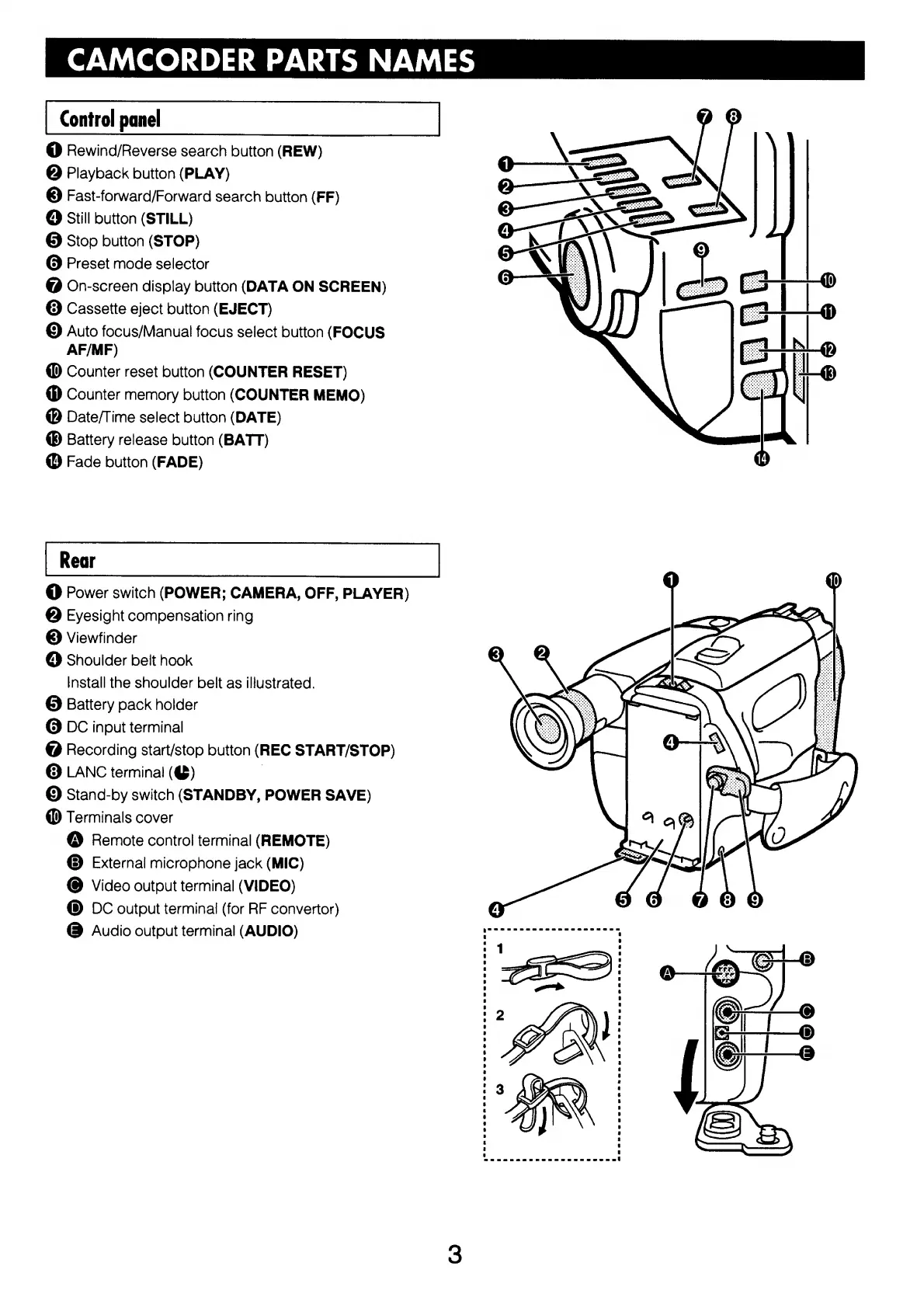
CAMCORDER
PARTS
NAMES
Control
panel
@
Rewind/Reverse
search
button
(REW)
@
Playback
button
(PLAY)
©
Fast-forward/Forward
search
button
(FF)
©
Still
button
(STILL)
@
Stop
button
(STOP)
Q
Preset
mode
selector
@
On-screen
display
button
(DATA
ON
SCREEN)
@
Cassette
eject
button
(EJECT)
©
Auto
focus/Manual
focus
select
button
(FOCUS
AF/MF)
@
Counter
reset
button
(COUNTER
RESET)
Counter
memory
button
(COUNTER
MEMO)
@
Date/Time
select
button
(DATE)
Battery
release
button
(BATT)
@
Fade
button
(FADE)
©
Power
switch
(POWER;
CAMERA,
OFF,
PLAYER)
@
Eyesight
compensation
ring
©
Viewfinder
©
Shoulder
belt
hook
Install
the
shoulder
belt
as
illustrated.
®©
Battery
pack
holder
O
DC
input
terminal
@
Recording
start/stop
button
(REC
START/STOP)
©
LANC
termina!
(@)
©
Stand-by
switch
(STANDBY,
POWER
SAVE)
@
Terminals
cover
@
Remote
control
terminal
(REMOTE)
©
External
microphone
jack
(MIC)
©
Video
output
terminal
(VIDEO)
®©
DC
output
terminal
(for
RF
convertor)
@
Audio
output
terminal
(AUDIO)

Related product manuals