EasyManua.ls Logo

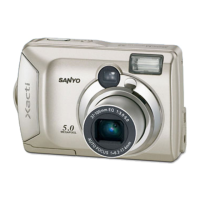
Sanyo VPC-S5 - User Manual

Sanyo VPC-S5
142 pages
Print Icon
To Next Page IconTo Next Page
Loading...
VPC-S5
INSTRUCTION MANUAL
Digital Camera
Please read these instructions carefully before using the digital camera. Make
sure to read and understand the section “USING YOUR DIGITAL CAMERA
SAFELY AND CORRECTLY” on pages 5 to 16. Keep this manual in a safe place
for later reference.
Important note
This manual explains how to safely operate the VPC-S5.

Table of Contents

Other manuals for Sanyo VPC-S5

Questions and Answers

  • R
    rebeccavaughnAug 17, 2025
    What to do if Sanyo Digital Camera has no power?
    • A
      April CummingsAug 17, 2025
      If your Sanyo Digital Camera has no power, it could be due to several reasons. First, the batteries might be dead, in which case you should replace them with new ones. Second, the batteries may not have been inserted correctly; ensure they are properly oriented. Finally, the battery compartment cover might not be fully closed; make sure it is closed properly.
  • A
    Adam BoothAug 20, 2025
    Why does my Sanyo Digital Camera flash not operate?
    • A
      arichAug 20, 2025
      If the flash on your Sanyo Digital Camera isn't working, there are a few potential causes. First, check if the flash is set to 'flash off' mode and change it to automatic or forced flash. Second, ensure that you are in still image shooting mode. Lastly, the batteries might be dead; try replacing them with new ones.
  • P
    Philip PerezAug 22, 2025
    What to do if Sanyo Digital Camera image is not in focus?
    • C
      Cameron ParksAug 23, 2025
      If your Sanyo Digital Camera images are not in focus, consider these possibilities: The subject may be too close, so select the appropriate focus setting. The camera might have moved when the shutter was released; hold it steady and gently press the shutter button halfway to lock focus, then fully press to capture. Also, the lens could be dirty, so try cleaning it.
  • C
    carlosramirezAug 26, 2025
    What to do if Sanyo Digital Camera image is too dark?
    • D
      David LopezAug 26, 2025
      If your Sanyo Digital Camera images are too dark, check these potential causes: The flash might be obstructed; ensure your fingers or other objects aren't blocking it. The subject could be too far away; capture the image within the flash's operational range. Also, if the subject is backlit, try using the forced flash mode.
  • K
    Kaitlin GarciaAug 28, 2025
    What to do if Sanyo VPC-S5 says “CARD FULL” or “INTERNAL MEMORY FULL”?
    • C
      Cynthia McintoshAug 28, 2025
      If your Sanyo Digital Camera displays a “CARD FULL” or “INTERNAL MEMORY FULL” message, it means there's no more space. If you're using a card, replace it with a new one. You can also erase unwanted images or save desired images to another storage medium before erasing the card memory.
  • M
    Marilyn BarkerAug 31, 2025
    What to do if Sanyo VPC-S5 image is too bright?
    • M
      Mitchell AtkinsonAug 31, 2025
      If your Sanyo Digital Camera images are too bright, it could be because the forced flash mode is selected; try using a different flash mode. Alternatively, the subject itself might be too bright, in which case you can use the exposure correction function.
  • X
    xconleySep 2, 2025
    What to do if Sanyo VPC-S5 Digital Camera zoom operation stops midway?
    • R
      rachellopezSep 2, 2025
      If the zoom operation on your Sanyo Digital Camera stops midway, it might be because the optical zoom has reached its maximum magnification. This isn't a malfunction; release the zoom switch and press it again. Also, the motion alert icon might be displayed; stabilize the camera using a tripod.
  • A
    atkinsonjaclynSep 5, 2025
    Why does my Sanyo VPC-S5 Digital Camera turn off by itself?
    • A
      Angela ChristianSep 5, 2025
      Your Sanyo Digital Camera might be turning off by itself because the power save function is activated. Simply turn the camera on again.
  • J
    Joseph WalkerSep 8, 2025
    Why are colors of Sanyo VPC-S5 Digital Camera images captured indoors not correct?
    • M
      Mark FoxSep 8, 2025
      If the colors of your Sanyo Digital Camera images captured indoors aren't correct, it could be due to the ambient lighting. Try capturing the image using the forced flash mode. Also, the white balance setting might be incorrect; ensure it is set correctly.
  • M
    Monica BuckleySep 12, 2025
    What to do if Sanyo VPC-S5 Digital Camera shows “IMAGE IS PROTECTED” message?
    • M
      Misty SotoSep 12, 2025
      If your Sanyo Digital Camera displays the “IMAGE IS PROTECTED” message, it means you're trying to erase data that's protected. Turn off the protect setting for the data.

Summary

Introduction and Manual Guide

Instruction Manual Overview

Manual explains safe operation of VPC-S5.

Outline of Operation

Outlines setup, shooting, and playback procedures.

Symbols Used in Manual

Explains symbols like HINT, NOTE, CAUTION.

Safety and Precautions

General Camera Safety

Covers safe operation, driving, surroundings, and environmental hazards.

Battery Safety Precautions

Details cautions for using and handling alkaline batteries.

Camera Preparation

Checking Included Accessories

Lists and illustrates included camera accessories.

Installing Batteries and Card

Guides on inserting batteries and memory cards.

Powering the Camera On and Off

Instructions for turning the camera on and off.

Shooting Modes and Functions

Before Taking Pictures

Pre-shooting checks like date/time and camera hold.

Capturing Still Images

Step-by-step guide for taking still photographs.

Capturing Video Clips

Instructions for recording video clips without sound.

Advanced Shooting Features

Using Camera Flash

Explains different flash modes for various lighting conditions.

Adjusting Zoom

Details optical and digital zoom operations.

Using the Self-Timer

How to use the self-timer for delayed shots.

Changing Shooting Settings

Displaying Shooting Setting Screens

How to access and navigate shooting menus.

Scene Select Function

Utilizing preset modes for different shooting scenarios.

Image Quality Settings

Setting image resolution and compression levels.

Focus Range and Manual Focus

Configuring focus distance and manual focus operation.

Playback and Image Management

Viewing Images

Navigating and viewing captured photos and videos.

Playback Setting Screens

Using menus for playback options like protect, erase, resize.

Rotating and Resizing Images

Changing image orientation and dimensions.

Advanced Playback Functions

Slideshow Playback

Setting up automatic playback of images.

Image Protect and Data Erase

Protecting images from accidental deletion and erasing data.

Copying Image Data

Transferring images between internal and external memory.

Camera Settings Configuration

Option Screens Overview

Accessing and navigating camera settings via option screens.

LCD Monitor Settings

Adjusting LCD monitor brightness and power settings.

Date and Time Setting

Setting the camera's internal clock for image timestamps.

Initialization and Maintenance

Formatting Storage Media

Procedures for initializing memory cards and internal memory.

Power Save and File Number Settings

Configuring power saving and file naming sequences.

Resetting Camera Settings

Restoring camera to factory default settings.

Checking Status and Connections

Remaining Memory and Battery Check

Monitoring available storage and battery levels.

Connecting to a Computer

Steps for connecting the camera to a PC for data transfer.

Direct Printing and Appendices

Direct Printing Operations

Procedures for printing images directly from the camera.

Commonly Asked Questions (FAQ)

Answers to frequently asked questions about camera operation.

Troubleshooting Guide

Solutions for common camera problems and errors.

Technical Specifications

Detailed specs of the digital camera's hardware and features.

Picture Taking Tips

Advice for capturing better quality photographs.

Sanyo VPC-S5 Specifications

General IconGeneral
Optical Zoom5x
Video Resolution640 x 480 pixels
Optical Sensor Size1/2.5 inch
Digital Zoom4x
Image Sensor TypeCCD
Image SensorCCD
Storage MediaSD/SDHC
Battery TypeAA batteries
Camera TypeCompact
Screen Size2.5 inches

Related product manuals