93
The Sapling Company, Inc.
670 Louis Drive
Warminster, PA 18974
USA
P. (+1) 215.322.6063
F. (+1) 215.322.8498
www.sapling-inc.com
Hour Hand Position
12
1
2
3
4
5
6
7
8
9
10
11
Time Since Clock Last Received Data
Within the last hour
Between 1 and 2 hours ago
Between 2 and 3 hours ago
Between 3 and 4 hours ago
Between 4 and 5 hours ago
Between 5 and 6 hours ago
Between 6 and 7 hours ago
Between 7 and 8 hours ago
Between 8 and 9 hours ago
Between 9 and 10 hours ago
Between 10 and 11 hours ago
Over 11 hours... may also signify that the clock is set
to manufacturing default.
Diagnostic Test #1 - Signal Information
The second hand will remain on this number for 3 minutes, and then the clock will revert to displaying the
accurate time.
The purpose of Diagnostic #1 is to determine how
long it has been since the clock last received a
synchronization signal.
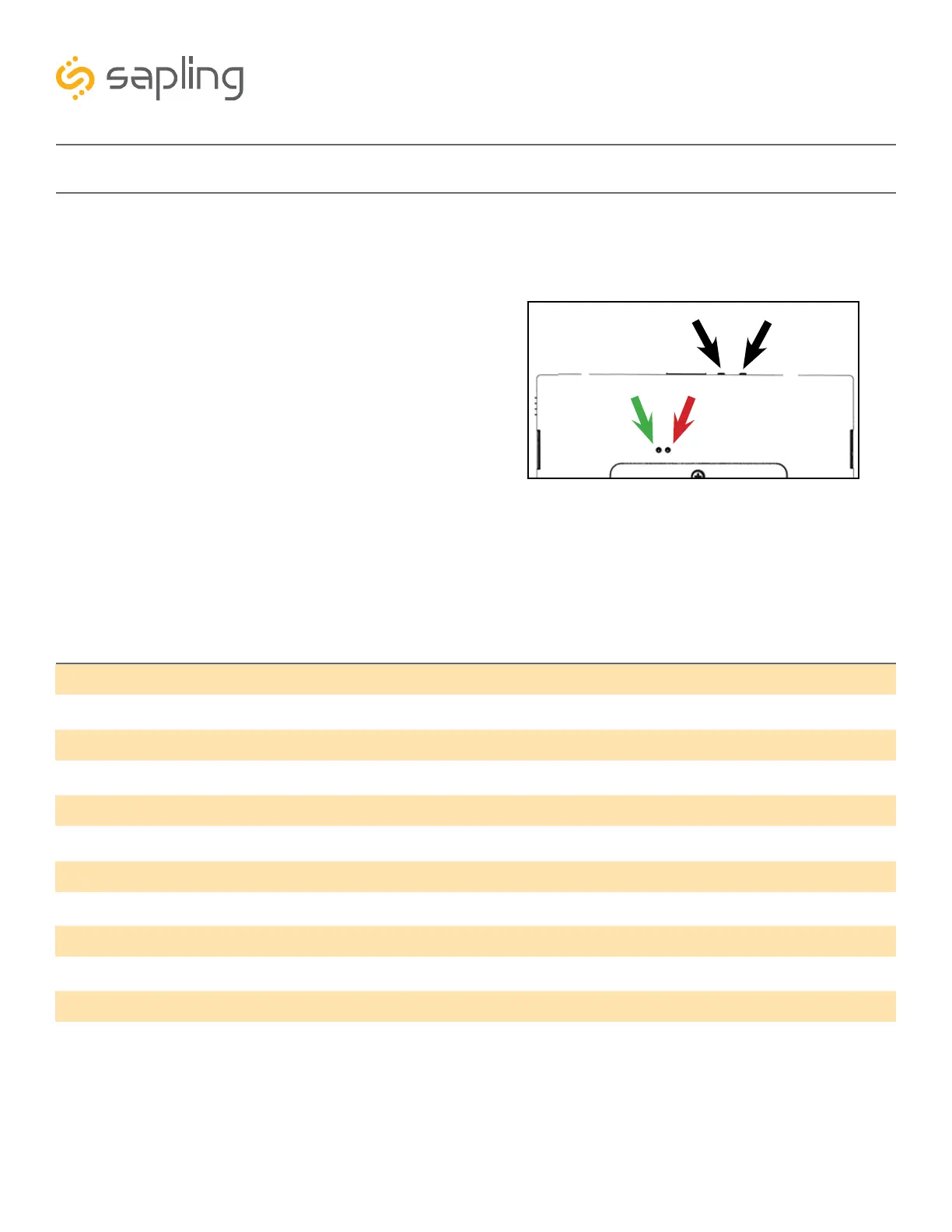
Diagnostic #1 may be enabled by pressing the
diagnostic button once. If the clock is performing
this diagnostic, then a green LED on the movement
will flash once every three seconds. It will continue
to flash once every three seconds until the
diagnostic is complete.
While in diagnostic mode, the hour and minute
hands will continue to run normally. After three
minutes, the Diagnostic will end and the clock will
continue normal operation.
During the diagnostic, the second hand will display
how long it has been since the clock received a
synchronization signal.
Red
Green
Diagnostic
Transmit/Receive



 To Next Page