94
The Sapling Company, Inc.
670 Louis Drive
Warminster, PA 18974
USA
P. (+1) 215.322.6063
F. (+1) 215.322.8498
www.sapling-inc.com
Diagnostic Test #2 - Signal Quality
The purpose of Diagnostic #2 is to determine the quality
of the synchronization signal.
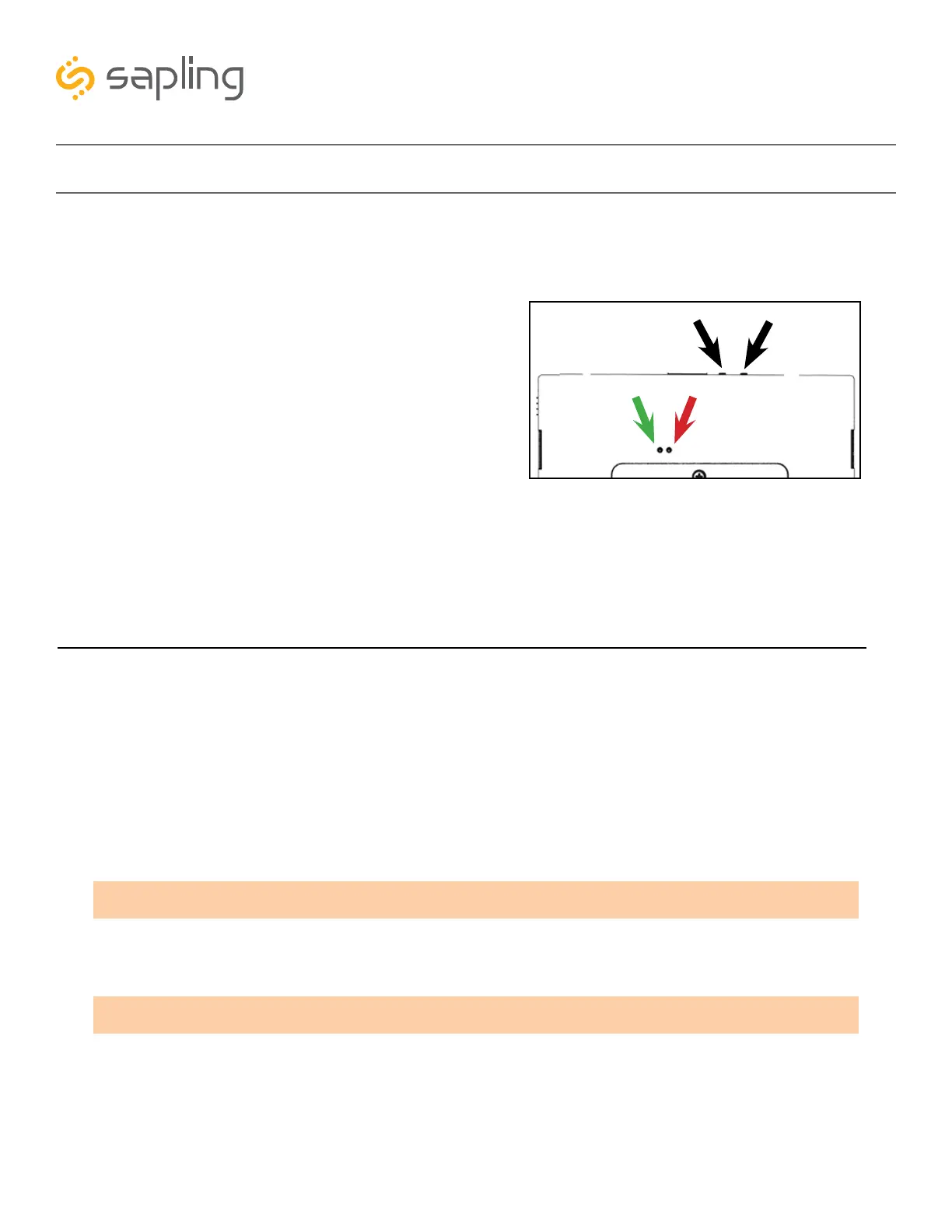
Diagnostic #2 may be enabled by pressing the diagnostic
button twice. If the clock is performing this diagnostic,
then a green LED on the movement will flash twice every
three seconds. It will continue to flash twice every three
seconds until the diagnostic is complete.
During the diagnostic, the second hand will display the
signal quality by pointing to a number from 1 to 10. On
this scale, 10 indicates the best signal quality while 1
indicates poor signal quality.
While the second hand is indicating the signal quality,
the hour and minute hands will continue to display the
time. After three minutes, the Diagnostic will end and
the second hand will return to displaying the time.
The purpose of Diagnostic #3 is to bring the clock back to 12:00:00 and reset any user-configured settings
to the manufacturer’s default.
Diagnostic #3 may be enabled by pressing the diagnostic button three times. If the clock is performing this
diagnostic, then a green LED on the back will flash three times with a five second break between each
flash. The LED will continue to flash green until the diagnostic is complete. The clock will confirm that the
diagnostic is complete when the LED shines a different color.
If the LED is flashing red:
If the LED is a solid green, the test was completed successfully.
At the end of Diagnostic three, the clock hands will be set to 12:00:00. The clock will not resume normal
operation until the power has been recycled.
NUMBER OF FLASHES
1,2
3,4,5
6,7,8
ERROR MESSAGE
Error detected in second hand. Confirm that hands are not hitting each other, then repeat the test.
Error detected in the minute or hour hand. Confirm that hands are not hitting each other,
then repeat the test.
Call tech support. (+1) 215.322.6063
Diagnostic Test #3 - Manufacturing Default
Red
Green
Diagnostic
Transmit/Receive



 To Next Page