11
Purpose
The last stable value remains displayed for 5 seconds after removing the sample from
the pan.
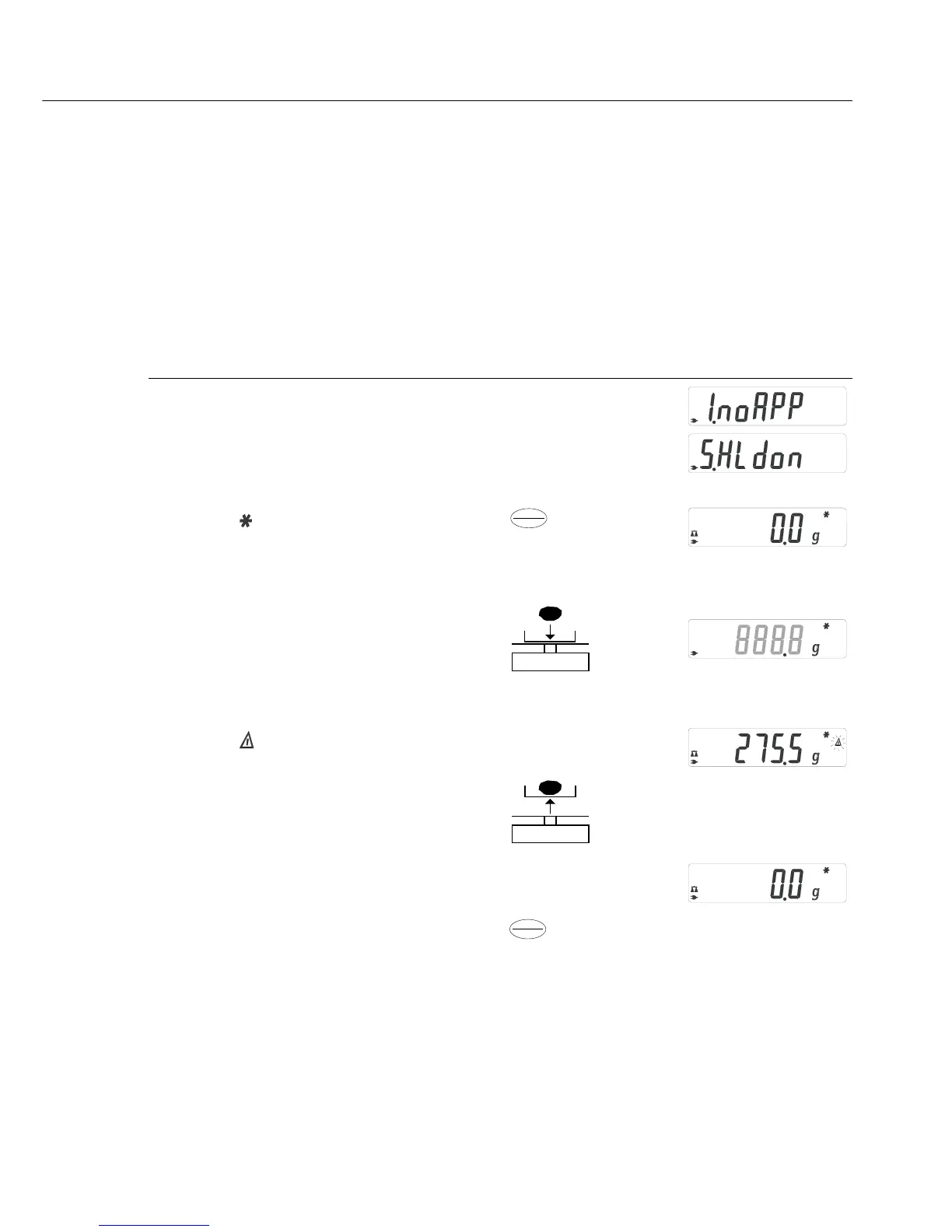
Example: Determine weight of oversized sample
Step Key (or instruction) Display
1. Select application program w > 2 sec
2. Select Display Hold (“
HLdon”) v repeatedly
3. Confirm setting
Symbol “ ” on the display:
application is active
4. If necessary: zero the balance/scale w
5. Place sample on balance/scale
6. Start application program v
Symbol “ ” flashes on the display:
the weight value is locked
7. Unload the balance/scale:
the weight value remains displayed
for a further 5 seconds; or
8. Zero the balance/scale w
9. End the Display Hold application > 2 sec
10. Reactivate Display Hold (if no other v
application program has been selected)
11. Repeat procedure starting from Step 5.
“Hold” Display
Enter
CF
Enter
CF


 To Next Page