EasyManua.ls Logo

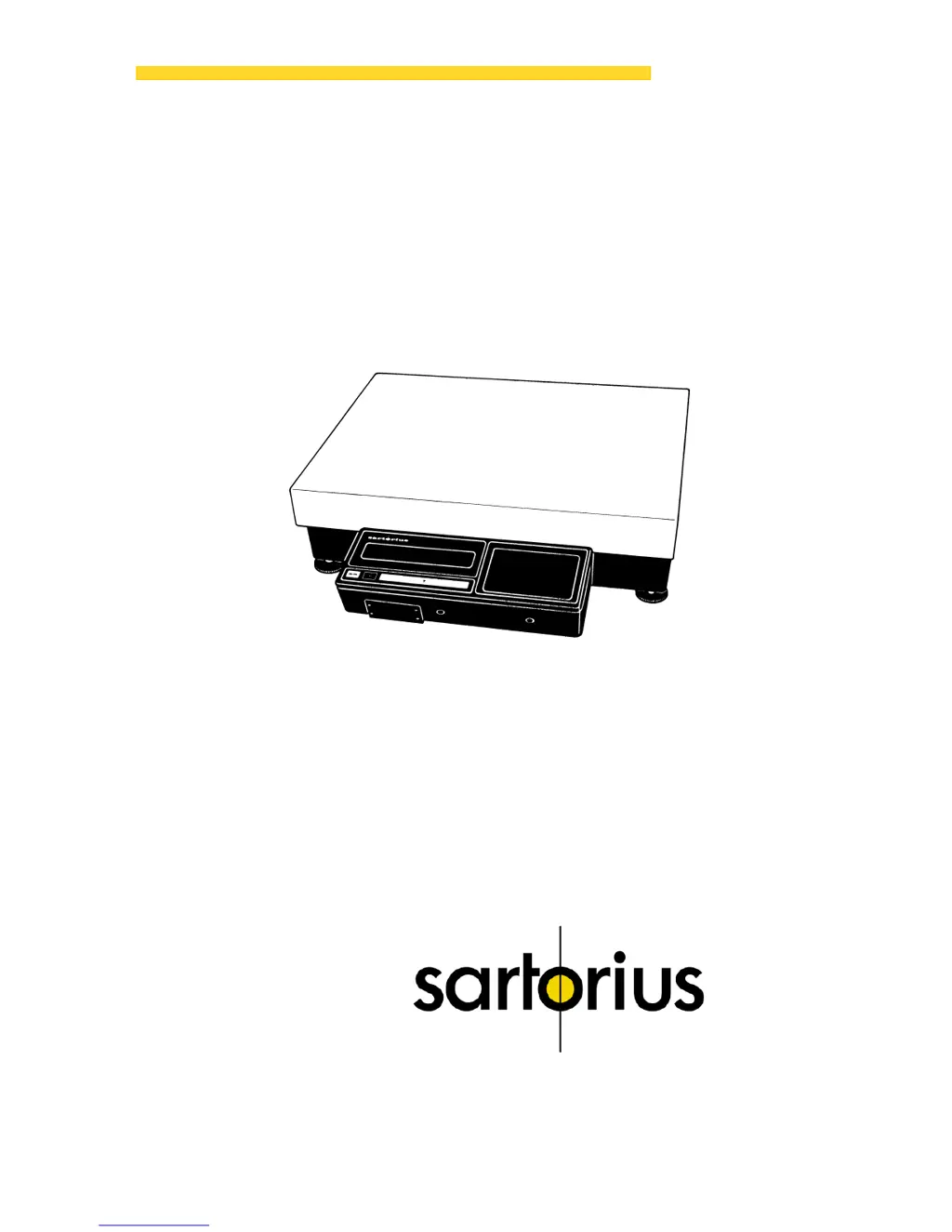
Sartorius IB 31000 P - User Manual

Sartorius IB 31000 P
28 pages
Print Icon
To Next Page IconTo Next Page
Loading...
Sartorius Industry
IB 16000 S,
IB 31000 P, IB 31.
Electronic Precision Scales
Installation and Operating Instructions
98648-000-60

Questions and Answers

  • M
    Mallory DuncanAug 12, 2025
    Why is the weight readout obviously wrong on my Sartorius IB 31000 P?
    • W
      warrenbridgesAug 12, 2025
      If the weight readout on your Sartorius Scales is obviously wrong, there are several potential causes. First, the scale may not have been calibrated; in this case, you should calibrate it. Second, the scale may not have been tared before weighing, so tare it before weighing. Third, if you are using the IB 16000 S model, the air bubble of the level indicator might not be within the circle; make sure to level the scale.
  • L
    Logan MoralesAug 16, 2025
    What to do if the weight readout changes constantly on Sartorius Scales?
    • A
      Alyssa WhiteAug 16, 2025
      If the weight display on your Sartorius Scales changes constantly or shows the message “BUSY”, it could be due to unstable ambient conditions. Try setting up the scale in another area. Also, excessive vibration or a draft could be the cause. In this case, access the menu to adapt the scale to your specific weighing environment. It may also happen if the sample does not have a stable weight.
  • T
    teresasmithAug 20, 2025
    What does 'H' mean on Sartorius IB 31000 P Scales weight display and how to resolve it?
    • B
      Brett JohnsonAug 20, 2025
      If the weight display on your Sartorius Scales shows “H”, it means the load exceeds the capacity of the scale. To resolve this, unload the scale.
  • D
    Debra HarrisonAug 25, 2025
    What does 'CE' mean on Sartorius IB 31000 P and how to fix it?
    • N
      Nathan FisherAug 25, 2025
      If the weight display on your Sartorius Scales shows “CE”, it indicates that a zero readout was not indicated when the CAL key was pressed to calibrate. Press the tare control and re-press the CAL key. It may also happen if the scale is loaded.
  • F
    Frank MataAug 27, 2025
    How to fix the 'CC' error code on Sartorius IB 31000 P Scales?
    • B
      Brian HillAug 27, 2025
      If the code “CC“ in the display of your Sartorius Scales does not disappear, it could be because the CAL key was not pressed when the display read zero. Try pressing the tare control and then re-pressing the CAL key. Also, ensure that the scale is not loaded, as this can also cause the issue.
  • W
    walkerreneeAug 31, 2025
    Why does my Sartorius IB 31000 P Scales show 'L' or 'CH2'?
    • K
      Kara LyonsAug 31, 2025
      If the weight display on your Sartorius Scales shows “L” or “CH2”, ensure that the platform cover is properly placed on the scale base. The platform cover must rest properly on the scale base without any interfering objects in between.
  • S
    Steven JohnstonSep 4, 2025
    Why does 'POWER OFF' blink on my Sartorius IB 31000 P Scales?
    • R
      Robert MartinezSep 4, 2025
      If “POWER OFF” blinks in the display of your Sartorius Scales, it means the operating voltage is too low, indicating that the battery is discharged. Connect the scale or the external rechargeable battery to line voltage using the AC adapter.
  • N
    Natalie Ruiz PhDSep 8, 2025
    How to troubleshoot no segments in the weight display of Sartorius Scales?
    • R
      Robert McclainSep 8, 2025
      If no segments are indicated in the weight display of your Sartorius Scales, first check the power supply to ensure line voltage is available. Also, make sure the AC adapter is properly plugged in.

Summary

About the Product (Warranty)

Storage and Shipping Conditions

Guidelines for storing and shipping the scale safely.

Equipment Supplied

Installation Instructions

Ambient Conditions

Recommended environmental conditions for optimal scale performance.

How to Mount the Display Unit

Mounting on Scale Base Short Side

Instructions for attaching the display to the short side of the scale.

Remote Display Unit Mounting

Guide for setting up the display unit remotely from the scale.

Support Arm Mounting (Option)

Steps for mounting the display unit using an optional support arm.

Startup and Initial Setup

Connecting to Line Power

Procedure for connecting the scale to the power source.

Voltage Selection

How to select the correct voltage for the scale's operation.

General Safety Precautions

Important safety guidelines to follow during setup and operation.

Connecting Electronic Peripherals

Instructions for connecting external electronic devices to the scale.

Scale Leveling Procedure

How to ensure the scale is level for accurate measurements.

Scale Operation

Display On;Off Control

How to power the scale's display unit on and off.

Automatic Self-Test

The automatic electronic self-test performed upon startup.

Weighing and Taring Operations

Steps for performing weighing and taring operations.

Auto Zero Tracking

Explanation of the automatic zero tracking feature.

Automatic Shutoff Feature

How the automatic shutoff feature works and its settings.

Calibration Process

Process for calibrating the scale for accuracy.

Operating Program Setup

How to adapt the scale's settings to specific requirements.

Menu Code Reading & Changing

Reading and changing menu codes for scale programming.

Programmable Menu Code List

A comprehensive list of programmable menu code settings.

Troubleshooting Guide

Care and Maintenance

Scale Cleaning

Instructions for cleaning the scale safely and effectively.

Safety Inspection

Procedures and recommendations for inspecting scale safety.

Accessories and Options

Interfacing Devices

Information on connecting external devices via the interface port.

Specifications

Sartorius IB 31000 P Specifications

General IconGeneral
Maximum Capacity31000 g
Readability0.1 g
Pan Size201 x 201 mm
CalibrationExternal
DisplayLCD
Power Supply100 – 240 V, 50/60 Hz
Repeatability (Standard Deviation)0.1 g
Linearity±0.2 g
InterfaceRS-232

Related product manuals