EasyManua.ls Logo

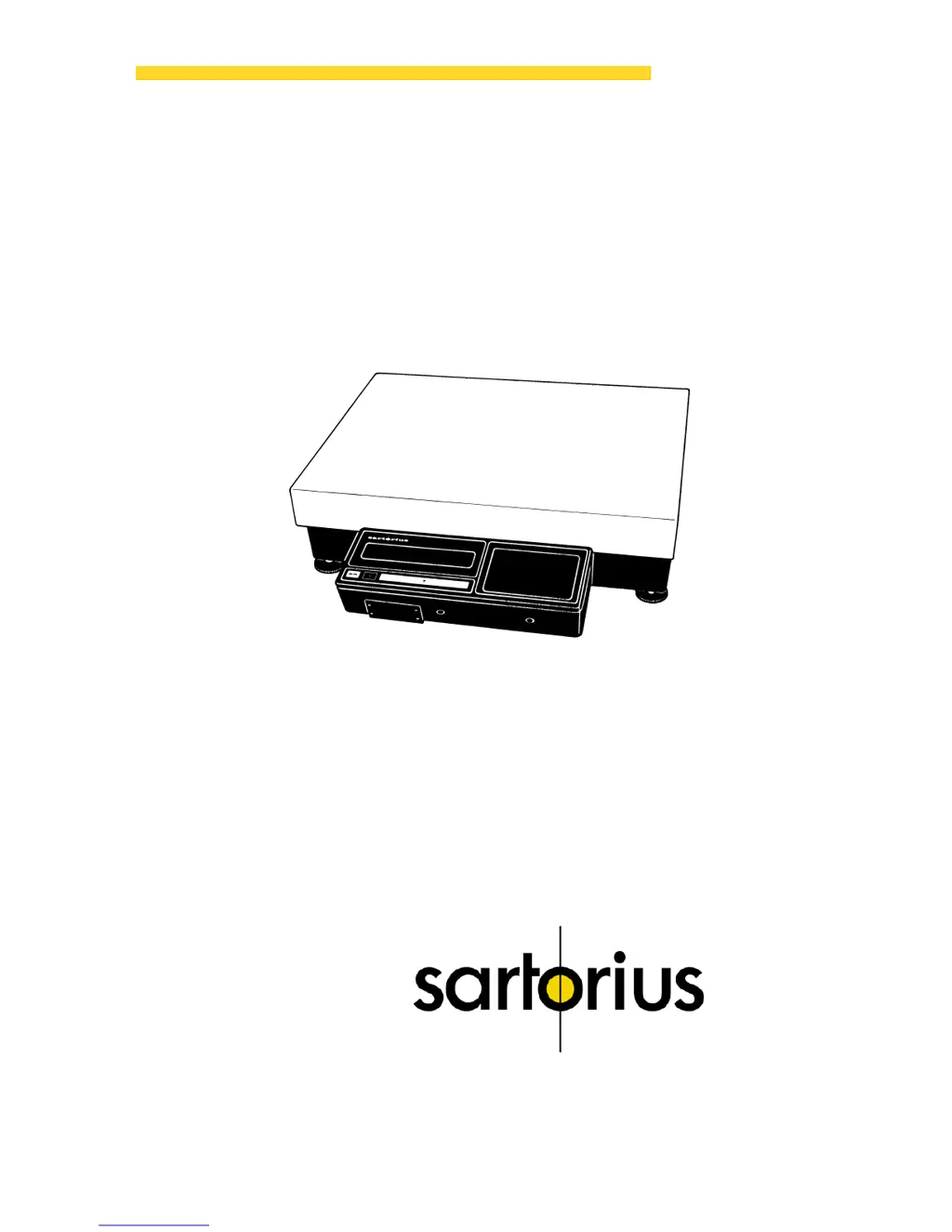
Sartorius IB 16000 S - User Manual

Sartorius IB 16000 S
28 pages
Print Icon
To Next Page IconTo Next Page
Loading...
Sartorius Industry
IB 16000 S,
IB 31000 P, IB 31.
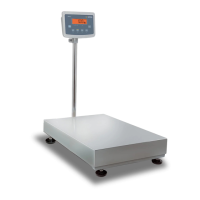
Electronic Precision Scales
Installation and Operating Instructions
98648-000-60

Questions and Answers

  • J
    Jason FrostAug 12, 2025
    Why is the weight readout obviously wrong on my Sartorius Scales?
    • N
      Nancy PerryAug 13, 2025
      If the weight readout on your Sartorius Scales is obviously wrong, there are several potential causes. First, the scale may not have been calibrated; in this case, you should calibrate it. Second, the scale may not have been tared before weighing, so tare it before weighing. Third, if you are using the IB 16000 S model, the air bubble of the level indicator might not be within the circle; make sure to level the scale.
  • J
    jamesterrellAug 16, 2025
    What to do if the weight readout changes constantly on Sartorius IB 16000 S?
    • C
      Candace PatelAug 16, 2025
      If the weight display on your Sartorius Scales changes constantly or shows the message “BUSY”, it could be due to unstable ambient conditions. Try setting up the scale in another area. Also, excessive vibration or a draft could be the cause. In this case, access the menu to adapt the scale to your specific weighing environment. It may also happen if the sample does not have a stable weight.
  • U
    ubennettAug 20, 2025
    What does 'H' mean on Sartorius IB 16000 S weight display and how to resolve it?
    • J
      julie93Aug 20, 2025
      If the weight display on your Sartorius Scales shows “H”, it means the load exceeds the capacity of the scale. To resolve this, unload the scale.
  • A
    Anne BrownAug 23, 2025
    What does 'CE' mean on Sartorius IB 16000 S and how to fix it?
    • M
      Michael VaughnAug 25, 2025
      If the weight display on your Sartorius Scales shows “CE”, it indicates that a zero readout was not indicated when the CAL key was pressed to calibrate. Press the tare control and re-press the CAL key. It may also happen if the scale is loaded.
  • T
    thomas79Aug 27, 2025
    How to fix the 'CC' error code on Sartorius IB 16000 S?
    • L
      Linda HarrisAug 27, 2025
      If the code “CC“ in the display of your Sartorius Scales does not disappear, it could be because the CAL key was not pressed when the display read zero. Try pressing the tare control and then re-pressing the CAL key. Also, ensure that the scale is not loaded, as this can also cause the issue.
  • J
    Jessica MillerAug 31, 2025
    Why does my Sartorius IB 16000 S show 'L' or 'CH2'?
    • S
      Sheri PerezSep 1, 2025
      If the weight display on your Sartorius Scales shows “L” or “CH2”, ensure that the platform cover is properly placed on the scale base. The platform cover must rest properly on the scale base without any interfering objects in between.
  • E
    Ellen FowlerSep 4, 2025
    Why does 'POWER OFF' blink on my Sartorius IB 16000 S Scales?
    • M
      Marcus FernandezSep 4, 2025
      If “POWER OFF” blinks in the display of your Sartorius Scales, it means the operating voltage is too low, indicating that the battery is discharged. Connect the scale or the external rechargeable battery to line voltage using the AC adapter.
  • C
    Christina WolfeSep 8, 2025
    How to troubleshoot no segments in the weight display of Sartorius IB 16000 S Scales?
    • J
      Jennifer RiceSep 8, 2025
      If no segments are indicated in the weight display of your Sartorius Scales, first check the power supply to ensure line voltage is available. Also, make sure the AC adapter is properly plugged in.

Summary

Sartorius IB Scale Installation Instructions

How to Mount the Display Unit

Describes various methods for attaching the scale's display unit to the base.

Mounting Display Unit on Scale Short Side

Step-by-step instructions for attaching the display unit to the short side of the scale base.

Mounting the Remote Display Unit

Instructions for configuring the display unit as a separate, remote component.

Mounting Display Unit on Support Arm

Detailed steps for mounting the display unit using an optional YDH 01IB support arm.

Sartorius IB Scale Startup Procedures

Connecting Scale to Line Power

Procedures for connecting the scale to an electrical power source via an AC adapter.

Safety Precautions for Startup

Essential safety measures to follow when operating the scale and connecting peripherals.

Leveling the Scale with Level Indicator

Instructions on how to properly level the scale using its integrated level indicator.

Sartorius IB Scale Operation Guide

Sartorius IB Scale Operating Program

Sartorius IB Scale Troubleshooting Guide

Sartorius IB Scale Care and Maintenance

Sartorius IB Scale Specifications

Sartorius IB 16000 S Specifications

General IconGeneral
BrandSartorius
ModelIB 16000 S
CategoryScales
LanguageEnglish

Related product manuals